

Introduction
By default, each Azure Web App has a single deployment slot called production. In Azure, when you publish your application in a Web app, it goes to the production environment.
In a traditional approach, directly pushing the code in the development server has the following demerits:
By default, each Azure Web App has a single deployment slot called production. In Azure, when you publish your application in a Web app, it goes to the production environment.
In a traditional approach, directly pushing the code in the development server has the following demerits:
- While deploying directly to the production server, you application needs a lot of downtime which hampers the user experience as the site is unavailable.
- If you have any error in your development or local system, that will get directly reflected in your production environment
- The cold start (Initial slowness) for the website can be overcome by these concepts. You can "Warm-up" (all the initialization of site loading) your application in staging.
- Here, you have the option to Rollback if any error occurs in production, within a fraction of a second.
- To ensure all the functionality of live sites are working correctly, we will follow up the site from a different environment, that is where the slot comes into picture.
So, to work out the above issues, we have these slotting concepts and different environment concepts.
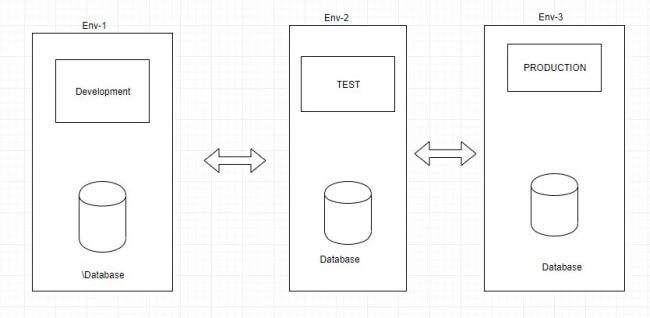
Normally, in an application development lifecycle, the code goes through several phases before it is finally pushed into production, such as,
Normally, in an application development lifecycle, the code goes through several phases before it is finally pushed into production, such as,
- Development
- Test
- Production
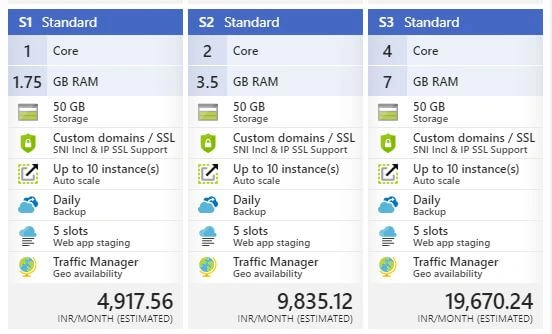
To work with Slot, we need to upgrade our pricing tier to Standard or Premium.These features are not available in Basic tier.
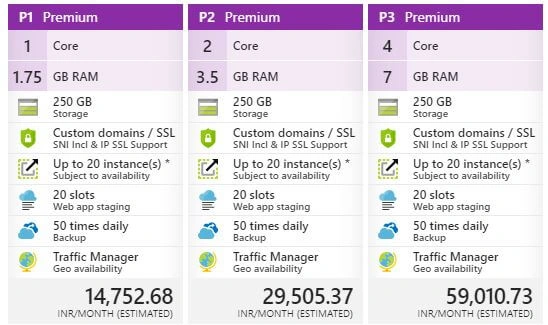
And here is the Premium which boosts functionality with Slot.
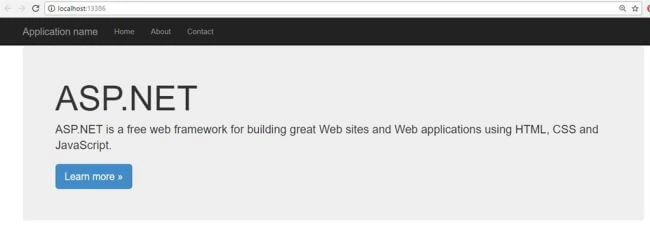
Now, I have a ready-made MVC application on my local.
Now, I have a ready-made MVC application on my local.
Let me create a web app with Standard pricing tier to deploy my application, as shown below.
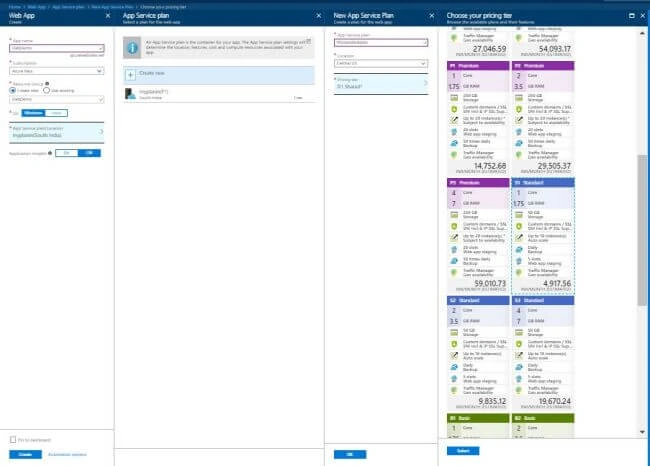
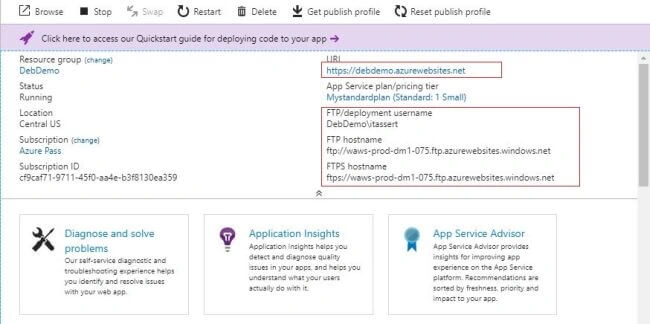
Finally, it will create a Web App with DebDemo name. Here are the details of this web app.
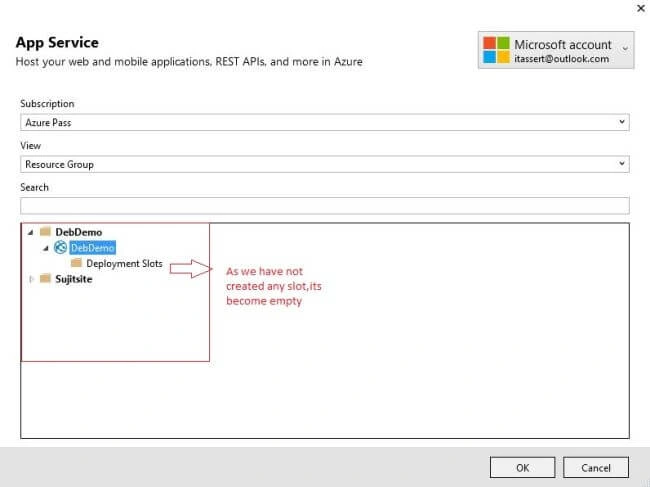
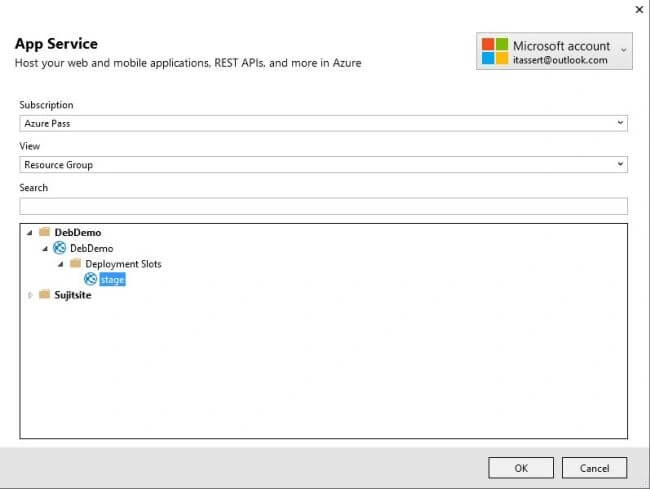
Now, let's point to this web app and publish by creating a New Profile.
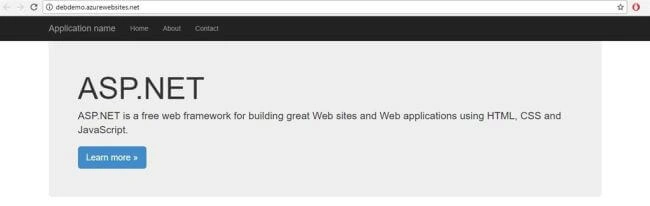
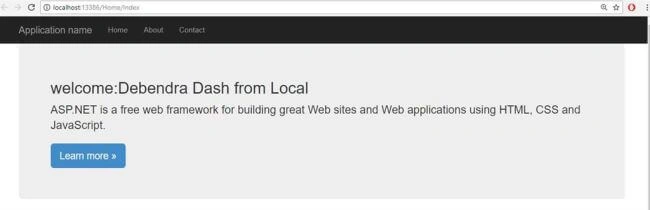
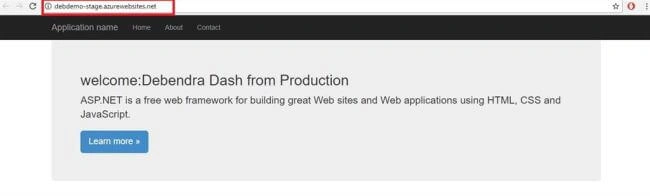
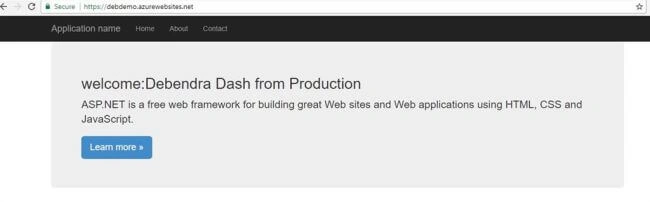
Once the deployment is complete, the site is ready and you can see by the url.
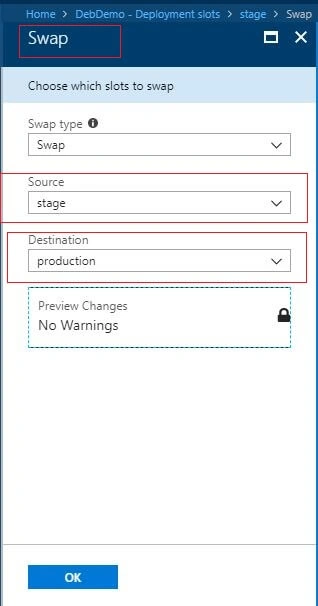
Now, we will create a slot and deploy the application with changed logic.
To add a slot, please check the below image and start your work as per the instructions.
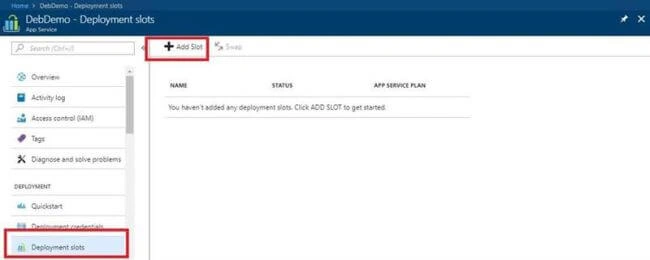
Now, add the slot as follows by giving a slot name.
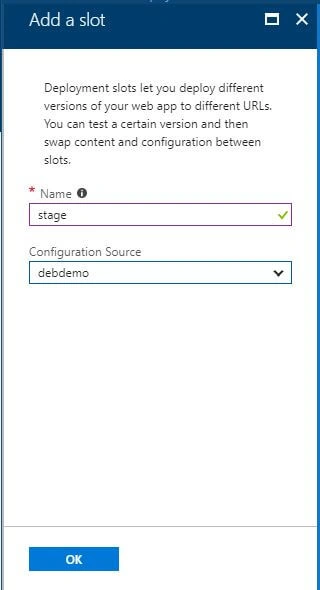
Now, add the slot as follows by giving a slot name.
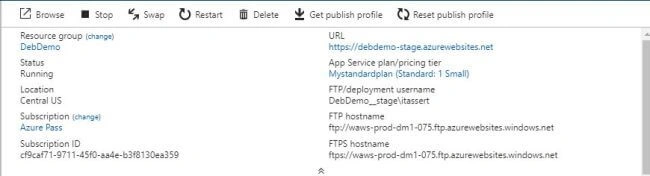
Once the slot is added, you will get the following info of the slot by clicking on it.
saroj kumarPosted Nov 18, 2018, 1:14 AM
Awasome Article....my doubt is cleared...thanks sir
KrishnaManju DuddelaPosted Jun 24, 2018, 1:56 AM
I have created a slot and published .net MVC app to slt using visual studio publish option. Slot is redirecting to production url instead of slot url. Can you help me with this issue
KrishnaManju DuddelaPosted Jun 24, 2018, 1:53 AM
Thanks for the article. Do we need to create new key for deployment slot?
Khaja MoizuddinPosted May 2, 2018, 4:25 PM
Nice one Debendra.......