
Introduction
DataSet is tabular representation of data. Tabular representation means it
represents data into row and column format. This class is counted in a disconnected
architecture in .NET Framework. Which means it is found in the "System.Data" namespace.
The Dataset can hold records of more than one Database tables or DataTables.
Now we try to use it into our application. Generally DataAdapter object is used
with DataSet to fill DataSet with value. Let's look a simple example to using
DataSet. In this example, I am using "student" Database ( Database name ) which
has a table "student_detail". Take a Windows Form Application -> a
DataGridView control and write the following code.
using
System.Windows.Forms;
using
System.Data.SqlClient;
namespace
workingwithdataset
{
public partial
class frmdataset
: Form
{
public frmdataset()
{
InitializeComponent();
}
private void
frmdataset_Load(object sender,
EventArgs e)
{
SqlDataAdapter dadapter =
new SqlDataAdapter("
select * from student_detail ", " database=student;user=sa;password=wintellect
");
DataSet dset =
new DataSet();
//Creating instance of DataSet
dadapter.Fill(dset,"student_detail");
// Filling the DataSet with the records returned by
SQL statemetns written in sqldataadapter
dataGridView1.DataSource = dset.Tables["student_detail"];
// Binding the datagridview
}
}
}
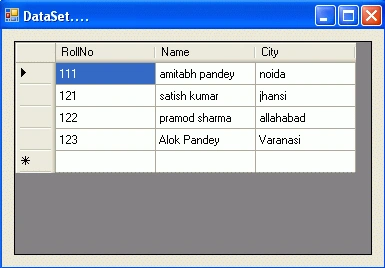
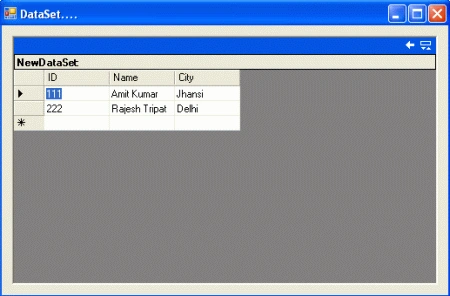
Run the application. The code is in the load event of the form. So when you run
the application, the output will look like the following figure.
Output
Now we fill the dataset with a record from the DataTable. In the example shown above I have
filled the dataset with records from the SqlDataAdapter. Write the following code for the form
load event.
using
System.Windows.Forms;
using
System.Data.SqlClient;
namespace
workingwithdataset
{
public partial
class frmdataset
: Form
{
public frmdataset()
{
InitializeComponent();
}
private void
frmdataset_Load(object sender,
EventArgs e)
{
DataTable table1 =
new DataTable();
DataTable table2 =
new DataTable();
DataColumn dc11 =
new DataColumn("ID",
typeof(Int32));
DataColumn dc12 =
new DataColumn("Name",
typeof(string));
DataColumn dc13 =
new DataColumn("City",
typeof(string));
table1.Columns.Add(dc11);
table1.Columns.Add(dc12);
table1.Columns.Add(dc13);
table1.Rows.Add(111,"Amit Kumar",
"Jhansi");
table1.Rows.Add(222, "Rajesh Tripathi",
"Delhi");
table1.Rows.Add(333, "Vineet Saini",
"Patna");
table1.Rows.Add(444, "Deepak Dwij",
"Noida");
DataSet dset =
new DataSet();
dset.Tables.Add(table1);
dataGridView1.DataSource = dset.Tables[0];
}
}
}
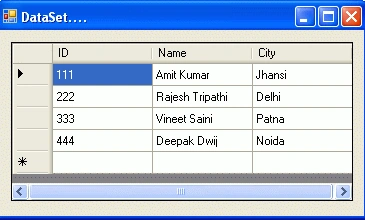
In the above example, I am creating a DataTable and filling the DataSet with the
record of DataTable. Run the application.
Output
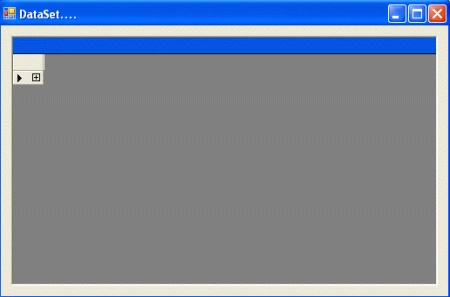
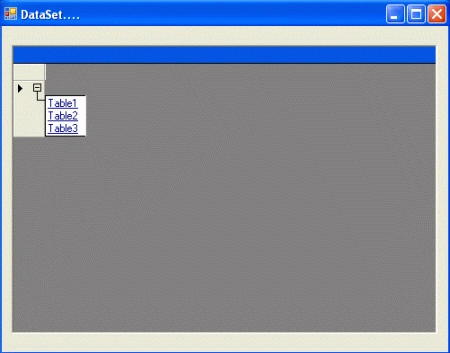
DataSet can hold the record of more than one table. Now we fill the DataSet
with more records from the DataTable. You have to add a DataGrid control. Take
the DataGrid control and write the following code for the form load event.
using
System;
using
System.Collections.Generic;
using
System.ComponentModel;
using
System.Data;
using
System.Drawing;
using
System.Linq;
using
System.Text;
using
System.Windows.Forms;
using
System.Data.SqlClient;
namespace
workingwithdataset
{
public partial
class frmdataset
: Form
{
public frmdataset()
{
InitializeComponent();
}
private void
frmdataset_Load(object sender,
EventArgs e)
{
// Craeting EMPLOYEE table
DataTable EMPLOYEE =
new DataTable();
DataColumn dc11 =
new DataColumn("ID",
typeof(Int32));
DataColumn dc12 =
new DataColumn("Name",
typeof(string));
Carlos RojasPosted Jul 24, 2019, 12:21 PM
Very well explained ... but I can't understand how in the DataGridView you can display multiple Grids ...
Ram SaunPosted Oct 10, 2017, 3:06 PM
Very nicely explainEd. Thank you so much sir.
Anwar JabbarPosted Mar 14, 2017, 5:44 AM
Could you please tell me how do we make this datatable Employee etc public to view/retrieve/edit the data or assign to datagrid control which is another form?
Anwar JabbarPosted Mar 14, 2017, 5:42 AM
Thanks a lot. Really helpful