

Creating a folder in SharePoint provides an easy way to manage and structure the documents in a library. It also helps to partition the document library and grant the final permission levels, within the library. Moreover, in Explorer view, the folders will work best in organizing and finding the contents. If the folder creation is enabled for a list, we can create the folders for the list as well.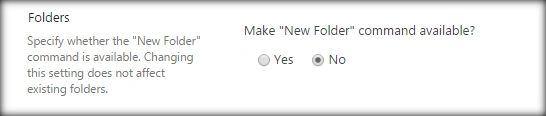
Change the Radio button, shown above, to Yes to enable the folder creation in SharePoint lists. We can create the folders out of the box as well as via the programming model. As a best practice, it is recommended not to create deep levels of nested folder structures as finding the content will become difficult, which defeats the purpose of the folders.
In this article, we will see, how to work with the folders in SharePoint 2016 and Office 365, using JavaScript object model.
Internal Implementation
Scope of the article is:
- Create a new folder object in Library.
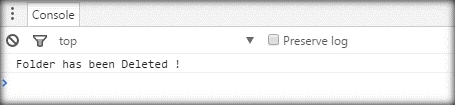
- Delete an existing folder object.
All these operations will be done, using JavaScript object model.
Create Folder
Let’s see, how we can create a folder instance in SharePoint programmatically from the client side:
- Add reference to jQuery file:
- <script language="javascript" type="text/javascript" src="//ajax.googleapis.com/ajax/libs/jquery/1.8.1/jquery.min.js"></script>
- <script language="javascript" type="text/javascript">
- Within Document ready function call SP.SOD.executeFunc, so as to load the on demand script SP.js. Call the main starting point function say: ‘createFolder’.
- SP.SOD.executeFunc('sp.js', 'SP.ClientContext', createFolder);
- Instantiate the client context and get the list instance.
- var clientContext = new SP.ClientContext();
- var oWebsite = clientContext.get_web();
- var oList = oWebsite.get_lists().getByTitle('Demo Library');
- Create the folder creation object,
- //Create Folder using SP.FileSystemObjectType.folder type
- var oListItemCretionInformation= new SP.ListItemCreationInformation();
- oListItemCretionInformation.set_underlyingObjectType(SP.FileSystemObjectType.folder);
- oListItemCretionInformation.set_leafName("NewFolder");
- oListItem= oList.addItem(oListItemCretionInformation);
- oListItem.update();
- Load the client context and execute the batch, which will send the request to the Server and perform the entire JavaScript object model operations as a batch.
- clientContext.load(oListItem);
- clientContext.executeQueryAsync(Success,Failure);
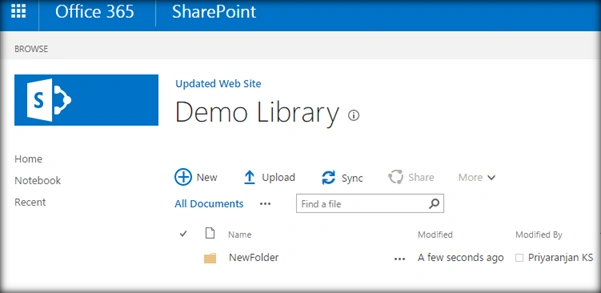
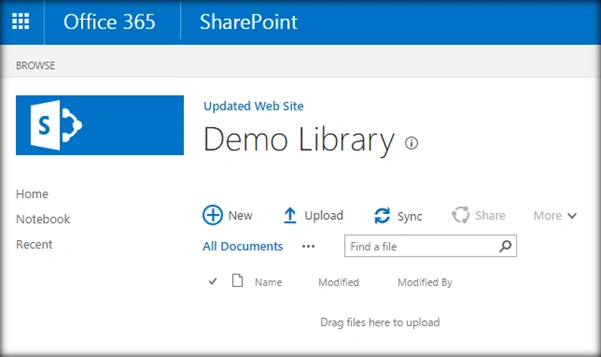
Output: Output from the console and UI is shown below: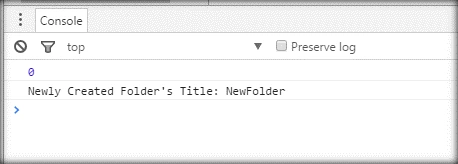
Full Code
The full code for the creation of a new folder, which uses JavaScript object model is given below:
- <script language="javascript" type="text/javascript" src="//ajax.googleapis.com/ajax/libs/jquery/1.8.1/jquery.min.js"></script>
- <script language="javascript" type="text/javascript">
- $(document).ready(function() {
- SP.SOD.executeFunc('sp.js', 'SP.ClientContext', createFolder);
- });
- var oListItem;
- function createFolder() {
- //Get Client Context , web and list object
- var clientContext = new SP.ClientContext();
- var oWebsite = clientContext.get_web();
- var oList = oWebsite.get_lists().getByTitle('Demo Library');
- //Create Folder using SP.FileSystemObjectType.folder type
- var oListItemCretionInformation = new SP.ListItemCreationInformation();
- oListItemCretionInformation.set_underlyingObjectType(SP.FileSystemObjectType.folder);
- oListItemCretionInformation.set_leafName("NewFolder");
- oListItem = oList.addItem(oListItemCretionInformation);
- oListItem.update();
- //Load Client Context and execute the batch
- clientContext.load(oListItem);
- clientContext.executeQueryAsync(Success, Failure);
- }
- function Success() {
- console.log("Newly Created Folder's Title: " + oListItem.get_item('FileLeafRef'));
- }
- function Failure(sender, args) {
- console.log('Request failed with error message - ' + args.get_message() + ' . Stack Trace - ' + args.get_stackTrace());
- }
- </script>
Roby SkariahPosted Aug 8, 2019, 11:21 PM
Have you tried reading items from a specific folder? Only the folder name that is passed. And ignore rest of folders and items.
Tarun DPosted Aug 24, 2016, 1:40 AM
Good one.Thanks for sharing...
Ramesh PalaniappanPosted Aug 24, 2016, 12:53 AM
Good one
Vinodh NarayananPosted Aug 23, 2016, 10:28 AM
Good one
Vignesh ManiPosted Aug 23, 2016, 8:36 AM
Good one