

Everything in PowerShell is an object. Even a simple text is an object of type Strong. An object is a programmatic representation of anything. Each object has properties and methods.
Example - A Laptop
Properties of a Laptop include model name, OS, cost, screen size, and so on...
Methods of a Laptop are turn on laptop, shutdown laptop, restart laptop, and so on.
Get-Member
Using Get-Member Cmdlet, you can find the properties and methods of an object. You need to pipe the object to Get-Member to find out properties and methods of an object.
Note
| symbol is the PowerShell Pipeline.
Example
PS C:\> Get-Service | Get-Member
This will list all the properties and methods available for a service.
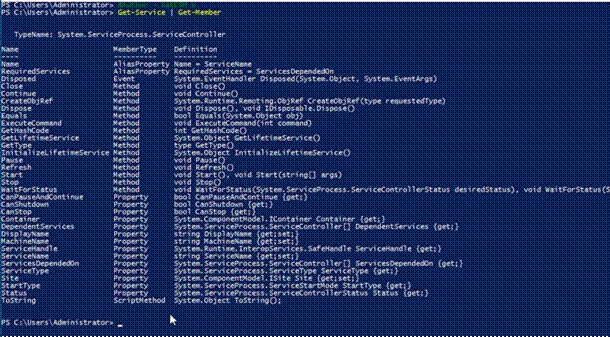
Image: Properties and Methods of Service.
New-Object
Using the New-Object Cmdlet, you can generate an object of any type. The choices for custom objects are Object and PSObject.
Note
The difference between Object and PSObjects is that Object creates an object of class System.Object, while PSObject creates an object of class System.Management.Automation.PSCustomObject].
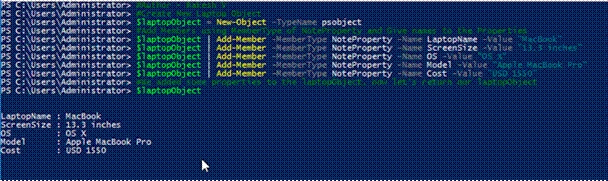
Image Create a New Object
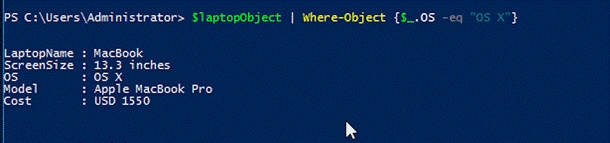
We use Where-Object to filer and select particular property values from the collection of objects.
Example
PS C:\ > $laptopObject | Where-Object {$_.OS -eq “OS X”}
This will return that object that has OS property value “OS X”
Select-Object
Select-Object selects properties of an object or from set of objects.
Example
PS C:\> $laptopObject | Select-Object -Property LaptopName,Model, Cost

Sort-Object
In Windows PowerShell, you can sort an object by -property parameter values. Let’s look at a simple example to understand how we can sort an object information.
Example
PS C:\> Get-ChildItem C:\
This Cmdlet, return all the files and folders in My C: Drive
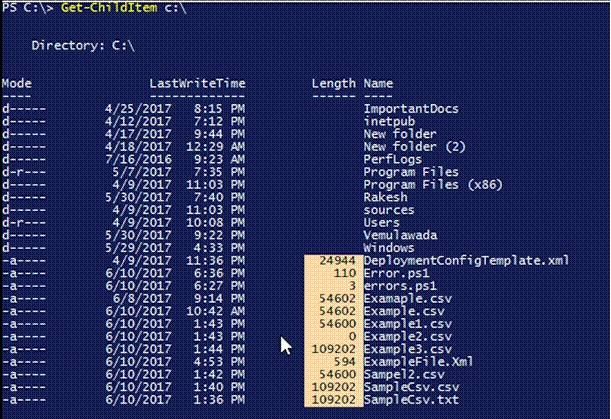
Now, if you look at the highlighted part in the output, values of Length property are not sorted. So, in order to sort the Length property values, we use sort object. Below examples explain how to sort Length property values.
Example
PS C:\ > Get-ChildItem C:\ | Sort-Object -Property Length
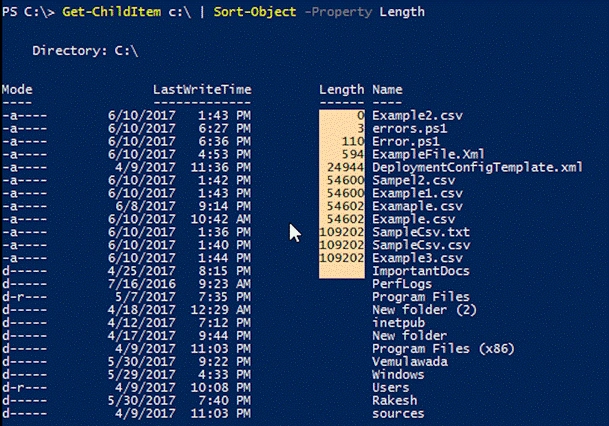
Once I run the above Cmdlet, I can see that all the values of Length property are now sorted.
Vinay AyinapurapuPosted Sep 26, 2022, 6:05 AM
Good explanation on PowerShell objects..