
Introduction
The SqlDataAdapter class is found in the
System.Data.SqlClient namespace. It is a very important class in the .NET
framework. It works as a bridge between DataSet and Database. It opens the database
connection, executes the SQL statements and closes the connection at last. There
is no need to open and close the connection. It has two more important methods
Fill() and Update(). The Fill() method is used to fill the DataSet or
DataTable and Update() is used for saving the changes to the Database in same order
as the DataSet, which is made with DataSet.
Now we will work with SqlDataAdapter in our application. I have a Database
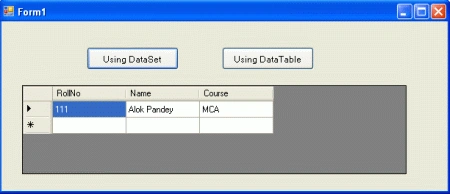
student and a Database table as "student_detail" which has one record. We take a
window form application in Visual Studio 2010 > Take 2 button and 1 DataGridView
control and write the following code.
using
System;
using
System.Collections.Generic;
using
System.ComponentModel;
using
System.Data;
using
System.Drawing;
using
System.Linq;
using
System.Text;
using
System.Windows.Forms;
using
System.Data.SqlClient;
namespace
adapter
{
public partial
class Form1 :
Form
{
public Form1()
{
InitializeComponent();
}
SqlDataAdapter adapter;
DataSet ds;
DataTable dt;
string connstring =
"database=student;server=.;user=sa;password=wintellect";
private void
Form1_Load(object sender,
EventArgs e)
{
}
private void
btndataset_Click(object sender,
EventArgs e)
{
// Using DataSet
adapter = new
SqlDataAdapter("select
* from student_detail", connstring);
ds = new
DataSet();
adapter.Fill(ds);
dGVshowrecord.DataSource = ds.Tables[0];
//********
// Same operation can be performed
by below code
//********
//adapter = new SqlDataAdapter();
//SqlConnection con = new
SqlConnection(connstring);
//adapter.SelectCommand = new
SqlCommand("select * from student_detail", con);
//ds = new DataSet();
//adapter.Fill(ds);
//dGVshowrecord.DataSource =
ds.Tables[0];
}
private void
btndatatable_Click(object sender,
EventArgs e)
{
// Using DataTable
adapter = new
SqlDataAdapter("select
* from student_detail", connstring);
dt = new
DataTable();
adapter.Fill(dt);
dGVshowrecord.DataSource = dt;
//********
// Same operation can be performed
by below code
//********
//adapter = new
SqlDataAdapter();
//SqlConnection
con = new SqlConnection(connstring);
// adapter.SelectCommand =
new SqlCommand("select * from student_detail", con);
//dt = new DataTable();
//adapter.Fill(dt);
//dGVshowrecord.DataSource = dt;
}
}
}
Run the application.
Output
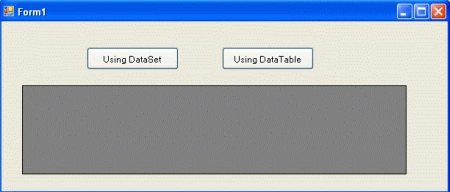
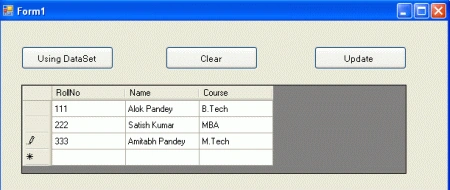
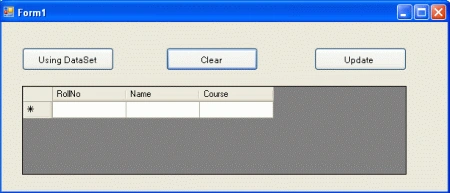
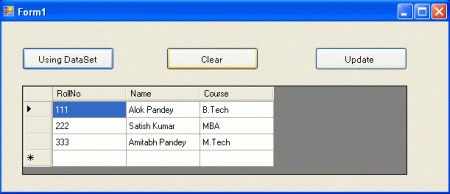
Click on both buttons to show records from "student_detail" table.
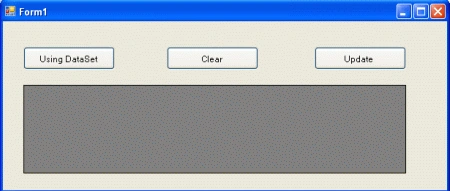
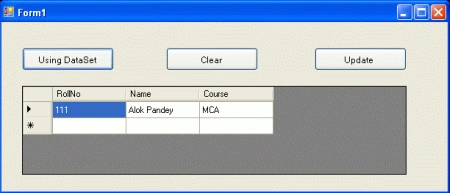
Now we insert, delete and update records using the SqlDataAdapter class. We will use the
update() method of SqlDataAdapter and also we have to use the SqlCommandBuilder
class for performing such an operation. Add 2 buttons in your application and set
their text property to "Clear" and "Update". Replace the preceding code with the following
code.
using
System;
using
System.Collections.Generic;
using
System.ComponentModel;
using
System.Data;
using
System.Drawing;
using
System.Linq;
using
System.Text;
using
System.Windows.Forms;
using
System.Data.SqlClient;
namespace
adapter
{
public partial
class Form1 :
Form
{
public Form1()
{
InitializeComponent();
}
SqlDataAdapter adapter;
DataSet ds;
DataTable dt;
string connstring =
"database=student;server=.;user=sa;password=wintellect";
private void
Form1_Load(object sender,
EventArgs e)
{
Join the conversation! Your thoughts help the community grow.