

In this article I will introduce the Uniform Grid object. The uniform grid object arranges content in its area so that all the cells in the grid have the same dimension. It represents a perfect solution if someone prefers to prevent the headache of ordering controls within an ordinary Grid object.
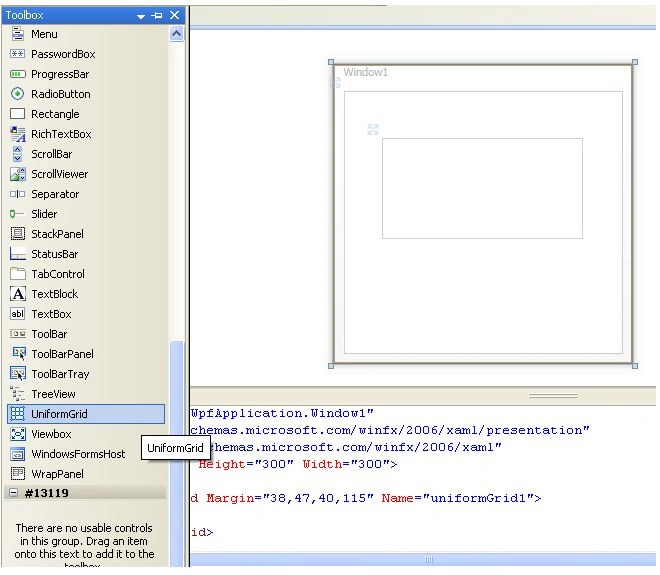
First, the Uniform grid belongs to the System.Windows.Controls. Primitives. It could be found in the tool box at the bottom.
|
|
|
Figure1 |
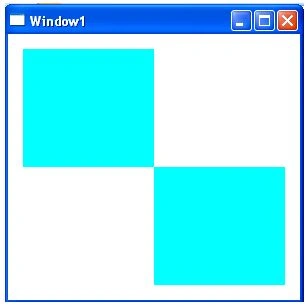
Let's make a small gadget with the uniform grid, to do so follow those steps
1. Copy and paste the bellow code in the XAML code zone
|
<Window x:Class="myWpfApplication.Window1" xmlns="http://schemas.microsoft.com/winfx/2006/xaml/presentation" xmlns:x="http://schemas.microsoft.com/winfx/2006/xaml" Title="Window1" Height="300" Width="300" Loaded="Window_Loaded"> <UniformGrid Margin="15,15,15,15" Name="uniformGrid1"> <Label Name="lbl1" MouseDown="lbl1_MouseDown"></Label> <Label Name="lbl2" MouseDown="lbl2_MouseDown"></Label> <Label Name="lbl3" MouseDown="lbl2_MouseDown"></Label> <Label Name="lbl4" MouseDown="lbl1_MouseDown"></Label> </UniformGrid> </Window> |
Join the conversation! Your thoughts help the community grow.