A linear gradient brush paints an area with a linear
gradient. The LinearGradientBrush object represents a linear gradient brush.
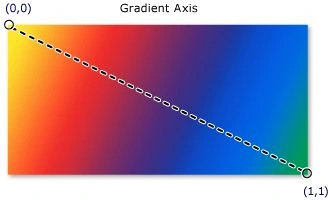
The default value linear gradient value is diagonal. The StartPoint and
EndPoint properties of the LinearGradientBrush represent the start and end
points of a gradient. The default values of these properties is (0,0) and
(1,1), which is upper-left corner to lower-right corner of an area.
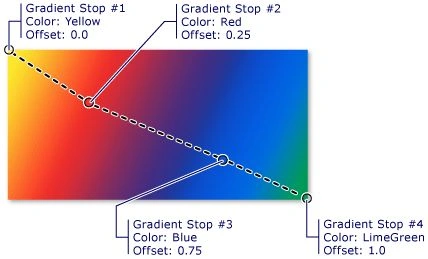
Figure 16 and 17 show a diagonal gradient (MSDN sample).
Figure 16. Linear Gradient
Figure 17. Linear Gradient with Stops
Creating a Linear Gradient Brush
The LinearGradientBrush element in XAML creates a linear
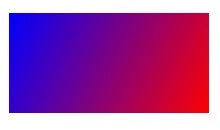
gradient brush. The following code snippet creates a linear gradient brush with
blue and red colors by setting GradientStops. The StartPoint and EndPoint
values are (0,0) and (1,1).
We can fill a shape with a gradient brush by setting a
shape's Fill property to the gradient brush. The code snippet in Listing 15
creates a rectangle shape sets the Fill property to a LinearGradientBrush with
blue and red colors.
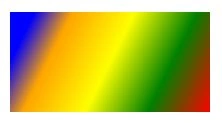
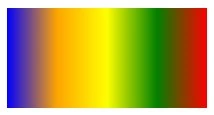
By simply changing the StartPoint and EndPoint values, we
can generate a vertical gradient shapes. By changing a few lines below in code
listed in Listing 17 generates Figure 20.


Ganesh V SPosted Aug 29, 2013, 4:10 AM
Thanks Mahesh... :)