

Let’s start,
Step 1 - Open Visual Studio, New Project, Templates, Visual C#, Android, Blank App, then select Blank App. Give Project Name and Project Location.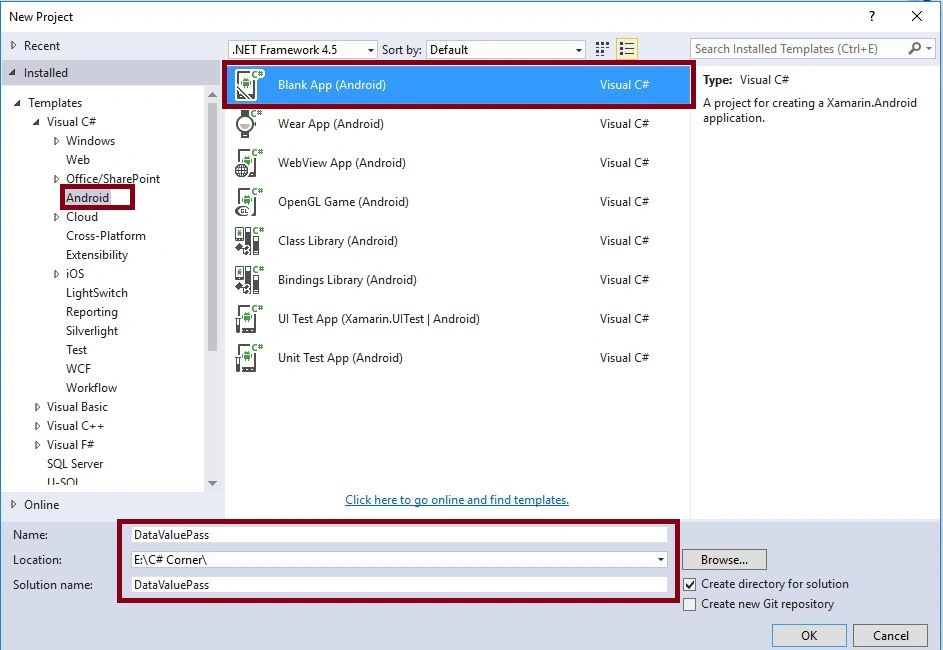
Step 2
Next we need to create Second page, so go to Solution Explorer, Project Name, Resources, layout. After that right click on Add->New Item, then open new Dialog box.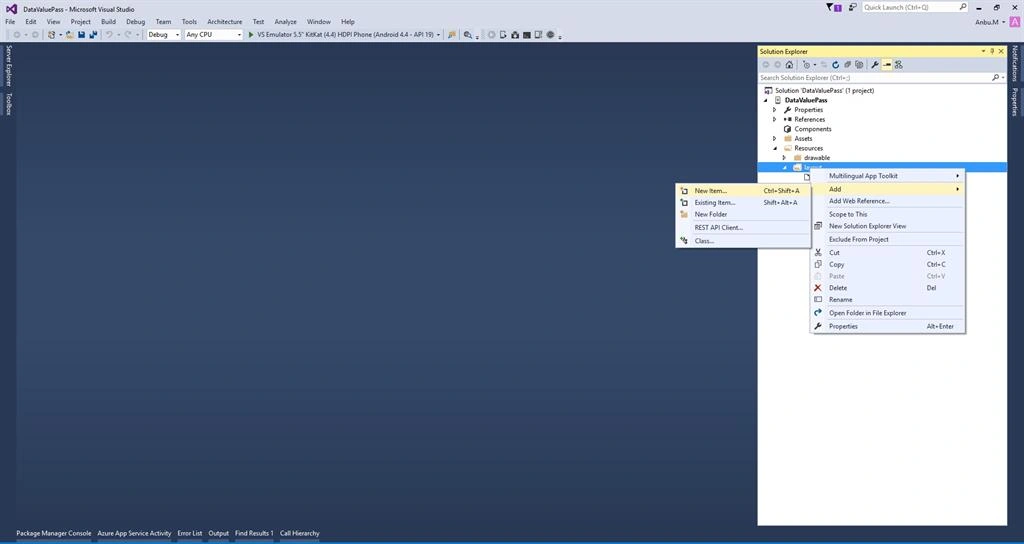
Step 3 - Select Android Layout and give name Secondpage.axml.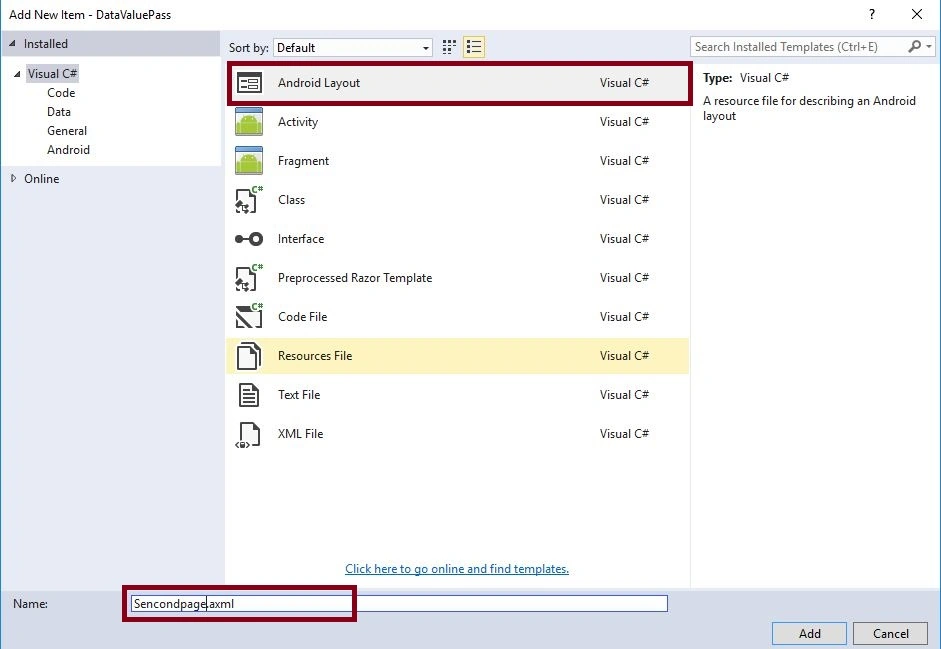
Step 4
And then we need to add one more Activity, so again go to Solution Explorer, then Project Name. After that right click to Add->New Item, then open new Dialog box.
Step 5 - Then select Activity and give name it SecondActivity.cs.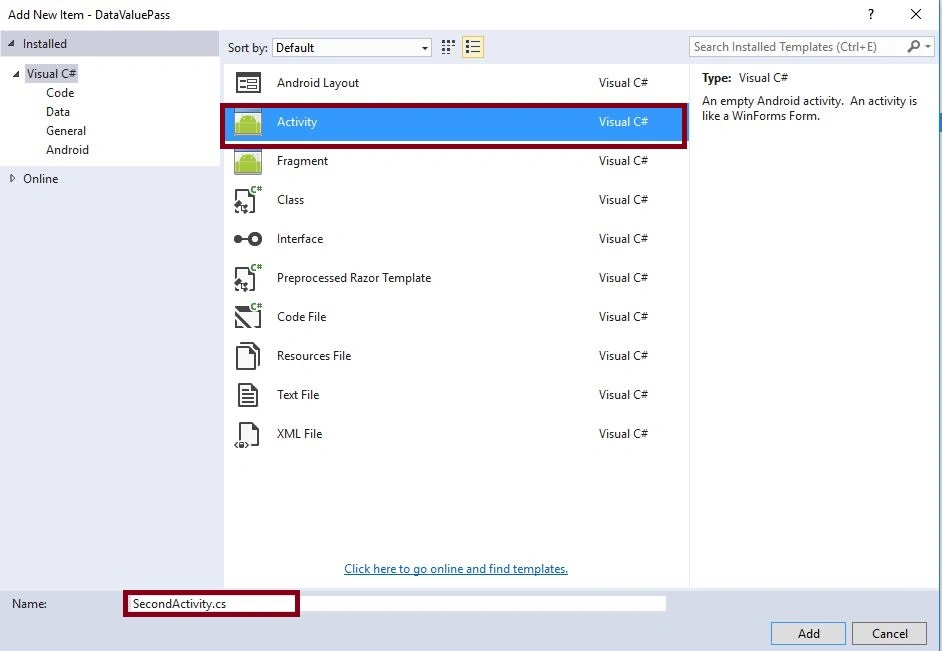
Step 6 - Next go for Solution Explorer-> Project Name->Resources->layout->Main.axml click to open Design View.
Step 7 - Select Toolbar Drag and Drop Button, TextView and PlainText.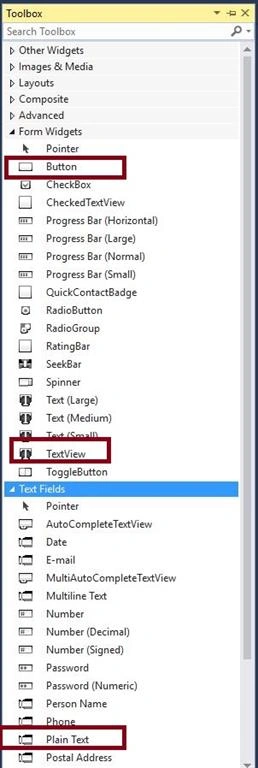
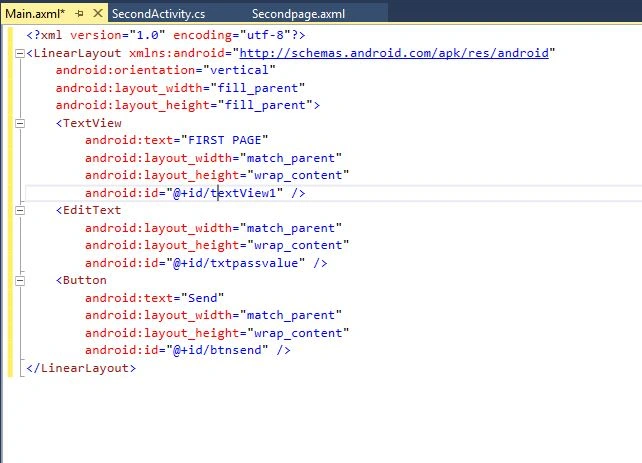
XML Code
- <?xml version="1.0" encoding="utf-8"?>
- <LinearLayout xmlns:android="http://schemas.android.com/apk/res/android"
- android:orientation="vertical"
- android:layout_width="fill_parent"
- android:layout_height="fill_parent">
- <TextView
- android:text="FIRST PAGE"
- android:layout_width="match_parent"
- android:layout_height="wrap_content"
- android:id="@+id/textView1" />
- <EditText
- android:layout_width="match_parent"
- android:layout_height="wrap_content"
- android:id="@+id/txtpassvalue" />
- <Button
- android:text="Send"
- android:layout_width="match_parent"
- android:layout_height="wrap_content"
- android:id="@+id/btnsend" />
- </LinearLayout>
Step 8 - Next open Solution Explorer-> Project Name->Resources->layout->Secondpage.axml click to open Design View.
Step 9 - Select Toolbar Drag and Drop, Button and TextView.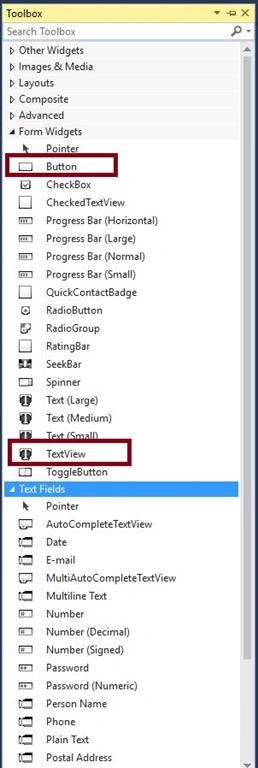
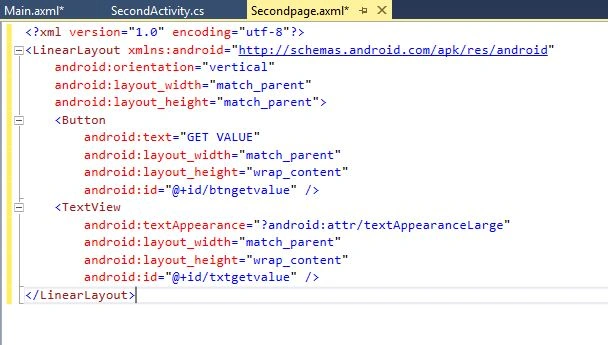
XML Code
- <?xml version="1.0" encoding="utf-8"?>
- <LinearLayout xmlns:android="http://schemas.android.com/apk/res/android"
- android:orientation="vertical"
- android:layout_width="match_parent"
- android:layout_height="match_parent">
- <Button
- android:text="GET VALUE"
- android:layout_width="match_parent"
- android:layout_height="wrap_content"
- android:id="@+id/btngetvalue" />
- <TextView
- android:textAppearance="?android:attr/textAppearanceLarge"
- android:layout_width="match_parent"
- android:layout_height="wrap_content"
- android:id="@+id/txtgetvalue" />
- </LinearLayout>
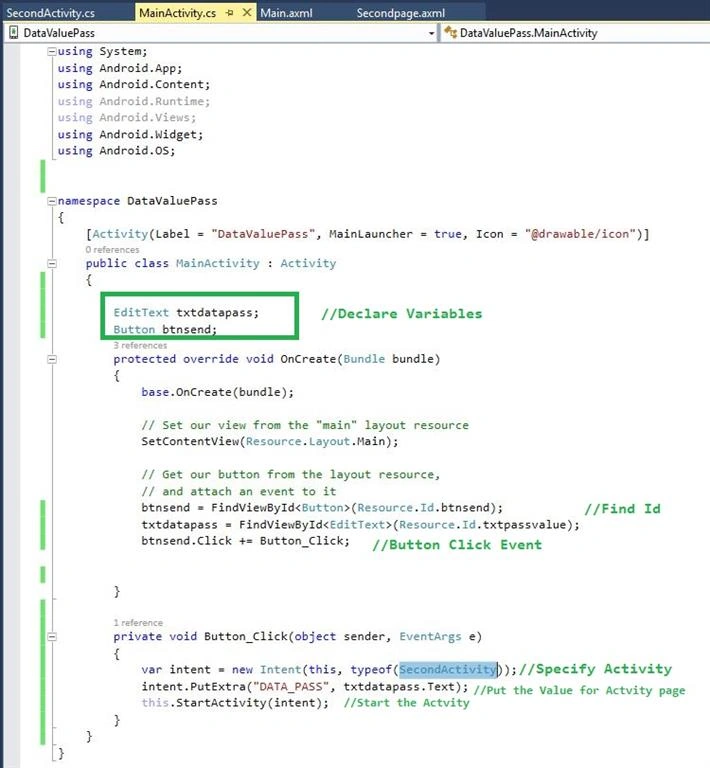
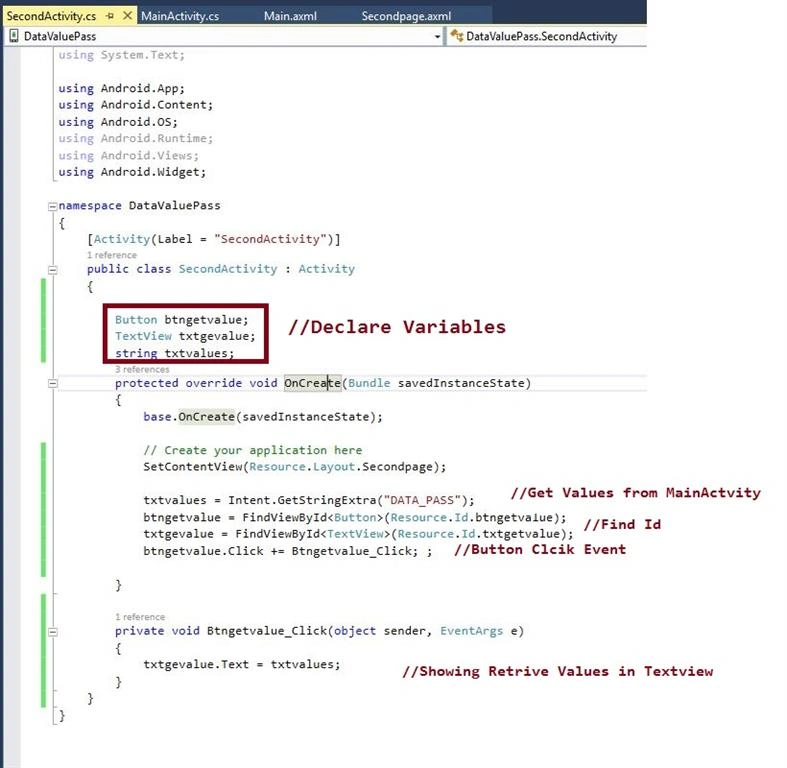
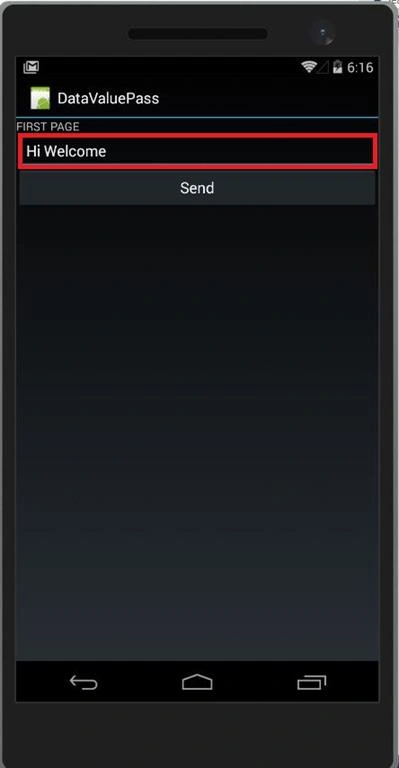
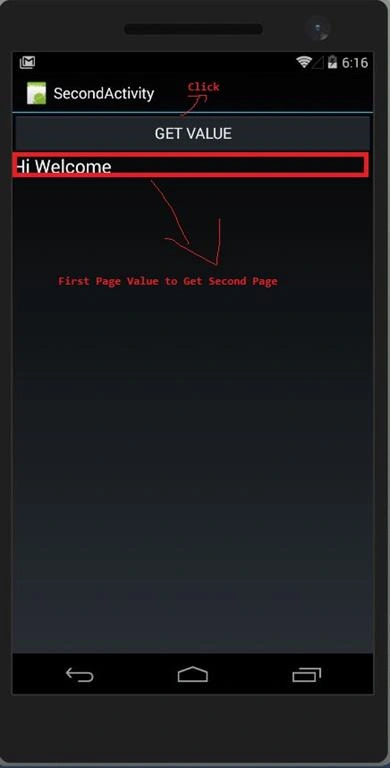
Sr KarthigaPosted May 6, 2016, 3:46 AM
good one