

First we create Azure SQL Server Database. Go to Azure Portal.
Create Azure SQL server database
Step 1
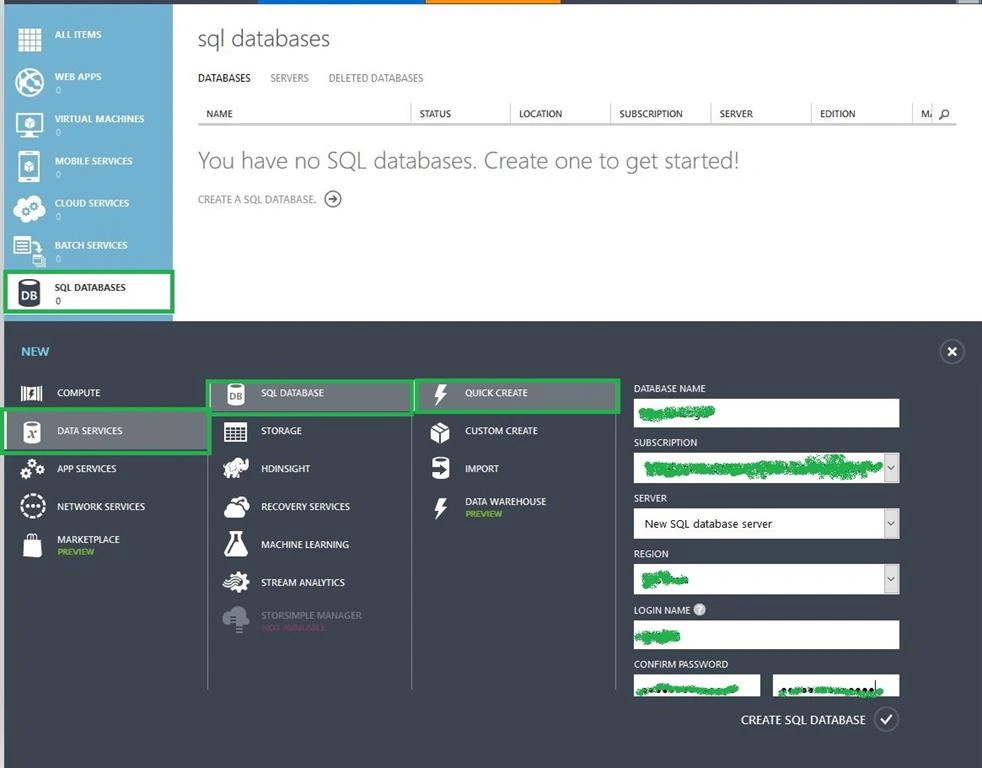
Create SQL Database and Database server. Go to portal bottom + DATA SERVICES->SQL DATABASE->QUICK CREATE then give your database name, server name, and password. After that click create SQL Database.
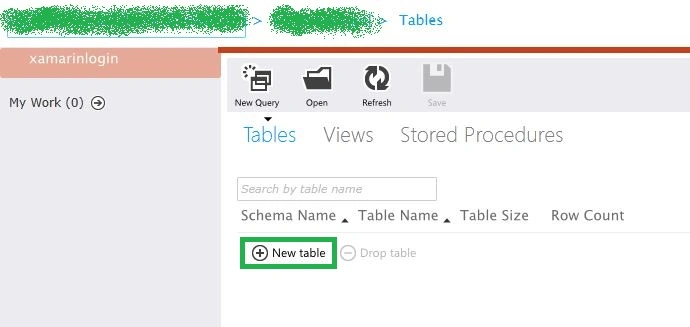
Next open SQL Database Design View, then Create New Table and name for Login.
Step 3
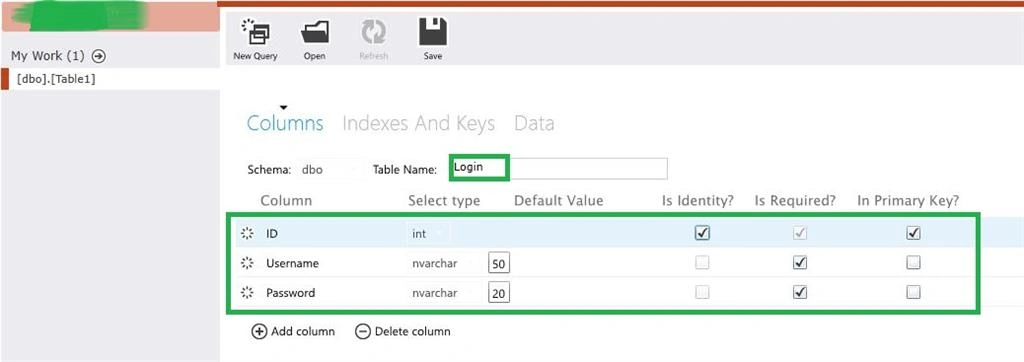
Then Create Login Table Rows. Here create three rows: ID, Username, Password. After creating rows go to Visual studio and create New WEB API.
WEB API
Step 4
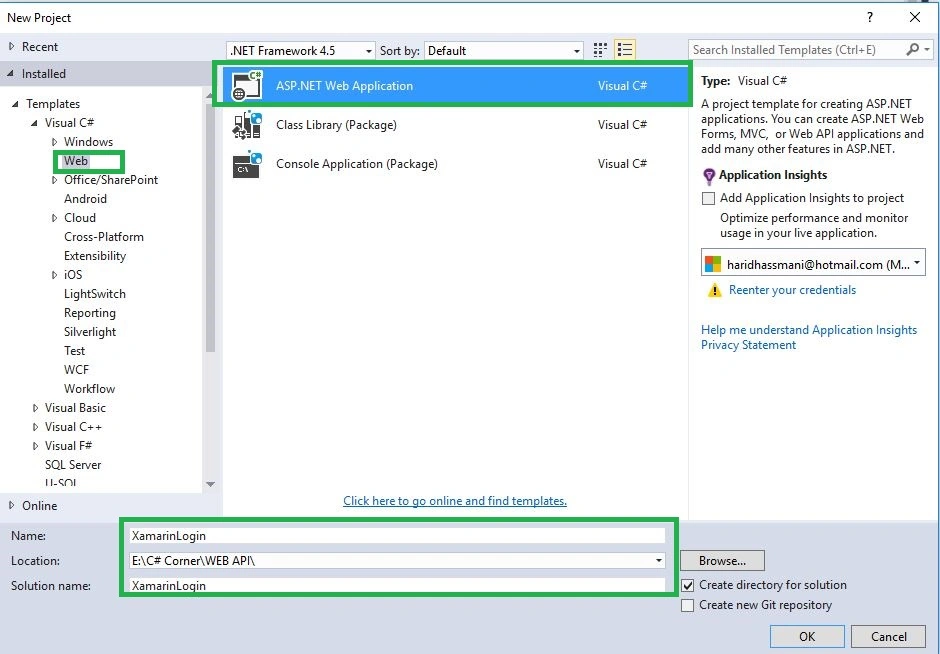
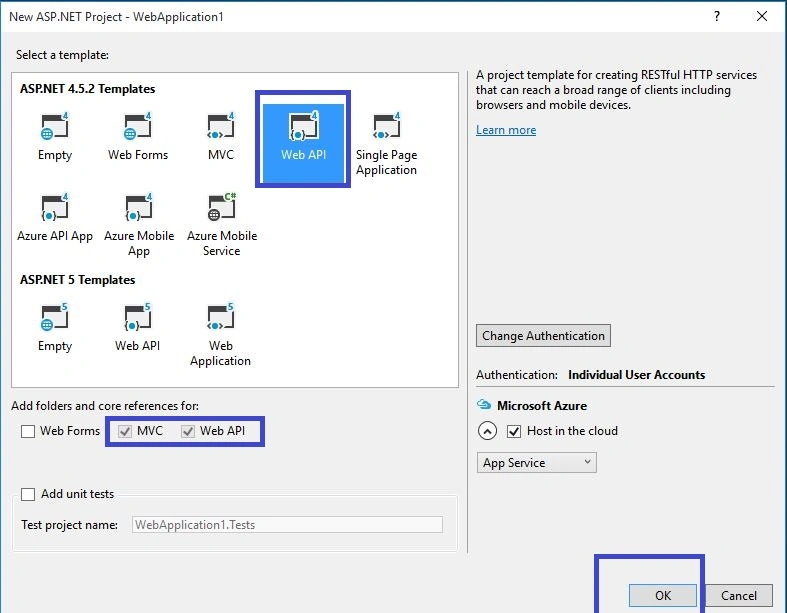
Open Visual Studio->New Project->Templates->Visual C#->Web ->ASP.NET Web Application, then open new pop up window and select WEB API. Then give Project Name and Project Location.
Step 5
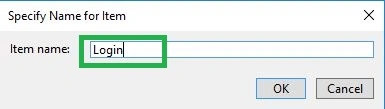
Next go to Solution Explorer-> Project Name-> Models then Right Click to Add -> ADO.NET Entity Data Model then open new Dialog box then Give Item Name and follow the given steps.
Step 6
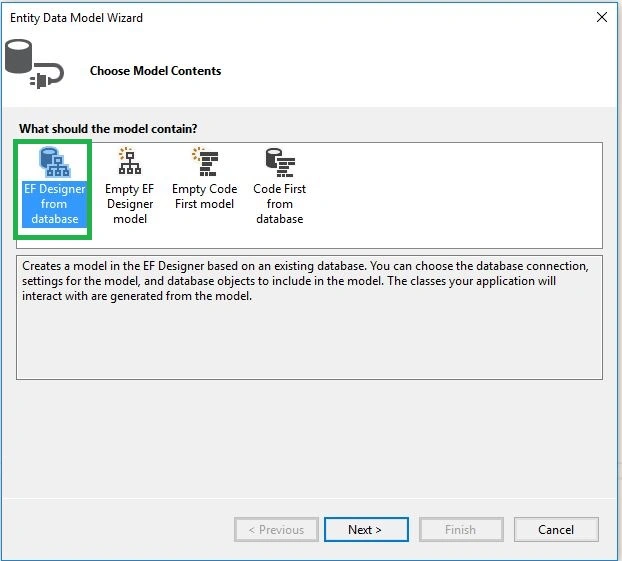
Select EF Designer from Database.
Step 7
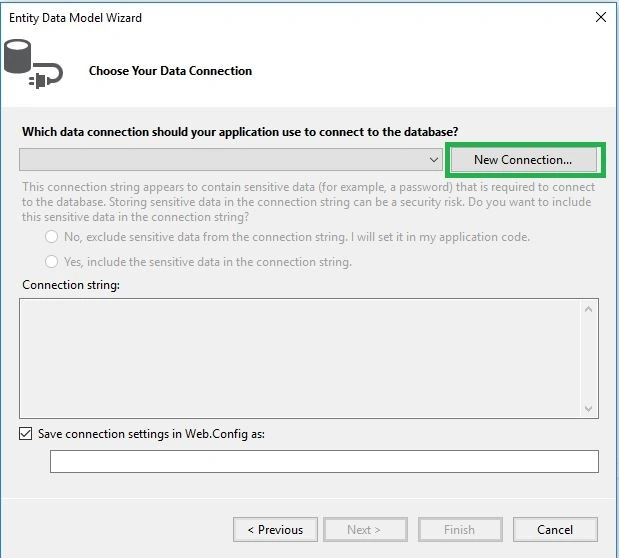
Select New Connection.
Step 8
Here give Server name, Username and password then finally select database.
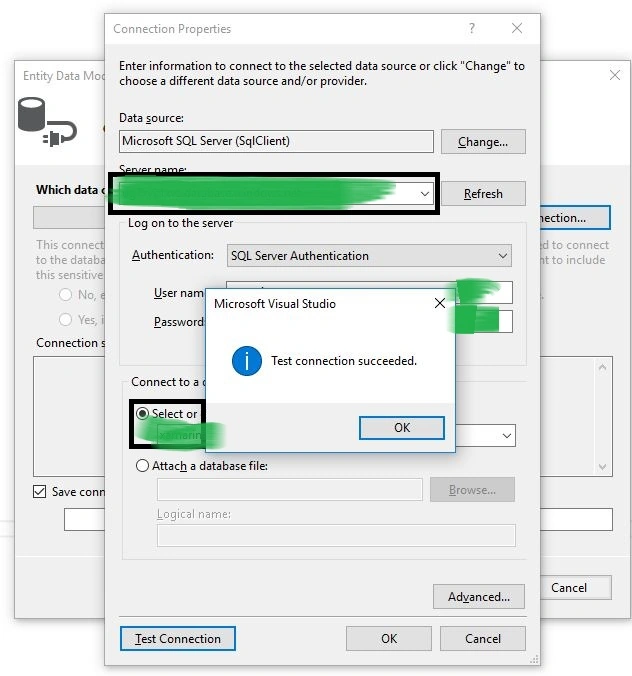
Step 9
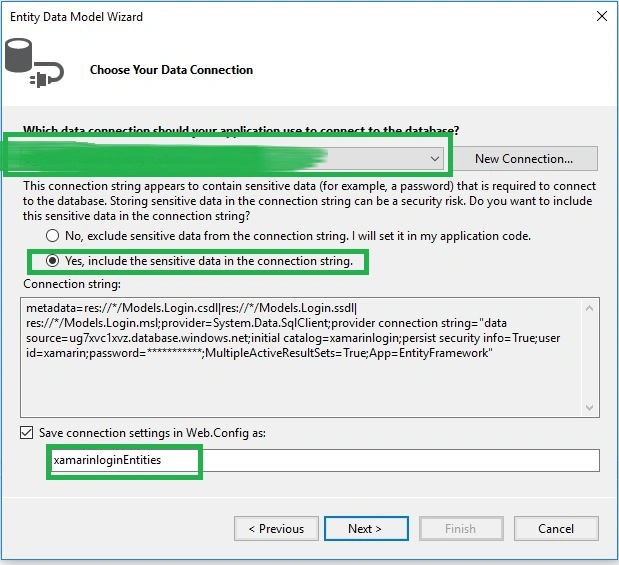
Step 10
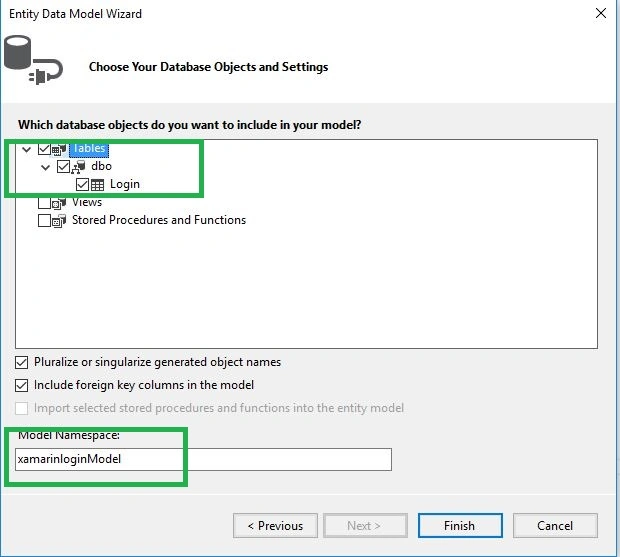
Step 11
Next go to Solution Explorer-> Project Name-> App Start -> WebApiConfig.cs. open cs code then give below code at the end of register method. This code will be converted from XML format to JSON format in output.
- var json = config.Formatters.JsonFormatter;
- json.SerializerSettings.PreserveReferencesHandling = Newtonsoft.Json.PreserveReferencesHandling.Objects;
- json.SerializerSettings.ContractResolver = new CamelCasePropertyNamesContractResolver();
- config.Formatters.Remove(config.Formatters.XmlFormatter);
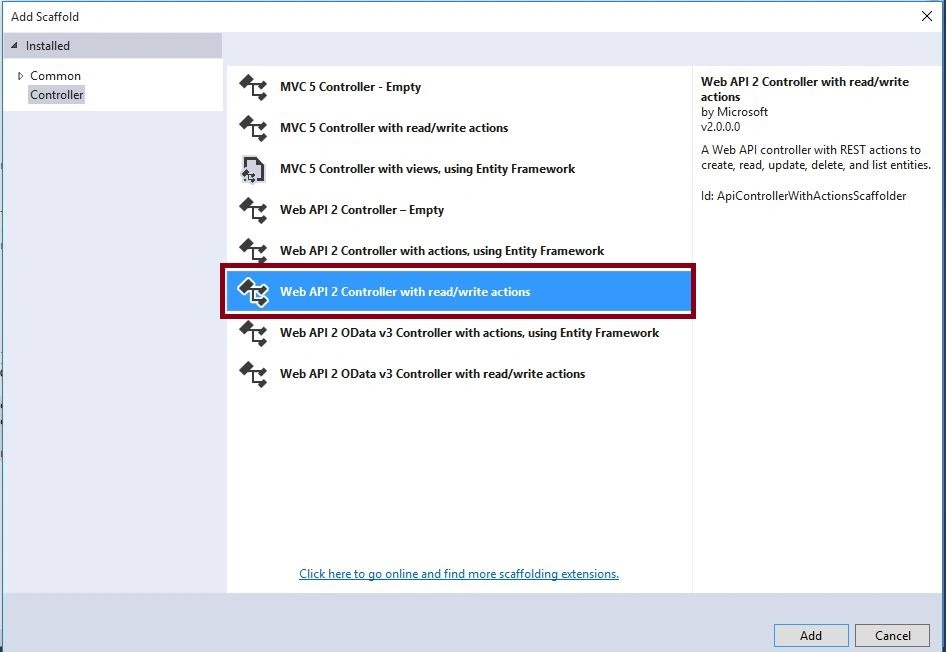
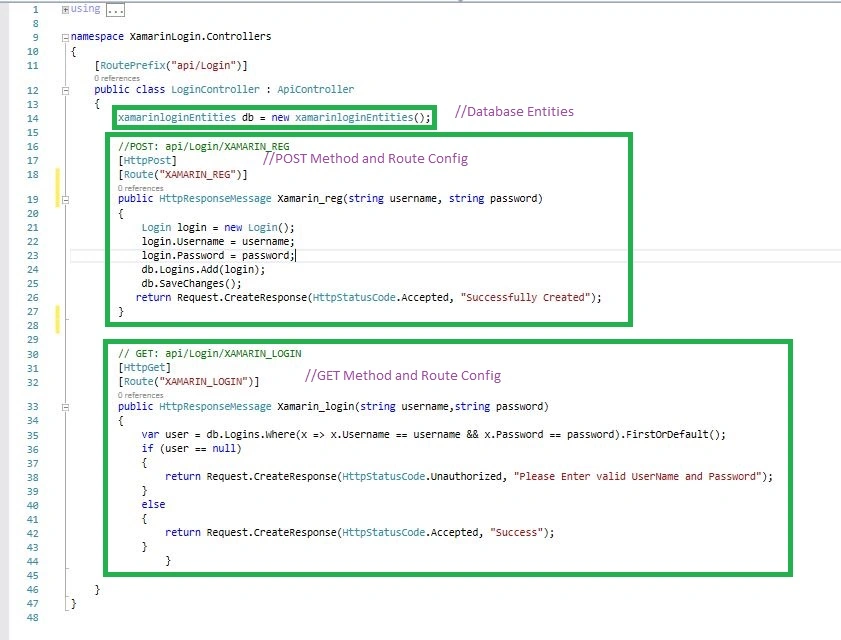
Next go to Solution Explorer-> Project Name-> Controllers then Right Click to Add->Controllers then Open New Popup window you can choose Web API 2 Controller with read/write actions after give controller name.
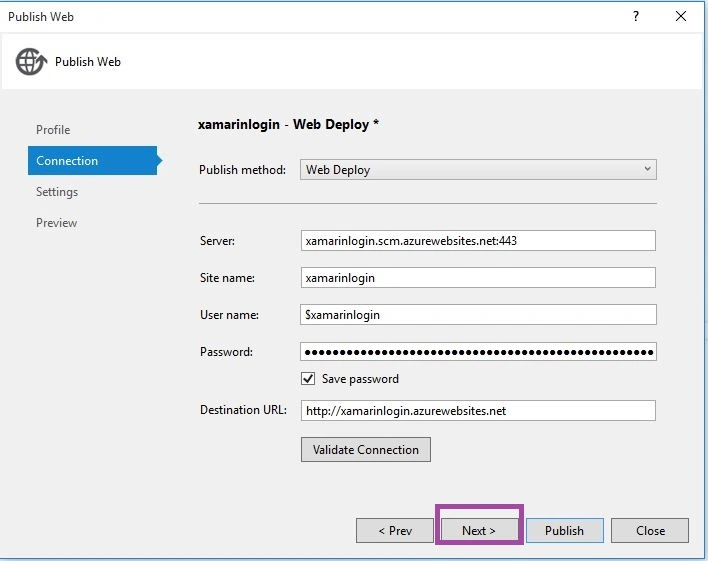
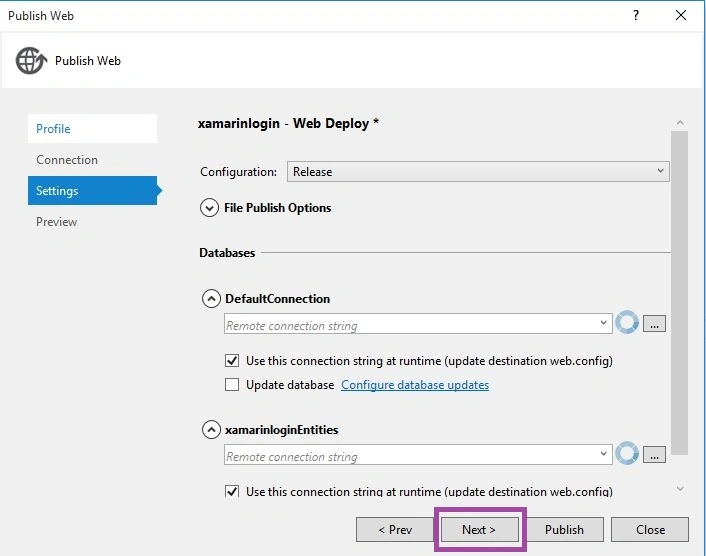
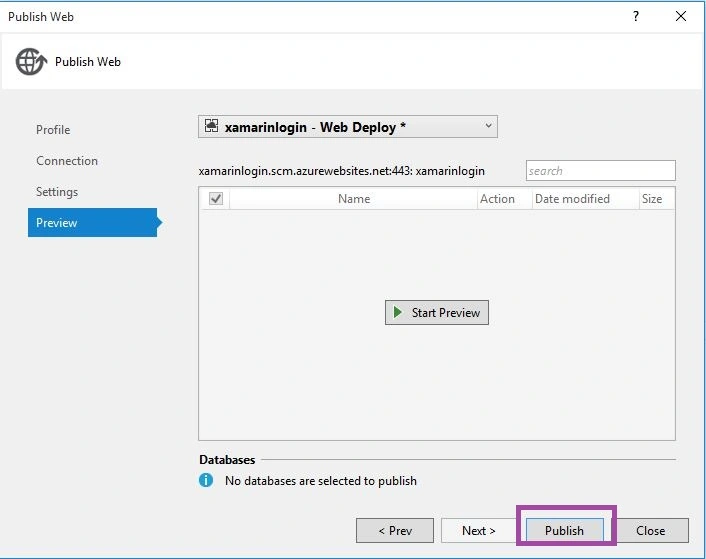
Waseef kPosted Sep 17, 2021, 5:44 AM
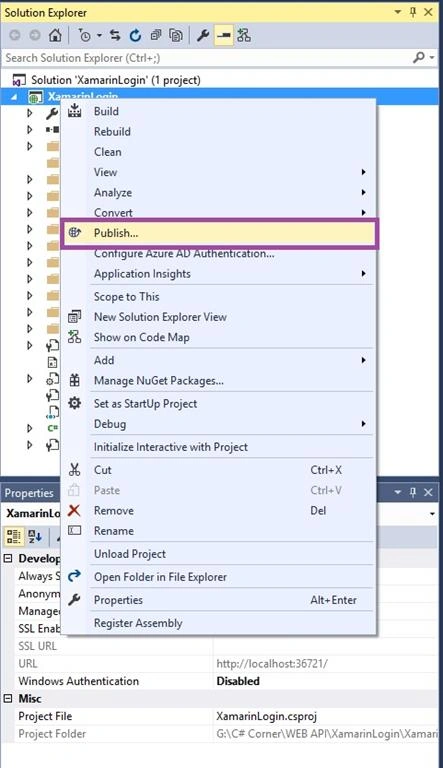
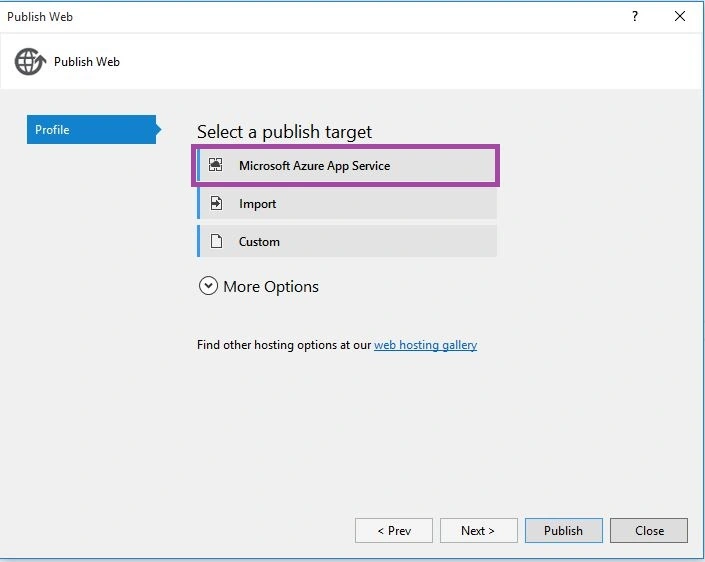
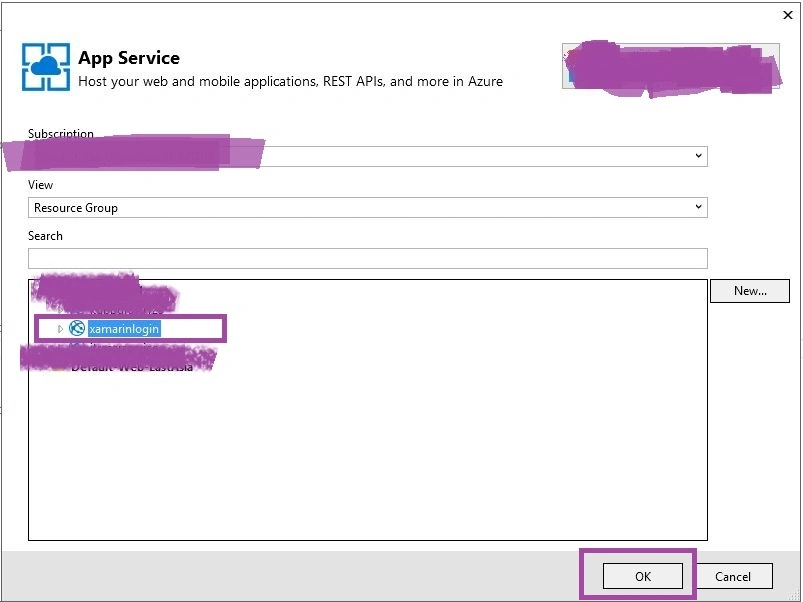
Hi Anbu, I tried all the following steps which you have mentioned, but while Publishing i am error as "The type initializer for 'Microsoft.Web.Deployment.DeploymentManager' threw an exception" can you please what i am doing wrong. thanks
Henry JonesPosted Feb 17, 2019, 8:22 AM
Hi, in step 13 can you clarify if the methods should use a Route or ActionName attribute? As they are different in the two images. Thanks in advance
mira vikramPosted Apr 9, 2018, 10:57 PM
I am receiving Http204 for the creation call.
Theodorus GumilangPosted Jun 11, 2017, 11:04 PM
I have some error in the controller, i got this error message
Fawad MehmoodPosted May 16, 2017, 11:50 AM
I am getting below message
Muhammad AwaisPosted May 14, 2017, 5:20 AM
Do i need to install sql server ? for this
Sandy HartakPosted Mar 10, 2017, 4:43 AM
I am getting the below message:
Kashif Ahmad KhanPosted Sep 16, 2016, 2:29 AM
Thank you for nice share
Santhakumar MunuswamyPosted Jun 9, 2016, 12:42 AM
Thank you for nice share
Kuppurasu NagarajPosted Jun 6, 2016, 12:01 PM
Nice Sharing..
Vignesh ManiPosted Jun 6, 2016, 5:27 AM
Nice one
Debasis SahaPosted Jun 6, 2016, 12:19 AM
Good One..
Bhavik PatelPosted Jun 4, 2016, 11:19 PM
nice