

ZXing.NET is a library that supports decoding and generating of barcodes (like QR Code, PDF 417, EAN, UPC, Aztec, Data Matrix, Codabar) within images. In this repository, I will implement it in ASP.NET MVC 5 application.
I create the following things with ZXing.NET,
- Create QR Codes for any text entered by the user.
- Create QR Codes Code Files for any text which the user enters. I will save these QR Code files in ‘qrr’ folder which is placed at the root of the application.
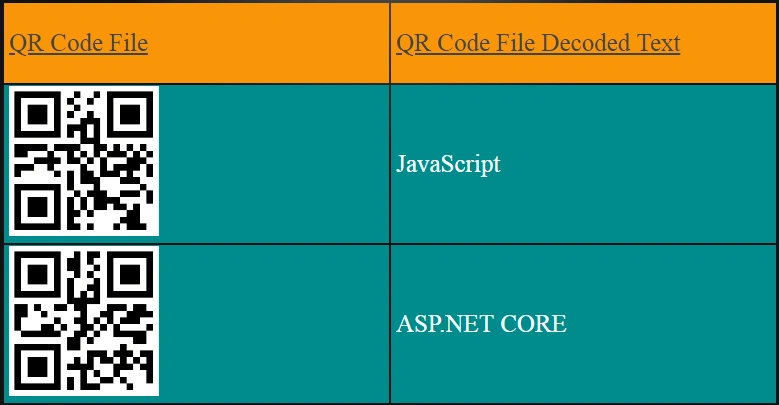
- Read all the QR Code files and Decoding them.
Installation
To use the ZXing.NET library you need to install the ZXing.Net package from NuGet.
PM> Install-Package ZXing.Net
Create QR Creating QR Codes
In your controller import the following namespaces,
using System;
using System.Collections.Generic;
using System.IO;
using ZXing;
using ZXing.QrCode;
using System.Web.Mvc;
using System.Drawing;
Next, add 2 Index Action methods in your controller whose code is given below,
public ActionResult Index()
{
    return View();
}

[HttpPost]
public ActionResult Index(string qrText)
{
    Byte[] byteArray;
    var width = 250; // width of the Qr Code
    var height = 250; // height of the Qr Code
    var margin = 0;
    var qrCodeWriter = new ZXing.BarcodeWriterPixelData
    {
        Format = ZXing.BarcodeFormat.QR_CODE,
        Options = new QrCodeEncodingOptions
        {
            Height = height,
            Width = width,
            Margin = margin
        }
    };
    var pixelData = qrCodeWriter.Write(qrText);

    // creating a bitmap from the raw pixel data; if only black and white colors are used it makes no difference
    // that the pixel data ist BGRA oriented and the bitmap is initialized with RGB
    using (var bitmap = new System.Drawing.Bitmap(pixelData.Width, pixelData.Height, System.Drawing.Imaging.PixelFormat.Format32bppRgb))
    {
        using (var ms = new MemoryStream())
        {
            var bitmapData = bitmap.LockBits(new System.Drawing.Rectangle(0, 0, pixelData.Width, pixelData.Height), System.Drawing.Imaging.ImageLockMode.WriteOnly, System.Drawing.Imaging.PixelFormat.Format32bppRgb);
            try
            {
                // we assume that the row stride of the bitmap is aligned to 4 byte multiplied by the width of the image
                System.Runtime.InteropServices.Marshal.Copy(pixelData.Pixels, 0, bitmapData.Scan0, pixelData.Pixels.Length);
            }
            finally
            {
                bitmap.UnlockBits(bitmapData);
            }
            // save to stream as PNG
            bitmap.Save(ms, System.Drawing.Imaging.ImageFormat.Png);
            byteArray = ms.ToArray();
        }
    }
    return View(byteArray);
}
Explanation
The [HttpPost] version of the Index Action method gets the text (for which the QR Code has to be generated) in the ‘qrText’ string variable defined in its parameter. This implementation remains the same for versions like Web Forms, Blazor and .NET Core also. I have checked this thing myself, so if you wish to implement ZXing.NET on these frameworks then the codes will remain the same.
The QR Code is generated for the text and its byte array is returned to the View where the bitmap code is displayed from this byte[] array value.
Create the Index View and add the following code to it,
@model Byte[]
@using (Html.BeginForm(null, null, FormMethod.Post))
{
    <table>
        <tbody>
            <tr>
                <td>
                    <label>Enter text for creating QR Code</label>
                </td>
                <td>
                    <input type="text" name="qrText" />
                </td>
            </tr>
            <tr>
                <td colspan="2">
                    <button>Submit</button>
                </td>
            </tr>
        </tbody>
    </table>
}
@{
    if (Model != null)
    {
        <h3>QR Code Successfully Generated</h3>
        <img src="@String.Format("data:image/png;base64,{0}", Convert.ToBase64String(Model))" />
    }
}
Explanation
The View has a form where the user enters the string in the text box. The generated QR Code is displayed as an image by the img tag as shown below,
<img src="@String.Format("data:image/png;base64,{0}", Convert.ToBase64String(Model))" />
Testing
Run your application and enter any text in the text box. On clicking the submit button the QR Code will be created and displayed. See the below video where I am generating the QR Code,
Create QR Creating QR Codes
You can also create QR Code files. These QR Code files will be stored inside the ‘qrr’ folder on the root of your application.
First, create a new folder called ‘qrr’ inside the application root folder.
Next create ‘GenerateFile()’ index methods inside the Controller, as shown below,
Join the conversation! Your thoughts help the community grow.