

Backup and Restoration of site collections in SharePoint is one of the common administrative tasks. In this blog, we will see how to perform the backup and restoration of Site Collections in SharePoint Server 2016, using PowerShell.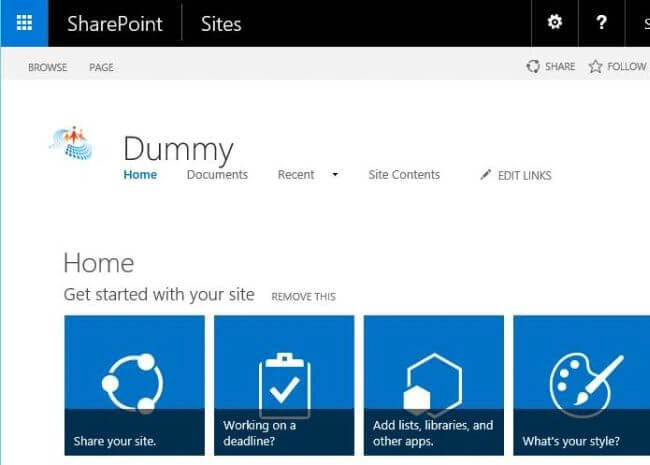
Spin up SharePoint 2016 Management Shell.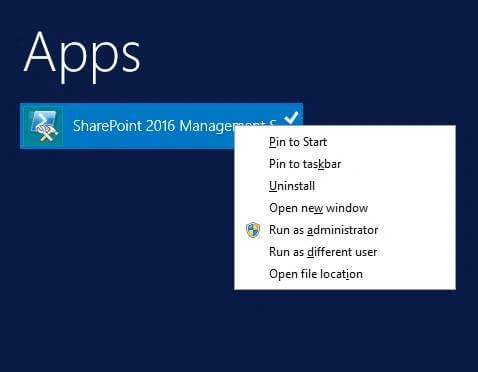
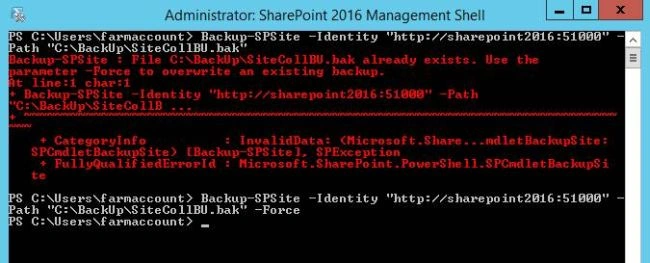
Run the command, given below, to create a back up of the site collection-
- Backup-SPSite -Identity "http://sharepoint2016:51000" -Path "C:\BackUp\SiteCollBU.bak" –Force
-Path : It specifies the location, where the .bak file will be generated.
-Force : Use this parameter to replace any existing .bak file with the same name.
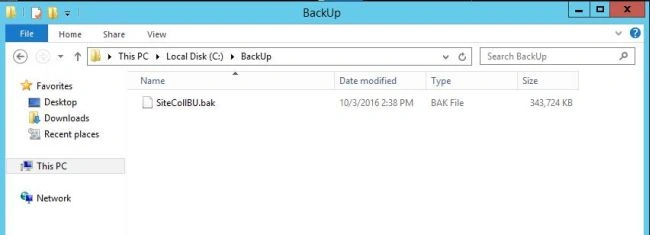
After running the script, we will get a .bak file at the specified location.
We can run the command, given below to restore the site collection-
- Restore-SPSite -Identity "http://sharepoint2016:51000/sites/RestoredSiteColl" -Path "C:\BackUp\SiteCollBU.bak"
-Identity: Site collection URL to where the backup will be restored. This site collection need not exist. It will be created during the process.
-Path : Location of the backup file.
However there is a caveat, a content database can have only one copy of the site collection. Thus, if the Web Application has only one content database and we are trying to restore the site collection to the same Web Application, we will get the error, shown below-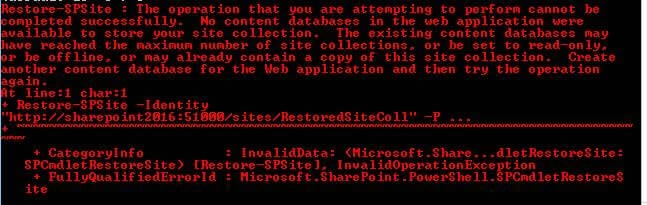
In order to resolve this, make sure that there is an additional content database other than the content database of the original source site collection.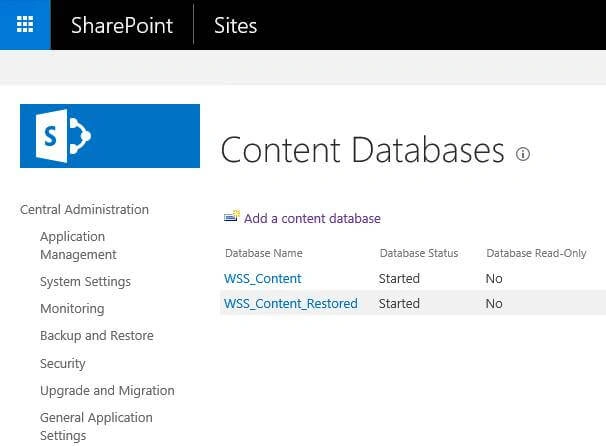
Running the Restore script has now run to the completion.
Let’s check out the restored site collection.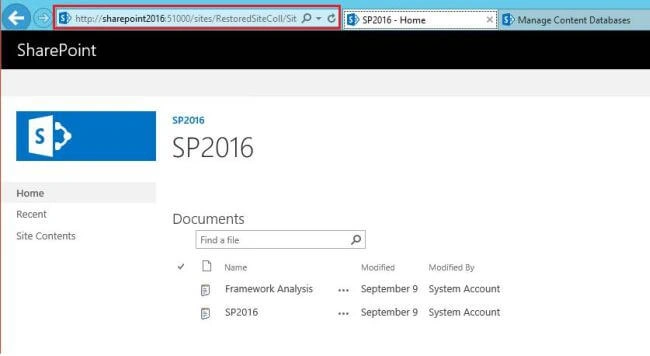
Summary - Thus, we saw how to backup and restore a site collection in SharePoint Server 2016, using SharePoint 2016 Management Shell.
shabin sureshPosted Jun 1, 2022, 9:37 AM
Hi SIR, We have 2 sharepoint 2016 servers ,one is for production & another is for staging. DB is on third server. We have to replicate production server to staging. Kindly advise how we can complete this requirement.
Phong VânPosted Sep 13, 2018, 10:41 PM
I got this error, could you tell me where is my mistake ?PS C:\Users\intranet.farmsvc>> Restore-SPSite -Identity http://uat-intranet-sp/sites/ACC/ -Path C:\temp\intra_back\ACC_20180913.bak -Force -GradualDelete Confirm Are you sure you want to perform this action? Performing the operation "Restore-SPSite" on target "http://uat-intranet-sp/sites/ACC/". [Y] Yes [A] Yes to All [N] No [L] No to All [S] Suspend [?] Help (default is "Y"): a Restore-SPSite : Version string portion was too short or too long. At line:1 char:1 + Restore-SPSite -Identity http://uat-intranet-sp/sites/ACC/ -Path C:\t ... + ~~~~~~~~~~~~~~~~~~~~~~~~~~~~~~~~~~~~~~~~~~~~~~~~~~~~~~~~~~~~~~~~~~~~~ + CategoryInfo : InvalidData: (Microsoft.Share...dletRestoreSite:SPCmdletRestoreSite) [Restore-SPSite], ArgumentException + FullyQualifiedErrorId : Microsoft.SharePoint.PowerShell.SPCmdletRestoreSite
Humayun Kabir MamunPosted Oct 6, 2016, 12:03 AM
Nice...