

One of the common requirements while working on the client side development is to check a user’s membership in a particular group and perform some follow up actions based on the group presence (like show/hide fields).
In this blog, we will see how to check if a user is present in SharePoint security group, using JavaScript Object Model. Let’s say, we have a group named ‘Test Group’ and we want to check the user’s presence in this group.
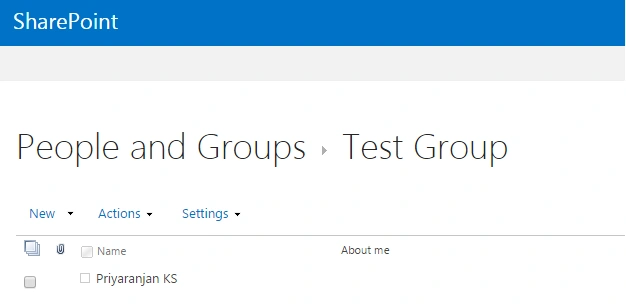
We need to use JSOM code, given below, to test the user’s presence in ‘Test Group’.
- <script language="javascript" type="text/javascript" src="//ajax.googleapis.com/ajax/libs/jquery/1.8.1/jquery.min.js"></script>
- <script language="javascript" type="text/javascript">
- $(document).ready(function() {
- SP.SOD.executeFunc('sp.js', 'SP.ClientContext', checkUserMembership);
- });
- var oGroupColl;
- function checkUserMembership() {
- //Get the client context, web and current user object
- var clientContext = new SP.ClientContext.get_current();
- var oWeb = clientContext.get_web();
- oCurrentUser = oWeb.get_currentUser();
- //Get the group collection
- oGroupColl = oCurrentUser.get_groups();
- //Load the client context and execute the batch
- clientContext.load(oGroupColl);
- clientContext.executeQueryAsync(QuerySuccess, QueryFailure);
- }
- function QuerySuccess() {
- //Get the group collection and loop through it
- var groupMembership = false;
- var groupCollEnumerator = oGroupColl.getEnumerator();
- while (groupCollEnumerator.moveNext()) {
- var group = groupCollEnumerator.get_current();
- //Check if a particular group is present in user's group collection
- if(group.get_title() == "Test Group") {
- isMember = true;
- console.log('User is present in Test Group');
- break;
- }
- }
- }
- function QueryFailure(sender,args) {
- console.log('Request failed'+ args.get_message());
- }
- </script>
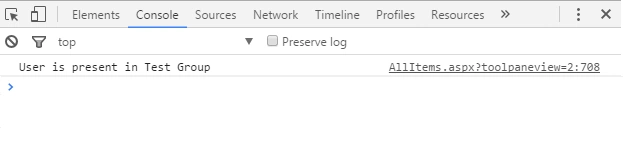
We can add the code, mentioned above, to Content Editor Web part and see the output in the console, as shown below-
Summary - Thus, we saw how to check the user’s presence in a SharePoint Security group, using JavaScript Object Model.
bimi bimiPosted Nov 8, 2017, 7:18 AM
Hi?Does any of you know how to read office 365 security groups and list them in SharePoint so the users can se who they working with ? ? All sharepoint sites are managed throug office 365 security groups. Thanks