

You must have come across checking Yes/No field values in FLOW many times. This decides which steps/action to be executed depending on if it's a Yes or a No.
Let us see how to check Yes/No field values in FLOW.
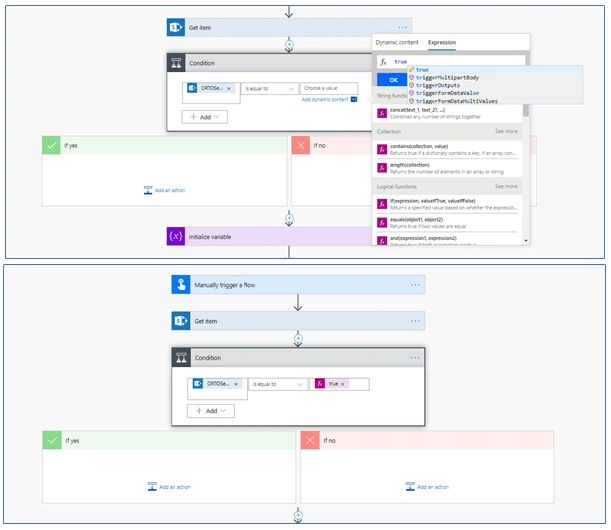
Add a condition action in FLOW. Select Yes/No column in the left side value. In the right side section, open Dynamic Content Editor, type "true" and click OK. That’s it.
If the column has a value as Yes, it will execute the actions in the True section.
Hope this helps.
Mahesh ChandPosted May 18, 2019, 6:58 AM
Thank you Sarvesh. Welcome to C# Corner.