

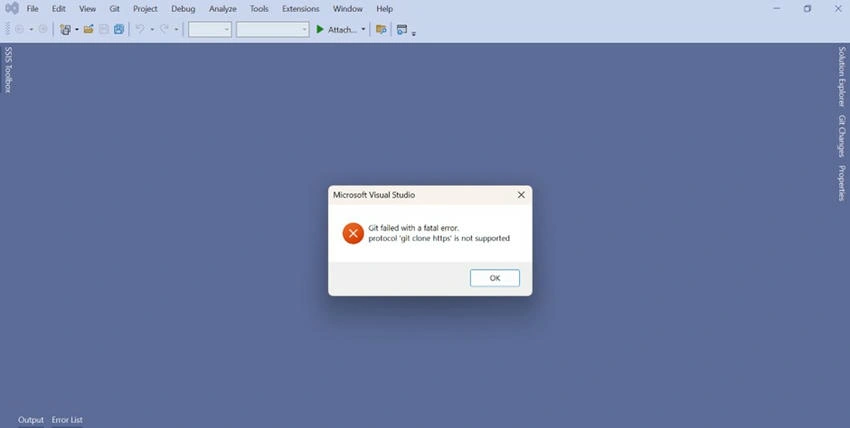
How to resolve the above issue?
Step 1. Open your repo location like DevOps or Bitbucket. This is my Bitbucket.
Click on Clone Option: Below window will open.
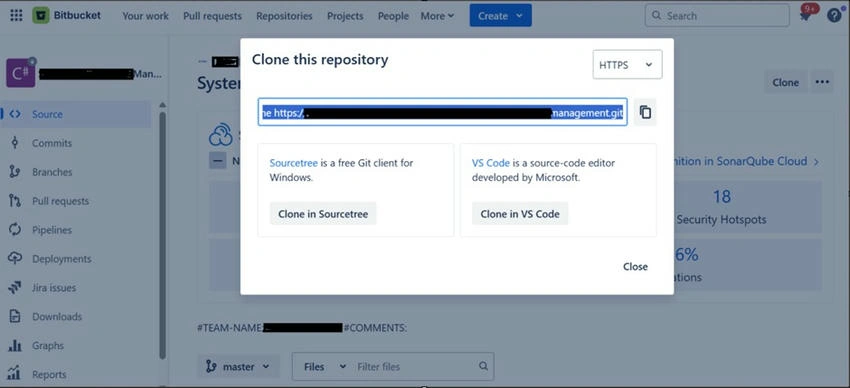
Step 2. Copy the repo location or URL.
Step 3. Open VS-2022.
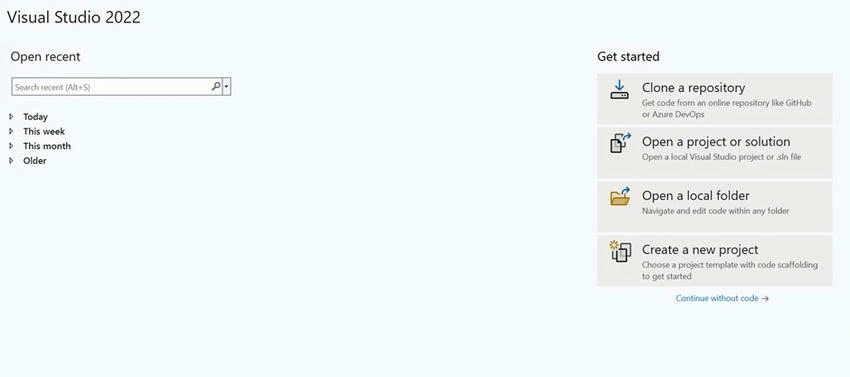
Step 4. Select the Clone A repository option.
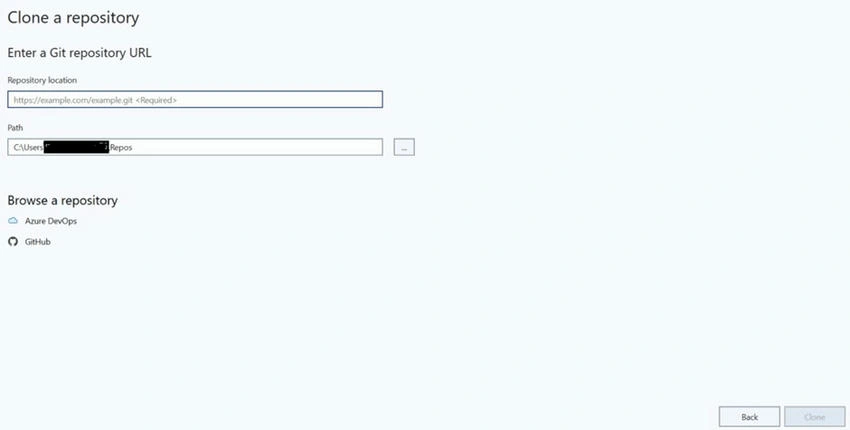
Step 5. In Repository Location paste that copied URL.
git clone: https:/management.git
When you copy the full URL is copied.
You need to paste only Uthe RL without a git clone.
Select your path where to clone this repo locally.
Step 6. Click on Clone. It takes some minutes then the repo will clone in that folder.
Join the conversation! Your thoughts help the community grow.