

Introduction
If you're working with SQL Server and want to generate scripts for tables and stored procedures that include both schema and data, this guide explains the complete process. Whether you're backing up structures, sharing them with teammates, or deploying to another server, this is an essential process to understand.
Use Case: I need to export table structure and data, as well as stored procedure logic from SQL Server, and save it in a reusable .sql file.
Step 1: Open SSMS and Connect to Your Database
Launch SQL Server Management Studio.
Connect to your target database.
Step 2: Right-click on the Database → Go to Tasks → Choose Generate Scripts
In Object Explorer, right-click the database.
Navigate to Tasks.
Select Generate Scripts.
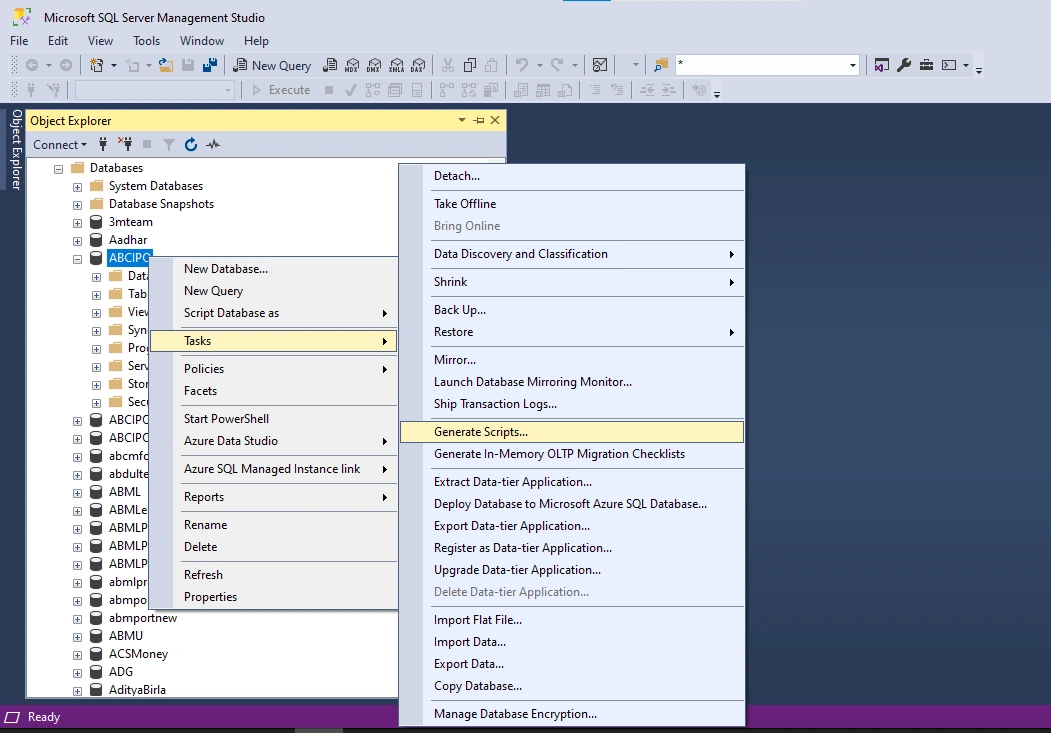
Step 3: Script Wizard Starts – Click Next
The Generate Scripts Wizard will open.
Click Next to proceed.
Step 4: Choose Objects
Select Specific database objects.
Select Stored Procedures under objects or tick the tables you want to export.
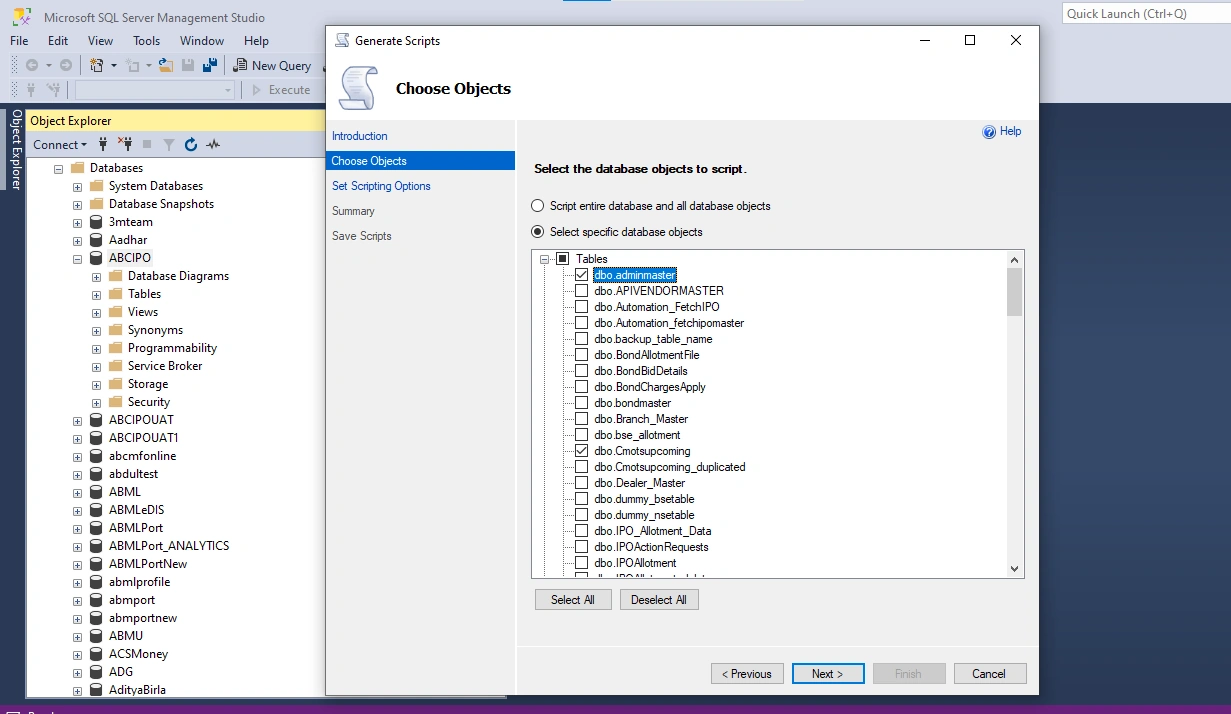
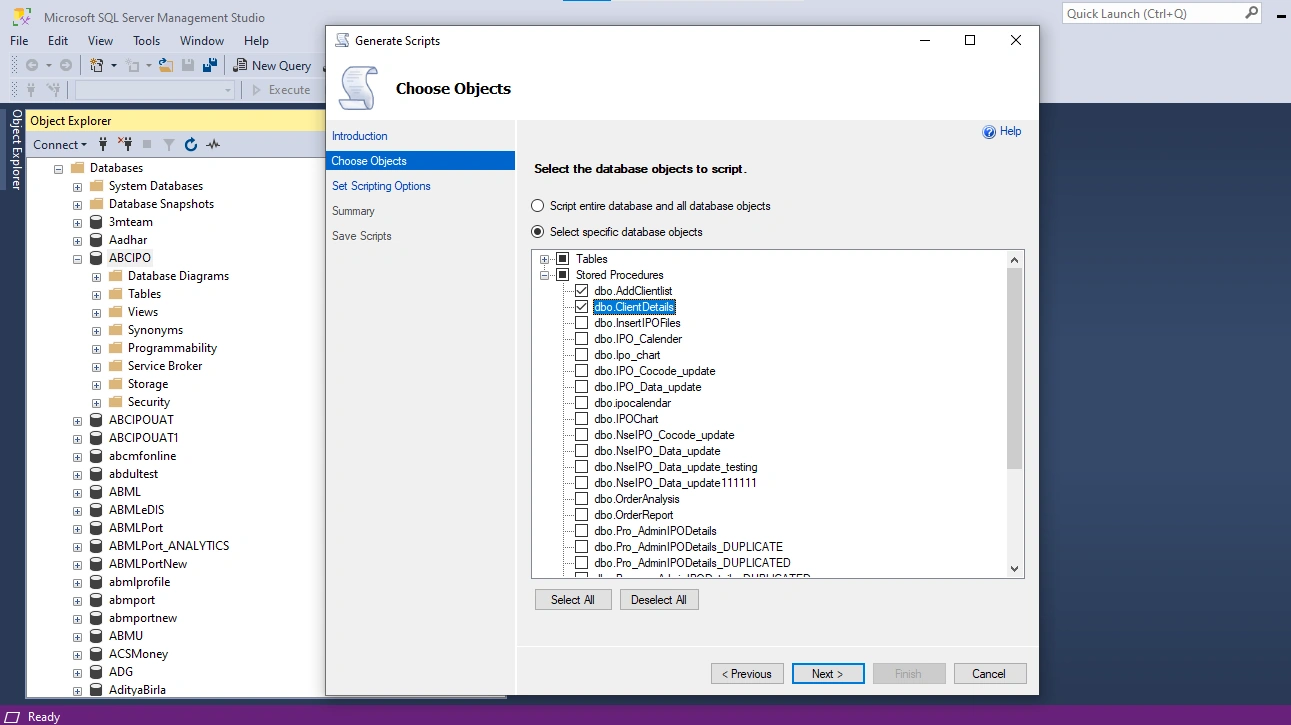
Select Stored Procedures under objects or Tick the tables you want to export.
Step 5: Set Scripting Options
Click Advanced.
Scroll to the option:
Types of data to script → Select Schema and Data
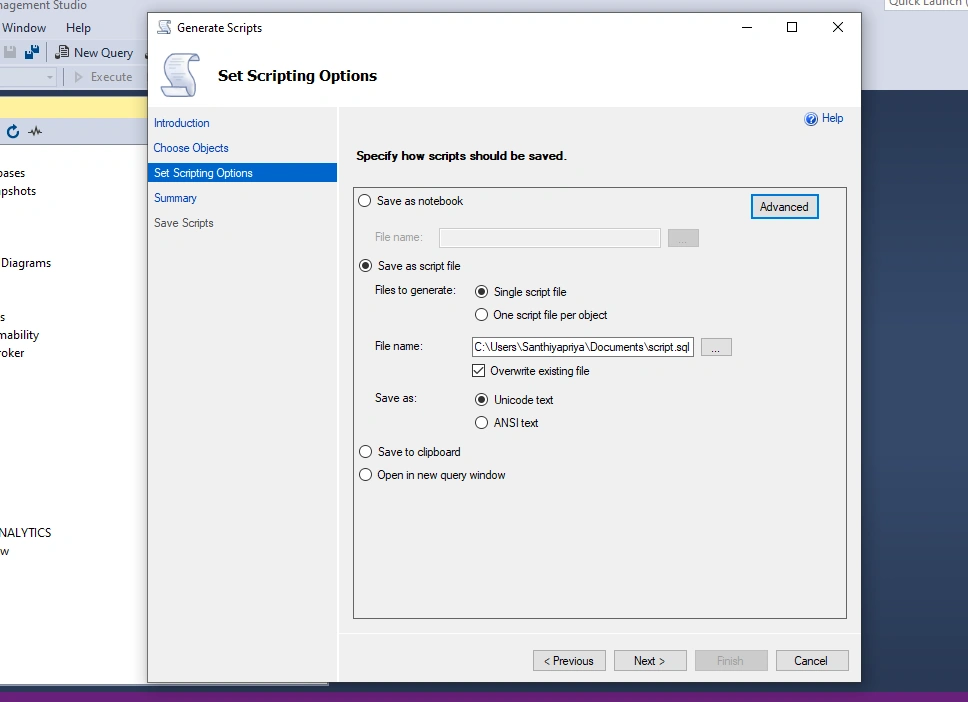
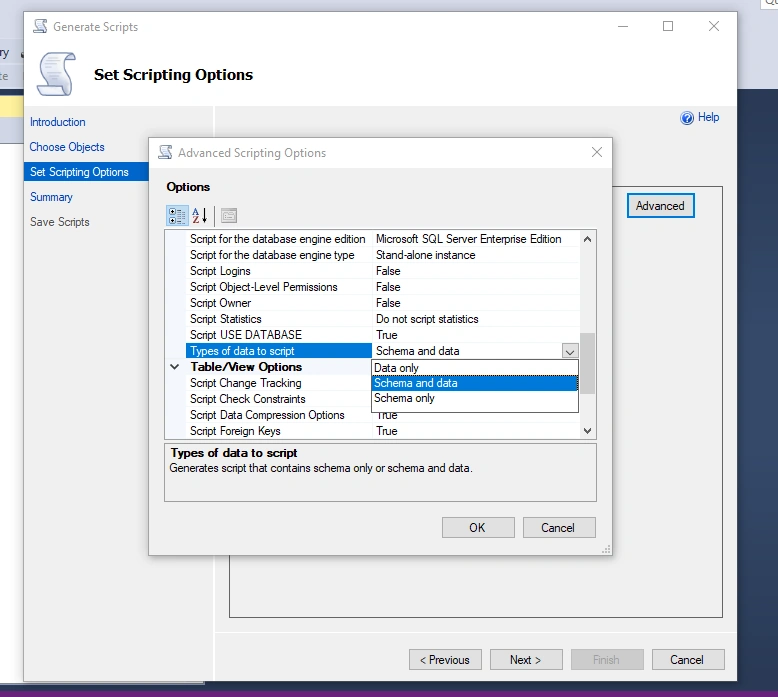
Step 6: Choose Output
You can choose where the generated script should be saved:
Save to File
Clipboard
New Query Window
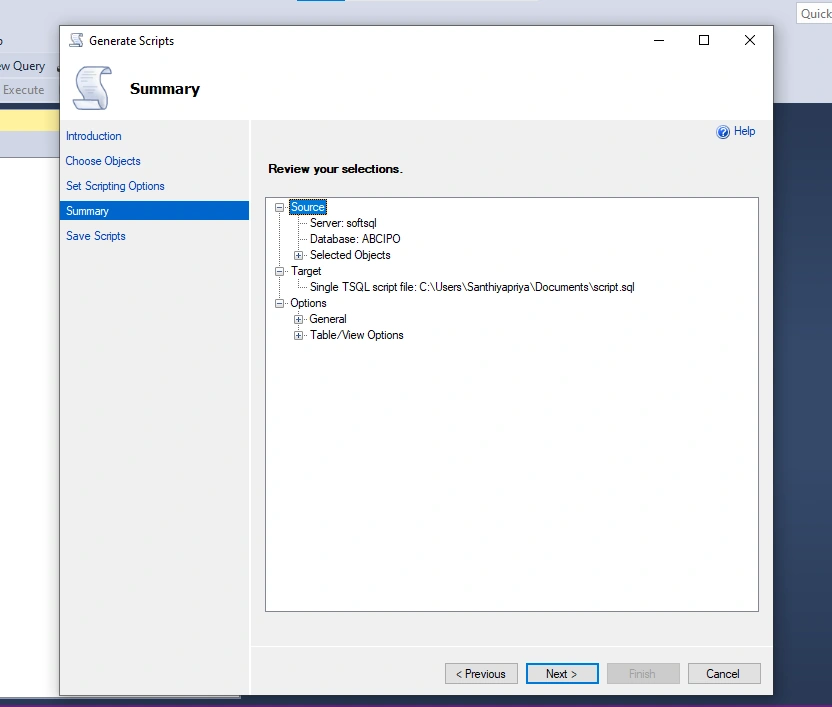
Step 7: Click Next → Finish
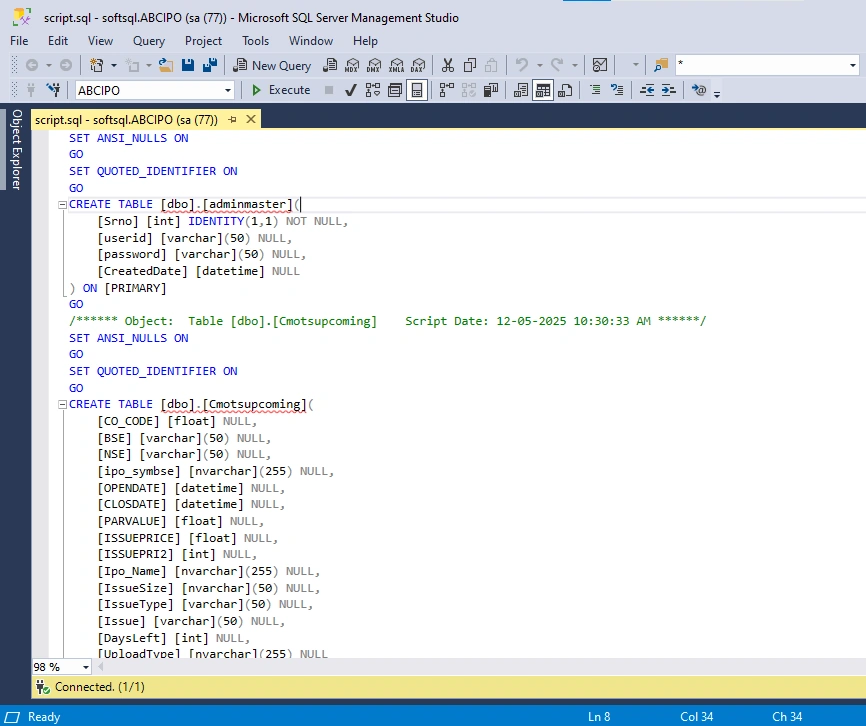
After completing the wizard, SQL Server generates a script that includes:
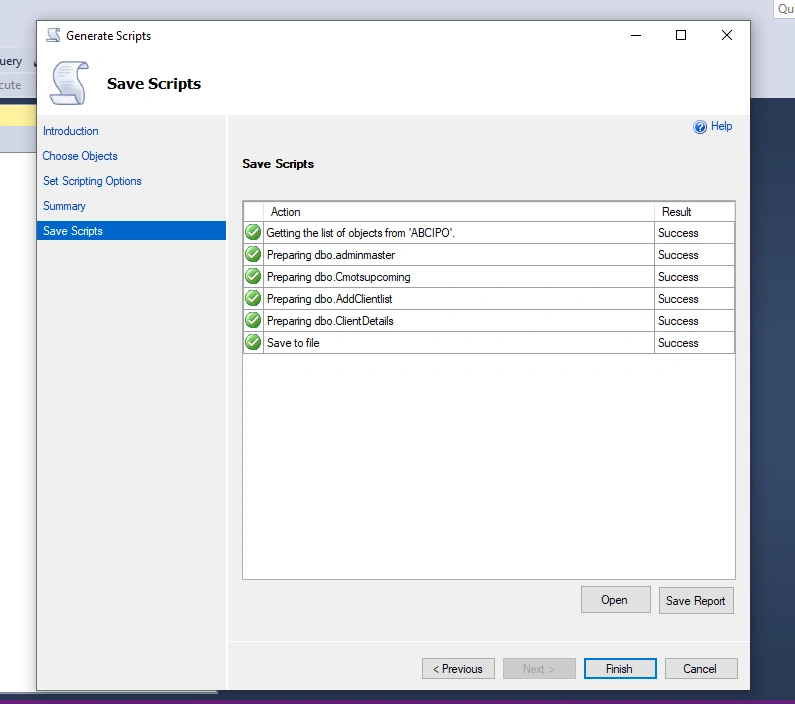
CREATE TABLEstatementsINSERT INTOstatements with full data
The generated .sql file can be reused for database migration, backups, or sharing with other environments.

Summary
Generating scripts in SQL Server Management Studio allows you to export both database schema and data in a reusable .sql file. By using the Generate Scripts Wizard and selecting Schema and Data, you can easily script tables and stored procedures for backup, migration, or deployment to another SQL Server instance.
Join the conversation! Your thoughts help the community grow.