

I want to merge 5 numbers of images and after conversion, it will generate a single PDF file, using ItextSharp.
Take a new solution and install text Sharp latest version, using Manage NuGet Package or From Package Manager Console or you can directly add text Sharp. dll in your reference and NuGet Package Screen, as shown below.
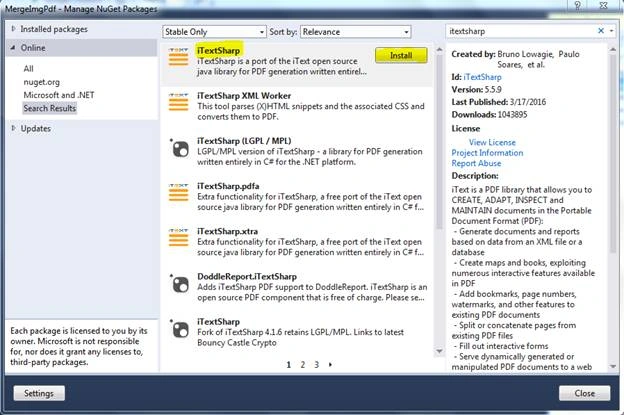
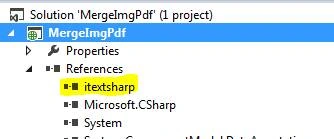
After you install ItextSharp in your Solution, please check in your references, whether it exists or not.
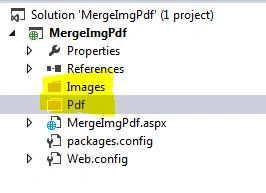
Create 2 folders under solution, whose names are Images and PDF, which looks, as given below.
Create the UI, as shown below.

Afterwards, upload some image file and click Submit button.

Here, I am saving the entire image files into Images folder.
Afterwards, change your UI, as shown below.
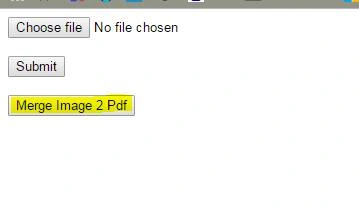
Here, I added a new button as “Merge Image 2 Pdf” and when I click on this button, it will retrieve all the images from the Images folder and will convert into a single PDF, which will be saved in Pdf folder.
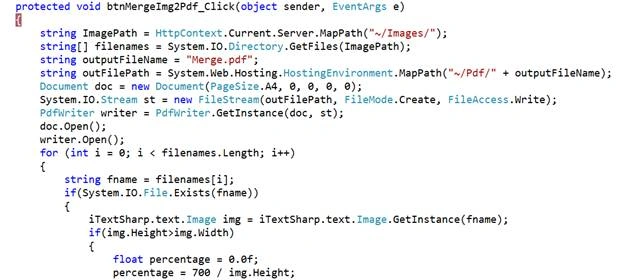
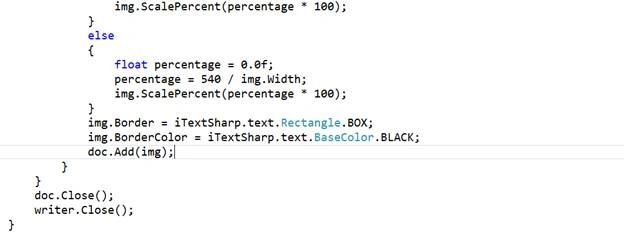
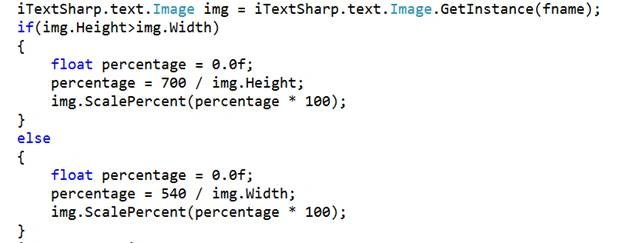
In the method, shown above, I retrieved all the images from the Images folder and store in an array. Afterwards, I create the outputFolderPath, where I want to store the PDF file. Here, I created the object of PdfWriter and in that object, I am adding the individual images. Finally, it will be saved as PDF. When we upload different images of different height and weight to handle this, I wrote a piece of code, where I set a default height and weight.
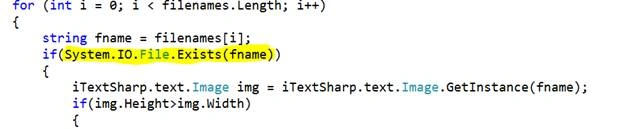
I am checking here whether the file exists or not in for loop because if the file does not exist in that folder and if I try to add the file in PDF file, then it will give you an exception.
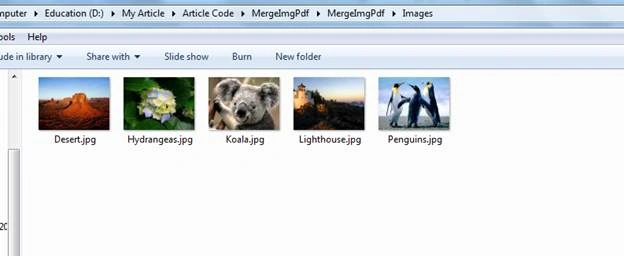
After uploading of images, Images folder looks, as shown below.
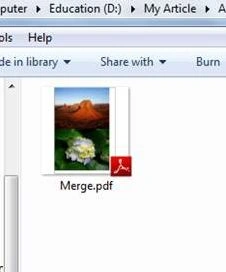
After merging images, the Pdf folder looks, as shown below.
Note
Shiva SreePosted Feb 10, 2021, 6:49 PM
Is it open source and free to use in production projects
Ajay VishwakarmaPosted May 31, 2019, 2:23 AM
Nice One ! How can Work Docx??
Rashid MuhammadPosted May 23, 2019, 5:48 AM
String ImagePath = ""; string[] FileName = System.IO.Directory.GetFiles(imagePath); string outputfileName = "AAA.pdf"; string outputfilepath = config.ResultPath + outputfileName; iTextSharp.text.Document doc = new iTextSharp.text.Document(PageSize.A4, 0, 0, 0, 0); System.IO.Stream st = new FileStream(outputfilepath, FileMode.Create, FileAccess.Write); PdfWriter wrt = PdfWriter.GetInstance(doc, st); doc.Open(); foreach (var val in FileName) { if (System.IO.File.Exists(val)) { iTextSharp.text.Image img = iTextSharp.text.Image.GetInstance(val); if(img.Height>img.Width) { float percentage = 0.0f; percentage = 700 / img.Height; img.ScalePercent(percentage * 100); } else { float percentage = 0.0f; percentage = 500 / img.Width; img.ScalePercent(percentage * 100); } doc.Add(img); } } doc.Close(); wrt.Close(); }
Nikhil SanganiPosted Oct 13, 2016, 5:08 AM
Nice one
Humayun Kabir MamunPosted Oct 13, 2016, 4:04 AM
Nice...