

So to Solve "Invalid license data. Reinstall is required visual studio 2010" Follow the Steps Below.
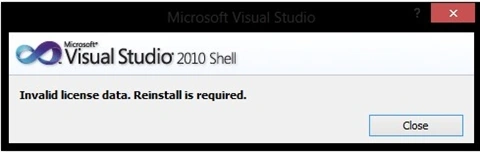
Figure 1
First Open the ".SLN" File of your Visual Studio Project.Then Right-click the .SLN File open it with Note- Pad.

Figure 2
Replace the line Underlined with your Visual Studio IDE Version Name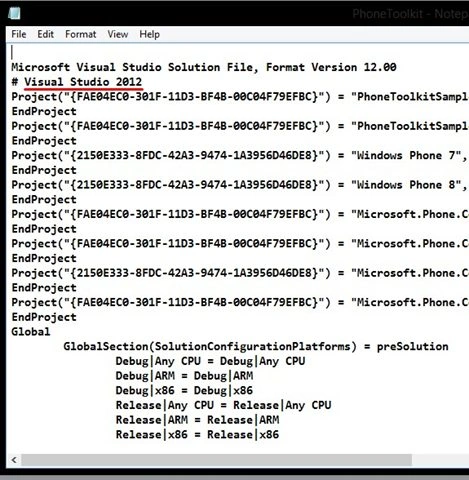
Figure 3
Remove That Line and Replace it with.

Figure 4
So after that it will like this

Figure 5
Now save the File and open The Solution It's Done.
Comment Below For Any Doubts.
Priyanka MurthyPosted May 10, 2018, 9:36 AM
Great . but how to find out Visual Studio IDE Version Name?
Shailesh UkePosted May 27, 2015, 10:25 AM
Nice
Charwaka ThupiliPosted May 26, 2015, 10:06 AM
Tip:Copy the top two lines from the you current working projects SLN File