

Select the color in list box,
Select blue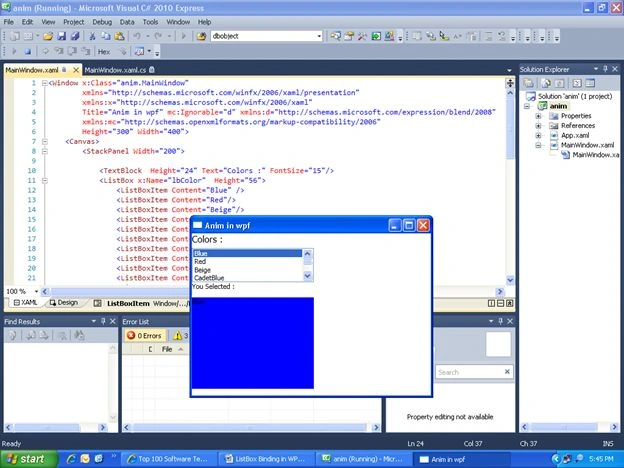
Select RED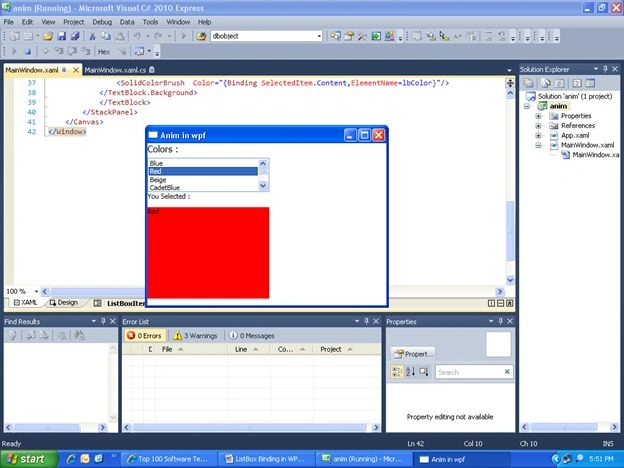
XAML CODE
<Window x:Class="anim.MainWindow"
xmlns="http://schemas.microsoft.com/winfx/2006/xaml/presentation"
xmlns:x="http://schemas.microsoft.com/winfx/2006/xaml"
Title="Anim in wpf" mc:Ignorable="d" xmlns:d="http://schemas.microsoft.com/expression/blend/2008"
xmlns:mc="http://schemas.openxmlformats.org/markup-compatibility/2006"
Height="300" Width="400">
<Canvas>
<StackPanel Width="200">
<TextBlock Height="24" Text="Colors :" FontSize="15"/>
<ListBox x:Name="lbColor" Height="56">
<ListBoxItem Content="Blue" />
<ListBoxItem Content="Red"/>
<ListBoxItem Content="Beige"/>
<ListBoxItem Content="CadetBlue"/>
<ListBoxItem Content="Gold"/>
<ListBoxItem Content="Green"/>
<ListBoxItem Content="LightGreen"/>
<ListBoxItem Content="Yellow"/>
<ListBoxItem Content="Plum"/>
Join the conversation! Your thoughts help the community grow.