

Form Design code for User Table
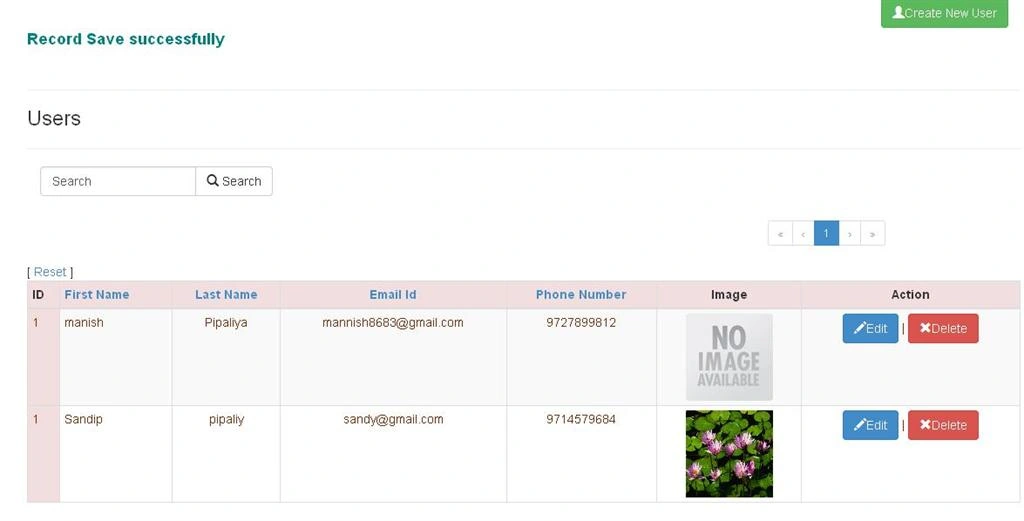
- <div class="hideeee" name="myhide" ng-show="edit3" ng-hide="false">
- <button class="btn btn-success" ng-click="editUser()" style="margin-left: 980px;
- margin-top: 7px">
- <span class="glyphicon glyphicon-user"></span>Create New User
- </button>
- <label id="msgLab" style="color: #008080; font-size: large"></label>
- <br /><%--
- <label >
- Search:</label>--%>
- <br /><%--
- <input type="text" ng-model="search" ng-keydown="clear()" style="margin-left: 980px;" placeholder="Search">--%>
- <hr />
- <div class="manish">
- <h3>
- Users</h3>
- <hr />
- <form class="navbar-form" role="search">
- <div class="input-group add-on">
- <input ng-model="search" ng-keydown="clear()" placeholder="Search" name="srch-term" id="search" class="form-control" type="text">
- <div class="input-group-btn">
- <button class="btn btn-default" type="submit">
- <i class="glyphicon glyphicon-search"></i> Search
- </button>
- </div>
- </div>
- </form>
- <pagination style="margin-left: 850px;" total-items="totalItems" items-per-page="itemsPerPage" ng-model="currentPage" ng-change="pageChanged()" class="pagination-sm" boundary-links="true" previous-text="‹" next-text="›" first-text="«" last-text="»"></pagination>
- <br />
- [
- <a href="" ng-click="Btn=''">Reset</a> ]
- <table class="table table-striped table-bordered table-condensed">
- <thead>
- <tr class="danger"><%--
- <th>
- ID
- </th>--%>
- <th>
- <a href="" ng-click="Btn = 'name'; reverse=true"></a>
- <a href="" ng-click="Btn = '-fName'; reverse=true">First Name</a>
- </th>
- <th class="text-center">
- <a href="" ng-click="Btn = 'name'; reverse=true"></a>
- <a href="" ng-click="Btn = '-lName'; reverse=true">Last Name</a>
- </th>
- <th class="text-center" colspan="2">
- <a href="" ng-click="Btn = 'name'; reverse=true"></a>
- <a href="" ng-click="Btn = '-email'; reverse=true">Email Id</a>
- </th>
- <th class="text-center" colspan="2">
- <a href="" ng-click="Btn = 'num'; reverse=true"></a>
- <a href="" ng-click="Btn = '-number'; reverse=true">Phone Number</a>
- </th>
- <th class="text-center" colspan="2" >
- Image
- </th>
- <th class="text-center">
- Action
- </th>
- </tr>
- </thead>
- <tbody>
- <tr style="color: #7A2900" ng-repeat="user in usersa | filter:search | orderBy:Btn:reverse "><%--
- <td class="danger" class="text-center">
- {{user.id }}
- </td>--%>
- <td>
- {{user.fName }}
- </td>
- <td class="text-center">
- {{user.lName }}
- </td>
- <td class="text-center" colspan="2">
- {{user.email }}
- </td>
- <td class="text-center" colspan="2">
- {{user.number }}
- </td>
- <td class="text-center" colspan="2">
- <img ng-src="upload/{{user.hid}}" height="100px" width="100px" />
- </td>
- <td class="text-center">
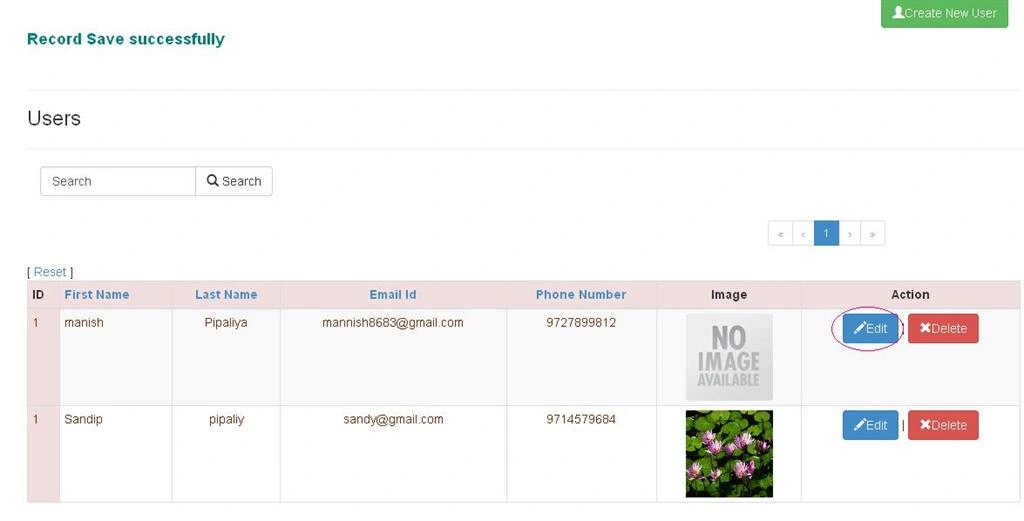
- <a href="#" class="btn btn-primary" ng-click="edit(user.id)">
- <span class="glyphicon glyphicon-pencil"></span>Edit
- </a> |
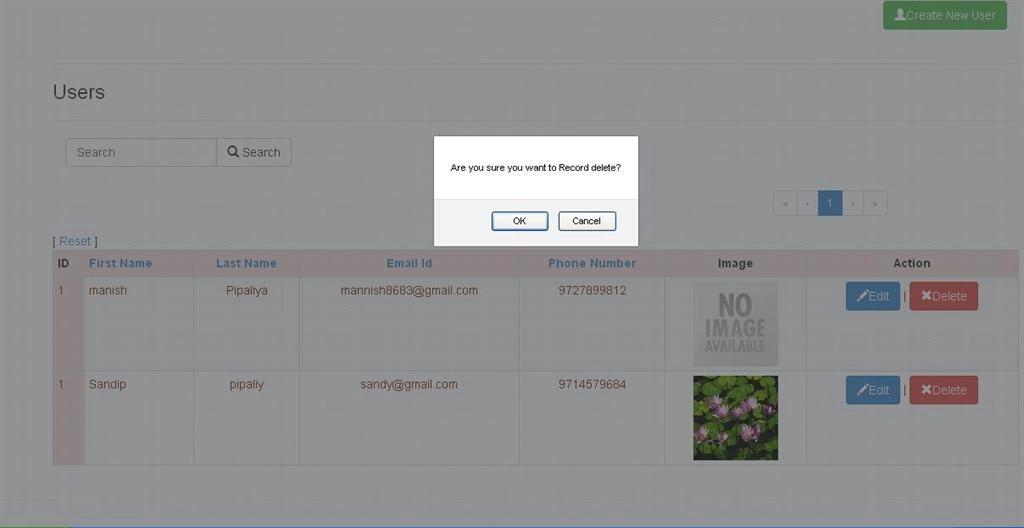
- <a href="#" class="btn btn-danger" ng-click="del(user.id)">
- <span
- class="glyphicon glyphicon-remove"></span>Delete
- </a>
- </td>
- </tr>
- </tbody>
- </table>
- <p ng-hide="true">
- total Items: {{totalItems}}
- <br />
- Items per page: {{itemsPerPage}}
- <br />
- Current Page: {{currentPage}}
- </p>
- </div>
- </div>
Nachtshe HopeManPosted May 20, 2015, 4:46 PM
tnx
Manish PipaliyaPosted May 20, 2015, 1:19 AM
same as this code but you apply this code in c# syntex
Nachtshe HopeManPosted May 19, 2015, 10:48 AM
Well done Very helpful................. How do I upload a file in C# With angular?
Manish PipaliyaPosted May 17, 2015, 11:59 PM
Thanks Sir...
Santhakumar MunuswamyPosted May 16, 2015, 3:56 AM
nice