

If microphone and video are not working in Skype on your Windows 8 machine, you are at the right place.
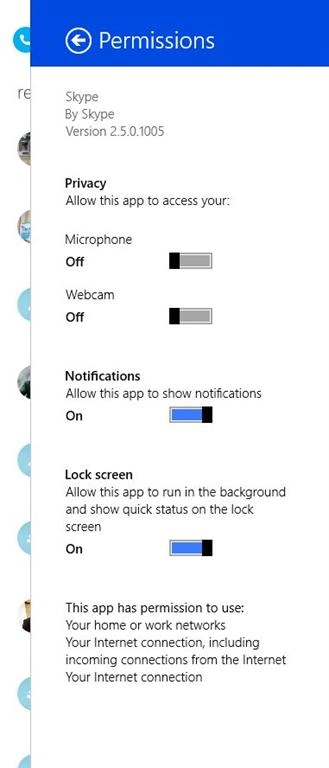
The solution is simple. By default, both Microphone and Webcam are disabled on a Windows 8 machine for Skype.
Go to Skype Permissions and turn On Microphone and Webcam.
Ibrahim ErsoyPosted Mar 3, 2014, 2:42 AM
Interesting.They were enabled on my W8 tablet
Biswa Pujarini MohapatraPosted Mar 1, 2014, 2:31 PM
Thanks for sharing Mahesh :) this solves my problem