

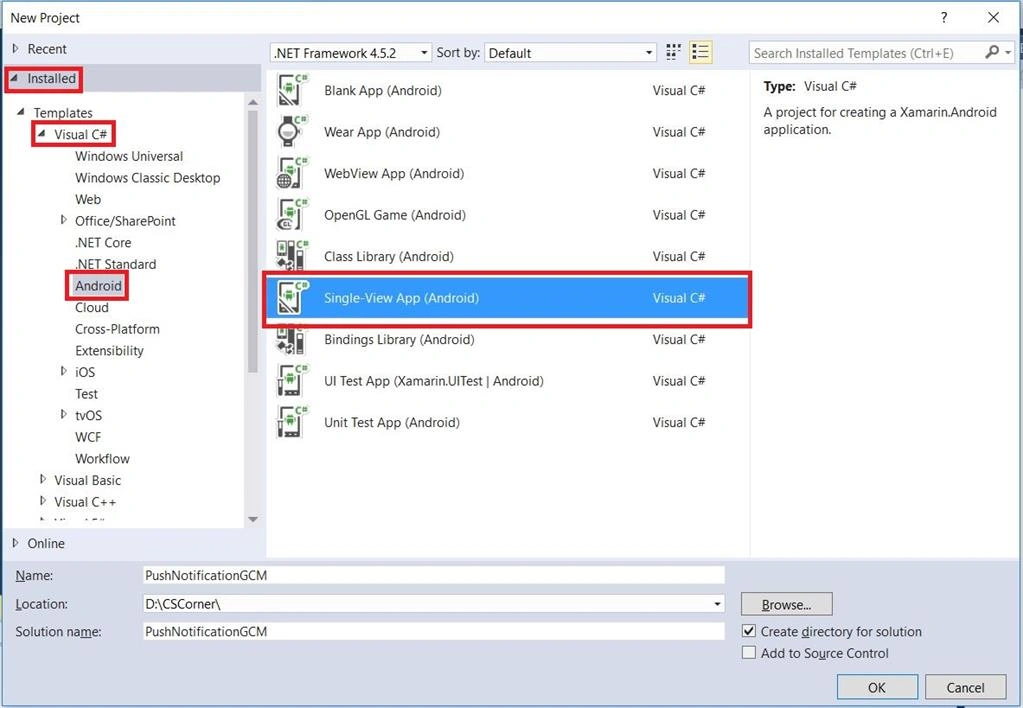
Create a New Project. Select Single-View App (Android) under Installed > Visual > C# >Android.
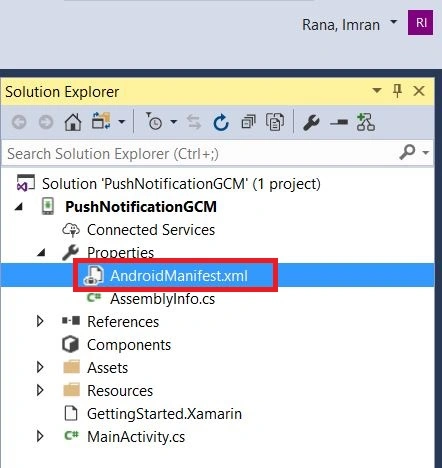
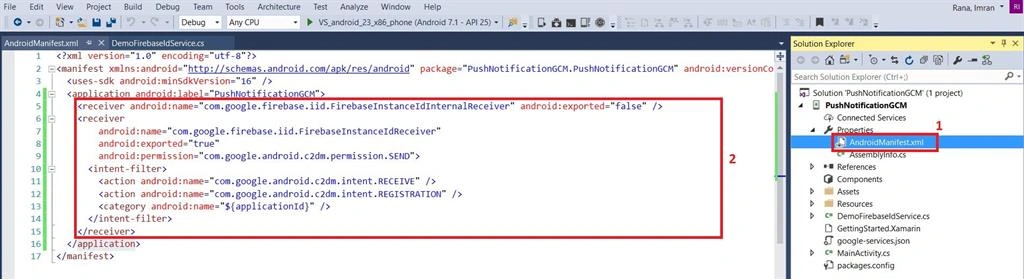
Open AndroidManifest.xml file under your Android project's properties.
Copy the value of package attribute in manifest tag.

Open your Browser and go to https://console.firebase.google.com . Sign-in with your Google account to create a new one.
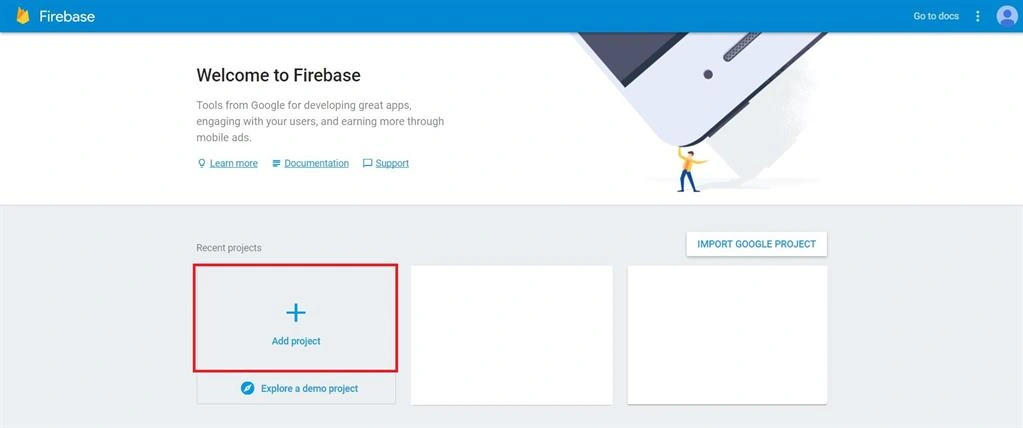
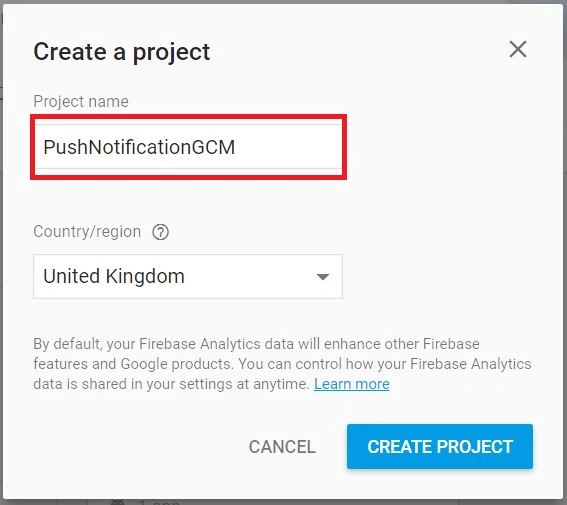
Click Add Project. Choose a project name. Here, the name is PushNotificationGCM.
Click Add Firebase to your Android app.
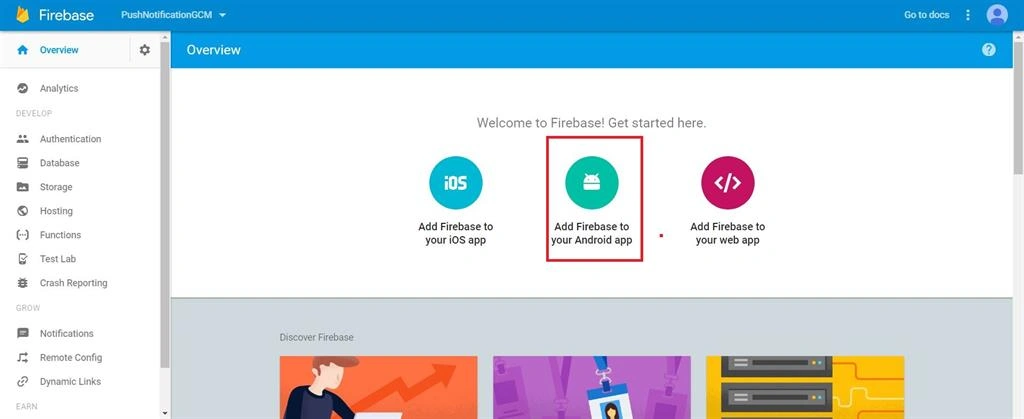
Paste the package name copied in Step 3 and click Register app

Click Download google-services.json and click Continue.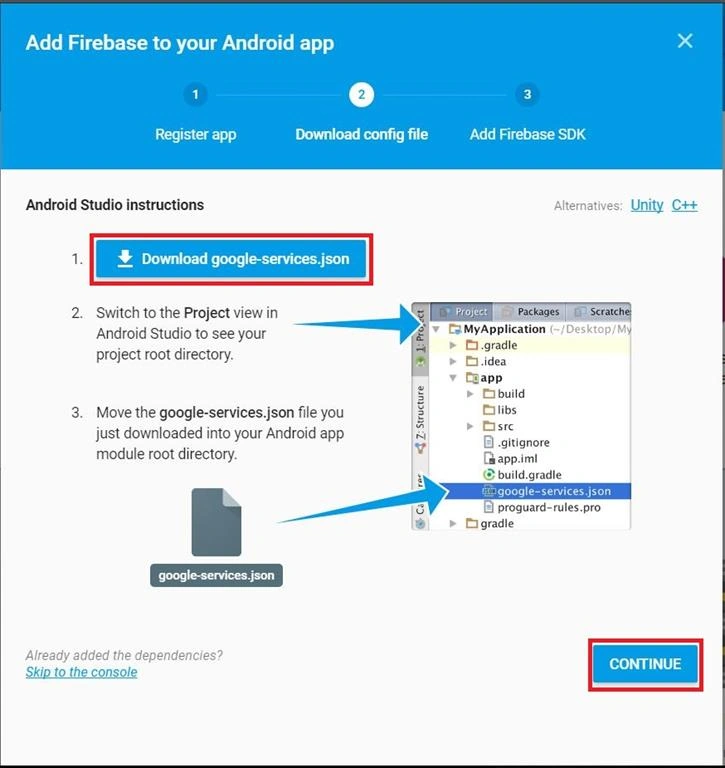
Copy google-services.json file into an Android project
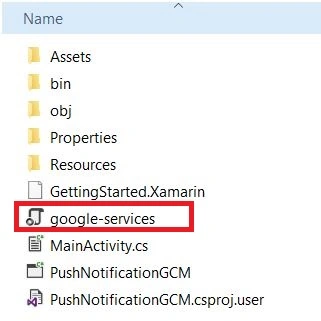
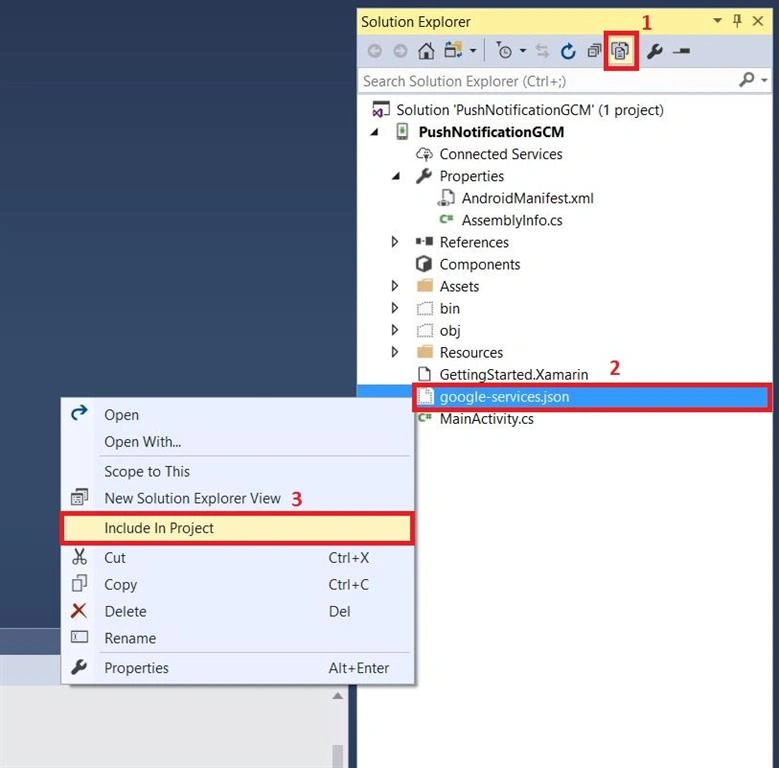
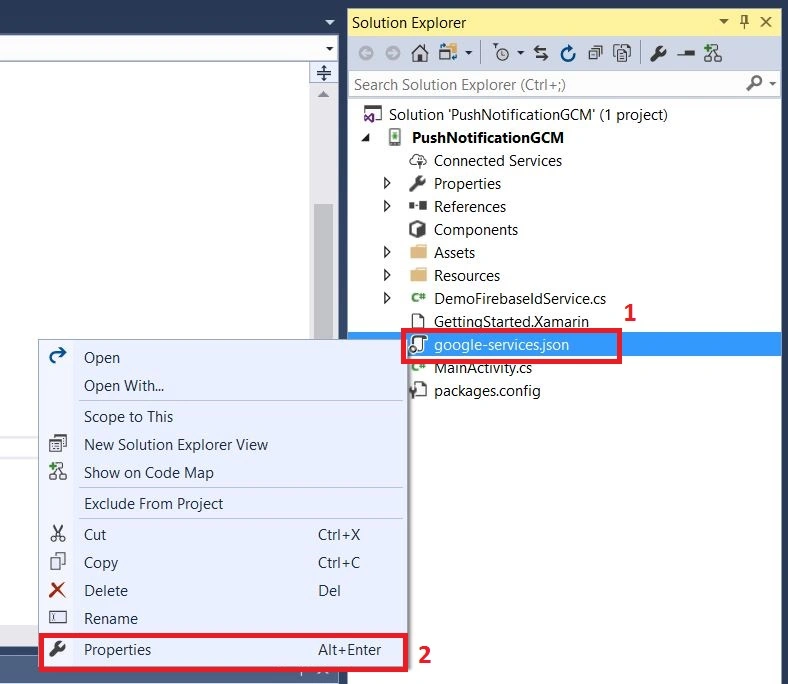
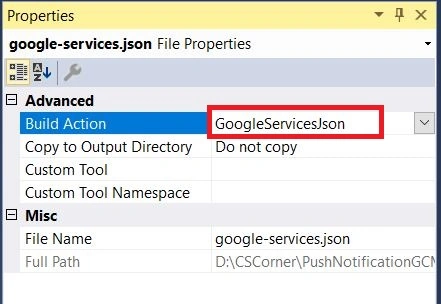
Include google-services.json file into Project's solution by clicking View All Files in Solution Explorer tab. Right-click google-services.json file and click Include in project.
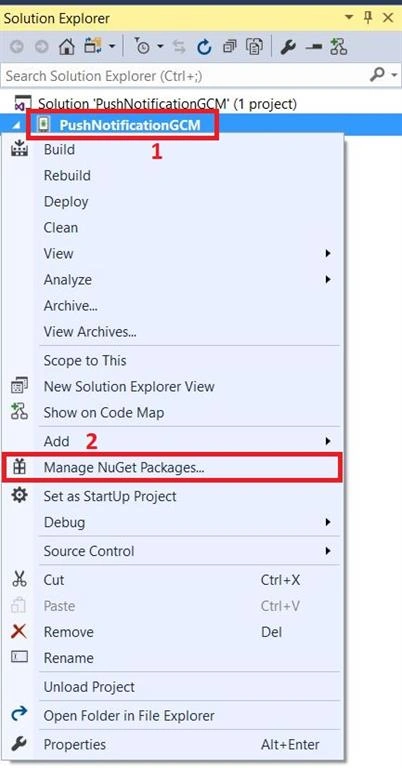
Right-click Android project and click Manage NuGet Packages.
Click Browse tab, search for Xamarin.GooglePlayServices.Base and install the package.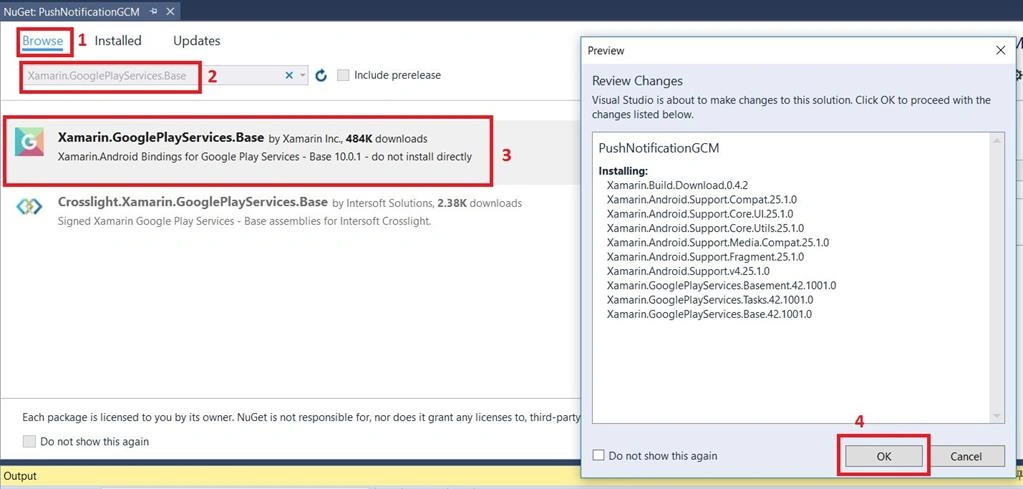
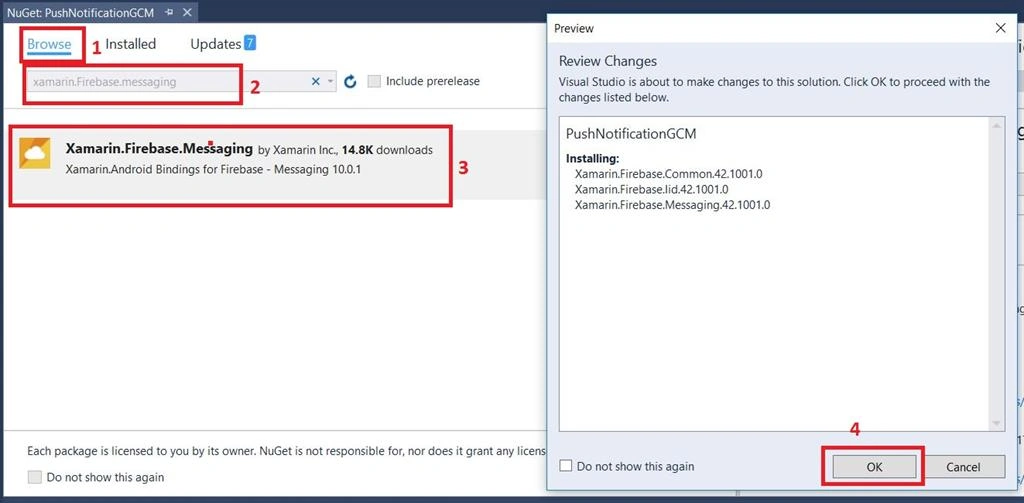
Search for another NuGet Package Xamarin.Firebase.Messaging and install the package.
Right-click project to build the solution. Now, Close and re-open Visual Studio.
Open AndroidManifest.xml file under your Android project's properties.
Copy the value of package attribute in manifest tag.
Open your Browser and go to https://console.firebase.google.com . Sign-in with your Google account to create a new one.
Click Add Project. Choose a project name. Here, the name is PushNotificationGCM.
Click Add Firebase to your Android app.
Paste the package name copied in Step 3 and click Register app
Click Download google-services.json and click Continue.
Copy google-services.json file into an Android project
Include google-services.json file into Project's solution by clicking View All Files in Solution Explorer tab. Right-click google-services.json file and click Include in project.
Right-click Android project and click Manage NuGet Packages.
Click Browse tab, search for Xamarin.GooglePlayServices.Base and install the package.
Search for another NuGet Package Xamarin.Firebase.Messaging and install the package.
Right-click project to build the solution. Now, Close and re-open Visual Studio.
Salah HeddadPosted Mar 27, 2021, 9:21 PM
Thanks for your efforts .. It shows that the message has been sent bout their no message on the Android Device
Harminder SinghPosted Sep 20, 2017, 2:21 AM
Nice Sir, but OnTokenRefresh event is not firing. Is there any special change to done in the project?
Gayathri AnbazhaganPosted Jun 3, 2017, 11:05 PM
Nice article... thanks for sharing...