
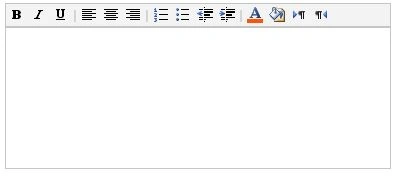
Sometimes we need to remove some buttons from the RichTextEditor control of SharePoint for some page or a particular website. Since, RichTextEditor control uses global Form.js, so we can’t directly modify that js as it’ll impact entire farm.
To deal with this kind of scenario, I’ve created a copy of form.js and uploaded it into our site, and then modified it to remove some buttons. There are functions in form.js for different RichTextMode
- Compatible: RTE_GetCompatibleToolBarDefinition
- FullHtml: RTE_FullHtmlToolBarDefinitionFactory
Open the copy of form.js from our site and then search form the above functions and comment out “toolBar.push” for the button in appropriate function and check-in the js file.
Now open in SPD and paste the below script at the bottom of the page.
<script type="text/javascript">
function removejscssfile(filename, filetype) {
var targetelement = (filetype == "js") ? "script" : (filetype == "css") ? "link" : "none" //determine element type to create nodelist from
var targetattr = (filetype == "js") ? "src" : (filetype == "css") ? "href" : "none" //determine corresponding attribute to test for
var allsuspects = document.getElementsByTagName(targetelement)
Join the conversation! Your thoughts help the community grow.