

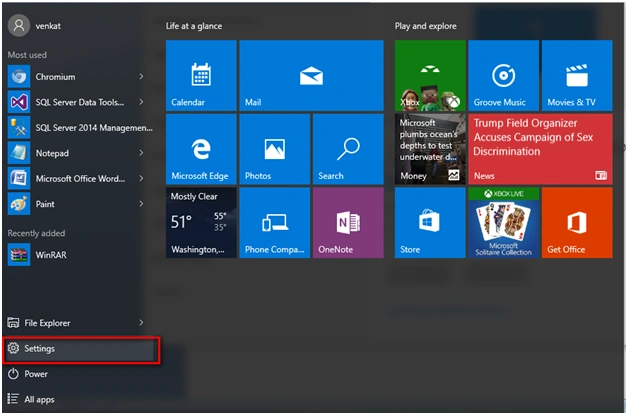
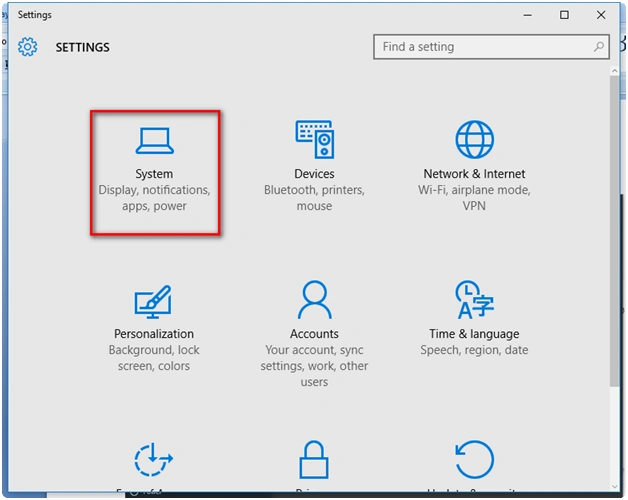
Step 2: Under "Settings" Option, goto System Icon.
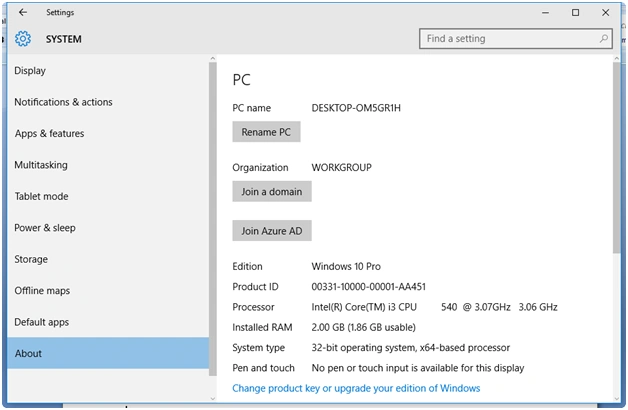
Step 3: Under Settings -> System-> Goto About option. -> In the right side, under PC Name -> Rename PC.
Step 4: Click "Rename PC" to change the name of the PC.
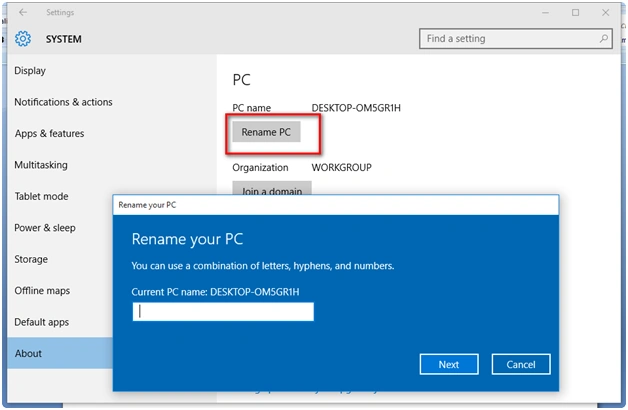
Step 5: You will be given an option of "Showing the existing PC name" and the new PC name to be updated.
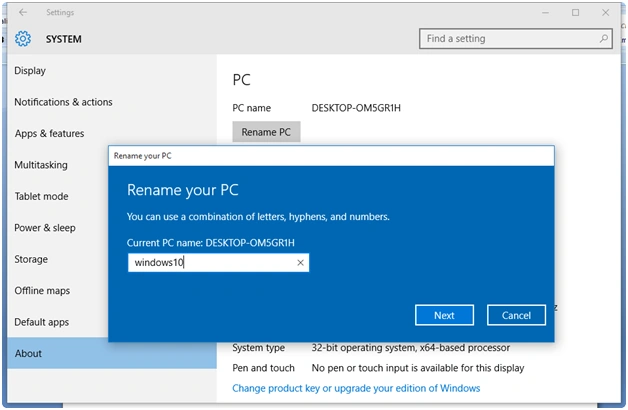
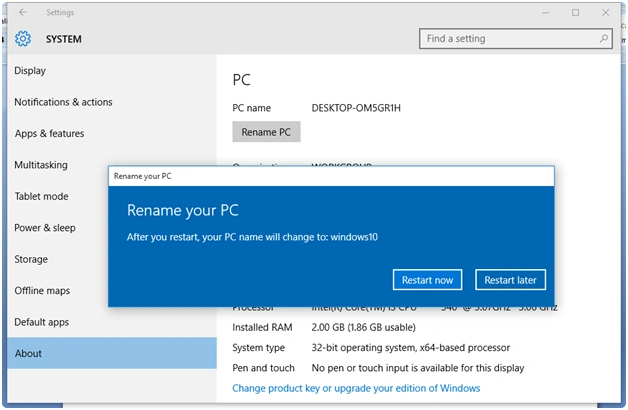
Step 6: Once the PC is renamed. You will get an option of "Restart now" or "Restart Later".
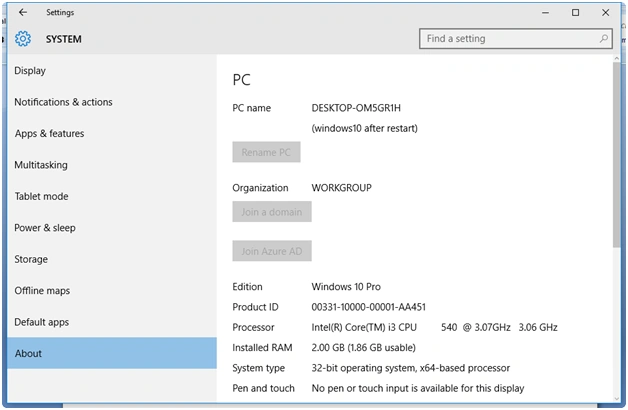
Step 7: The PC name is ready to go. After your restart, the machine name will change. You can see the option below. Enjoying naming your PC.
SubashPosted Sep 16, 2016, 1:31 AM
Nice