

Step 1: Form
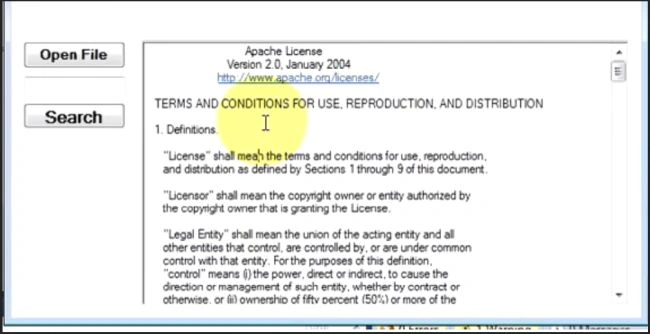
Drag and down a TextBox and a button (Search).
Step 2: Code
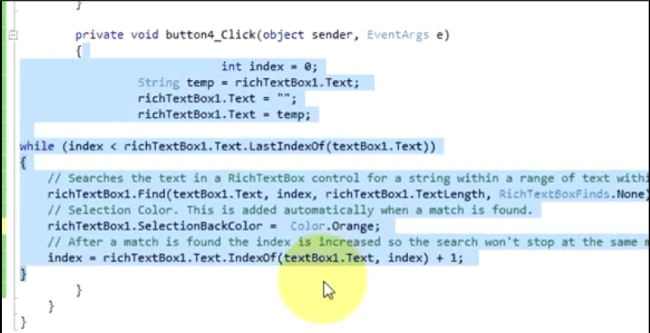
Double click on Search Button and write this code.
using System;
using System.Collections.Generic;
using System.ComponentModel;
using System.Data;
using System.Drawing;
using System.Text;
using System.Windows.Forms;
using System.Data.SqlClient;
using System.Text;
namespace First_Csharp_app
{
public partial class Form1 : Form
{
public Form1()
{
InitializeComponent();
}
private void Button1_click(object sender, EventArgs e)
{
Stream mystream;
OpenFileDialog openfile = new OpenFileDialog ();
if(openfile .ShowDialog() ==System.Window.Forms.DialogResult.OK)
{
if((mystream = openfile .OpenFile() ) ! = null)
string strfilename = openfile .FileName;
String filetext = File.ReadAllText(strfilename);
richTextBox1.text = filetext;
}
}
private void Search_btn_click(object sender, EventArgs e)
{
//Searches the text in a RichTextbox control for a string within a range of text Within.
richTextBox1.text.Find(textBox1.Text , index , richTextBox1.TextLength, RichTextBoxFinds.None);
//Selection Colour
richTextBox1.selectionBackColour = Color.Red;
//After a match is found the index is increased so the search won't stop at the same name.
index = tichTextBox1.Text.IndexOf(textBox1.Text , index) +1;
}
}
}
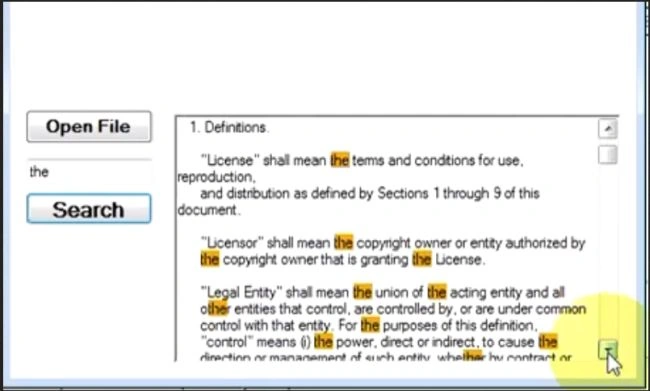
Step 3: Run
Now run your application and put a text in TextBox and click on search button.
Join the conversation! Your thoughts help the community grow.