

I have written the steps for creating a Library component in one of my Articles. Let's have a look to update the component now.
Steps to Update a Library Component
Step 1. Open the Library Component.
- Go to Power Apps Studio.
- Open the app that contains the library component you want to update.
Step 2. Edit the Component.
- Navigate to the Components section.
- Select the library component you want to modify.
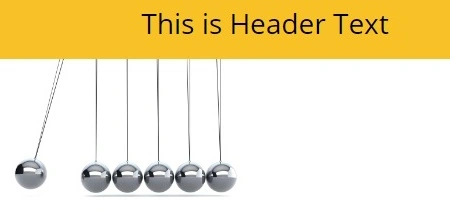
- Make the necessary changes e.g. I have changed the Header component color and image.
Step 3. Save and Publish.
- Once the changes are made, save the library component.
- Click Publish to ensure the updated component is available for other apps.

Step 4. Notify Other Apps.
- When the library component is updated, apps using the older version will show a notification about the new update.
- Open each app using the component, and apply the update to get the latest version of the component.
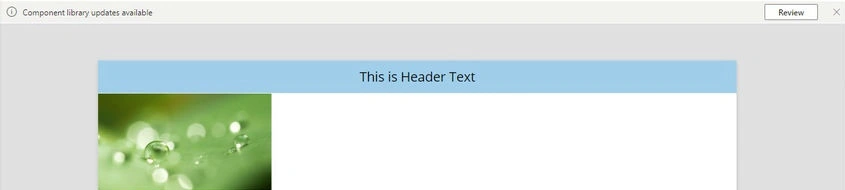
Step 4.1. My app component is like the image below.

Step 5. Test the Updates.
Going to the app where we added the component and checked for the update.
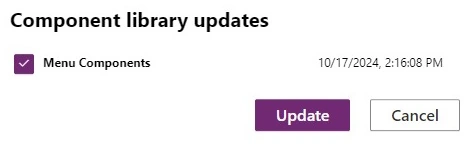
Step 6. Review and Update the component.
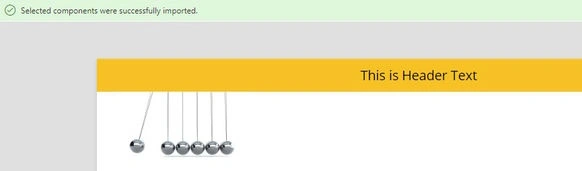
Step 7. My component after the update, looks like the below image.
Chris McdonaldPosted Oct 20, 2024, 10:16 AM
What specific steps should I follow if I cannot find the Library component in Power Apps Studio?