

Here, we are going to learn to upload a folder in ASP.NET using C# code. This write-up will help you to understand the folder and file upload concept in GridView.
Targeted Audience
The targeted audience is people with basic knowledge of C#.
Things to do,
- Make a C# Win Form application.
- Create a UI with one File upload control, one Button, and one GridView.
Front-End Screen
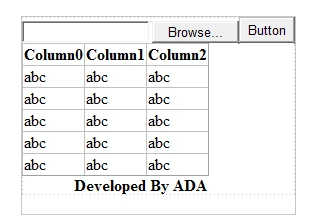
Upload Dialog box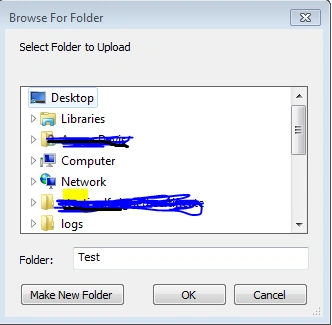
Files Listing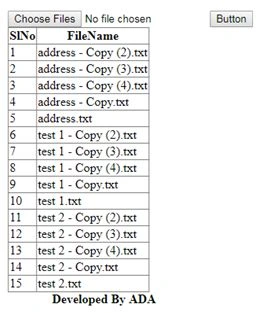
Code
The zipped file of the source code is uploaded that you can check for reference.
Conclusion
By using these easy methods, we can upload a folder to the GridView or database. These simple tips may help beginner level readers to understand the concepts of uploading the folder in C#.
Hope this will help you.
Please give your valuable feedback in the comments section.
satya narayanaPosted Aug 2, 2019, 7:46 AM
Hi,this will only work for 25 files in a folder.What to do if we want upload more than that?
Hao TonPosted Mar 13, 2018, 3:02 PM
Hi, this only works for win form? How about web ?
Rohit PardeshiPosted Jan 4, 2018, 1:26 AM
Folder is not selecting properly
Sagar Pandurang KapPosted Dec 21, 2017, 4:10 AM
New kind of experiment..Good work..