
LINQ to SQL allows .NET developers to write “queries” in their .NET language of choice to retrieve and manipulate data from a SQL Server database. It is the data model of a relational database is mapped to an object model expressed in the programming language of the developer. It solves the mismatch between the object oriented and relational database world. In an application we deal in terms of our domain objects such as customer and orders. When the application runs, LINQ to SQL translates into SQL the language-integrated queries in the object model and sends them to the database for execution. When the database returns the results, LINQ to SQL translates them back to objects that you can work with in your own programming language.
Steps to using LINQ to SQL
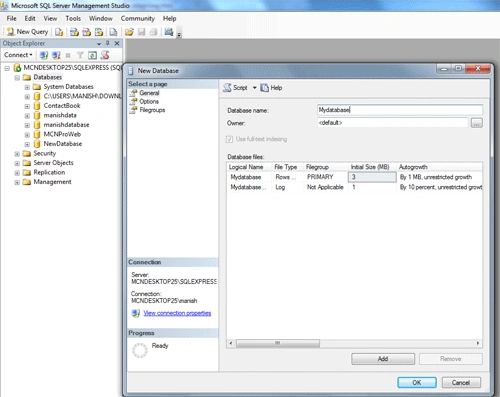
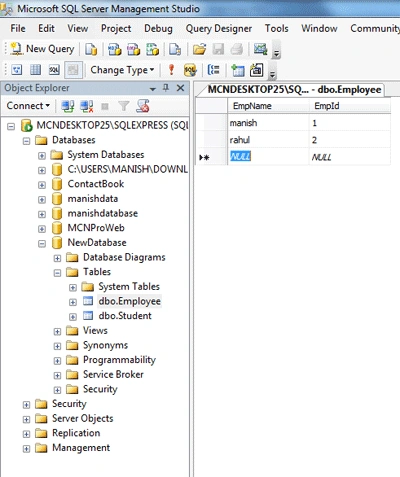
- Create a new database and table and insert
record in SQL
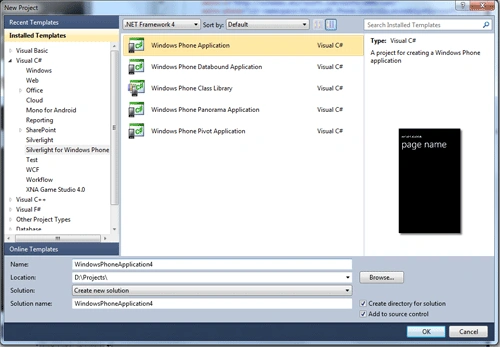
- Create new windows phone application
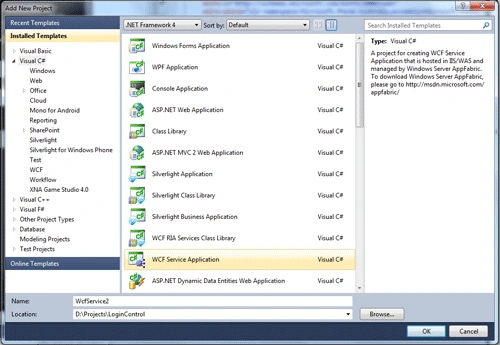
- Go to your solution file and add new WCF
service application in your project
- Add new LINQ to SQL class in WCF service
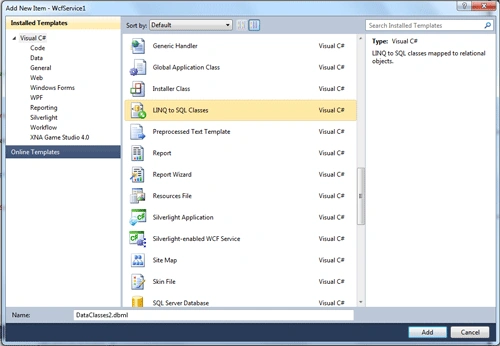
- Attache you database to the project

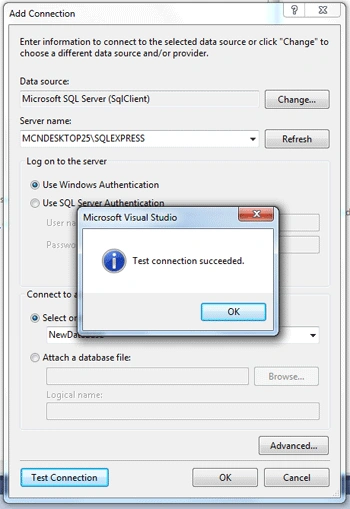
- Drag you table

- View service.svc file in browser

- Add service references
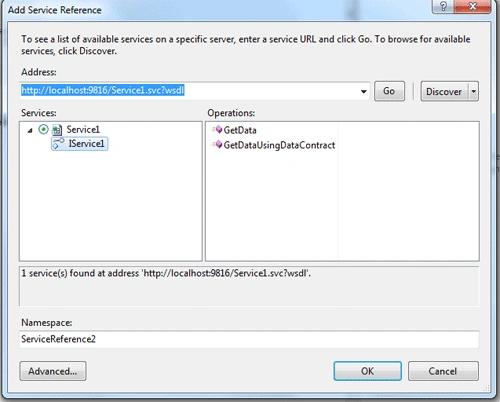
Now you database is attached to the project you can use you data of the table.
Thank You..
Join the conversation! Your thoughts help the community grow.