Hello Team, I developed C# windowform Application and the print reportview is working perfectly but after a publish it and when I want to print data, I get this ERROR: Value cannot be null.
Parameter name:dataTable
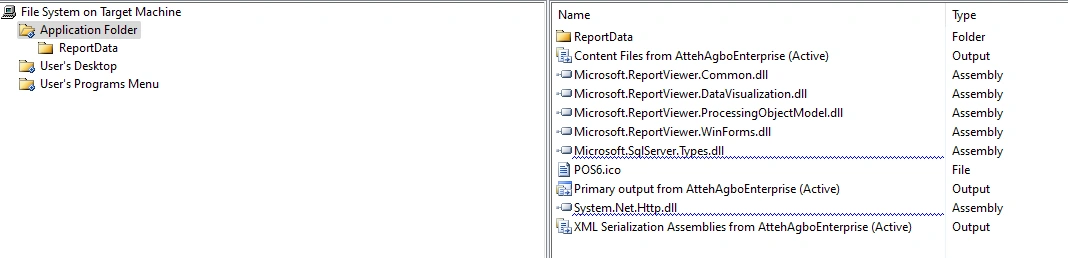
In the report properties I change the follow.
Build Action: Content
Copy to Output: Copy Always
This is my report code
public void LoadReport()
{
ReportDataSource rptDS;
try
{
reportViewer1.LocalReport.ReportPath = Application.StartupPath + @"\ReportData\rptInventory.rdlc";
reportViewer1.LocalReport.DataSources.Clear();
AtteyDataSet3 ds = new AtteyDataSet3();
SqlDataAdapter da = new SqlDataAdapter();
cn.Open();
da.SelectCommand = new SqlCommand("select p.pcode, p.barcode, p.pdescription, b.brand, c.category, p.price, p.qty, p.reorder from tblProduct as p inner join tblBrand as b on p.bid = b.id inner join tblCategory as c on p.cid=c.id", cn);
da.Fill(ds.Tables["dtInventory"]);
cn.Close();
rptDS = new ReportDataSource("AtteyDataSet3", ds.Tables["dtInventory"]);
reportViewer1.LocalReport.DataSources.Add(rptDS);
reportViewer1.SetDisplayMode(Microsoft.Reporting.WinForms.DisplayMode.PrintLayout);
reportViewer1.ZoomMode = ZoomMode.Percent;
reportViewer1.ZoomPercent= 100;
}catch(Exception ex)
{
cn.Close();
MessageBox.Show(ex.Message, "Error", MessageBoxButtons.OK, MessageBoxIcon.Warning);
}
}
Rajkiran SwainPosted Jun 20, 2023, 12:53 PM
Here are a few suggestions to troubleshoot the issue:
Verify that the SQL query
select p.pcode, p.barcode, p.pdescription, b.brand, c.category, p.price, p.qty, p.reorder from tblProduct as p inner join tblBrand as b on p.bid = b.id inner join tblCategory as c on p.cid=c.idis returning the expected results when executed against your database. You can try running this query directly in your database management tool to check for any errors or empty results.Ensure that the connection string
cnis properly configured and valid. Double-check the connection details, such as the server name, database name, and credentials, to ensure they are accurate.Check if the
ds.Tables["dtInventory"]table is populated correctly after executing the data adapter'sFillmethod. You can add a breakpoint atda.Fill(ds.Tables["dtInventory"])and inspect theds.Tables["dtInventory"]table in debug mode to verify its contents.Make sure that the report file "rptInventory.rdlc" is present in the specified location (
Application.StartupPath + @"\ReportData\rptInventory.rdlc") and that it contains the necessary report design and placeholders for the dataset.