Hi
I amggeting above error. Below is the code
import { Component, ElementRef, ViewChild } from '@angular/core';
import { FormsModule } from '@angular/forms';
import { RouterOutlet } from '@angular/router';

@Component({
  selector: 'app-root',
  standalone: true,
  imports: [RouterOutlet,FormsModule],
  templateUrl: './app.component.html',
  styleUrl: './app.component.css'
})

export class AppComponent {
  @ViewChild('myModal') model : ElementRef | undefined;
  studentObj: Student = new Student();


openModal(){
    const modal = document.getElementById("myModal")
    if (modal != null) {
      modal.style.display = 'block';
    }
  }

closeModal(){
  if (this.model != null) {
    this.model.nativeElement.style.display = 'none';
  }
}

saveStudent(){
  debugger;
  const isLocalPresent = localStorage.getItem("angular17Crud");
 if(isLocalPresent != null)
  {
    const oldArray = JSON.parse(isLocalPresent);
    oldArray.push(this.studentObj);
    localStorage.setItem('angular17Crud',JSON.stringify(oldArray));}
  else {
    const newArr = [];
    newArr.push(this.studentObj);
    localStorage.setItem('angular17Crud',JSON.stringify(newArr));
  }
}
}

export class Student {
  name:string;
  mobileno:string;
  email:string;
  city:string;
  state:string;
  pincode:string;
  address:string;
  constructor(){
    this.address ='';
    this.name='';
    this.mobileno='';
    this.email='';
    this.city='';
    this.state='';
    this.pincode='';
  }
}
Student Portal
Student Name
Mobile No
Email
City , State , PinCode
Address
Thanks
Jayraj ChhayaPosted May 2, 2024, 6:25 AM
Hi ,
Problem
The bug is caused by an incorrect reference to the modal element in the
openModal()method. The method attempts to retrieve the modal element usingdocument.getElementById("myModal"), but this element does not exist in the component's template.Solution
To fix the bug and allow the modal dialog to open correctly, we need to make a few changes to the code.
First, we need to add a template reference variable to the modal element in the component's template. We can do this by adding
#myModalto thedivtag with themodalclass:Next, we need to update the
openModal()method to use the template reference variable instead ofdocument.getElementById(). We can access the template reference variable using the@ViewChilddecorator. Add the following import statement at the top of the file:Then, update the
openModal()method as follows:Finally, we need to update the
@ViewChilddecorator to reference the template reference variable. Update the decorator as follows:With these changes, the
openModal()method should correctly open the modal dialog when the "Add New" button is clicked.Ramco RamcoPosted May 2, 2024, 6:26 AM
Hi Thomas
Screenshot attached. How else i can check
Thanks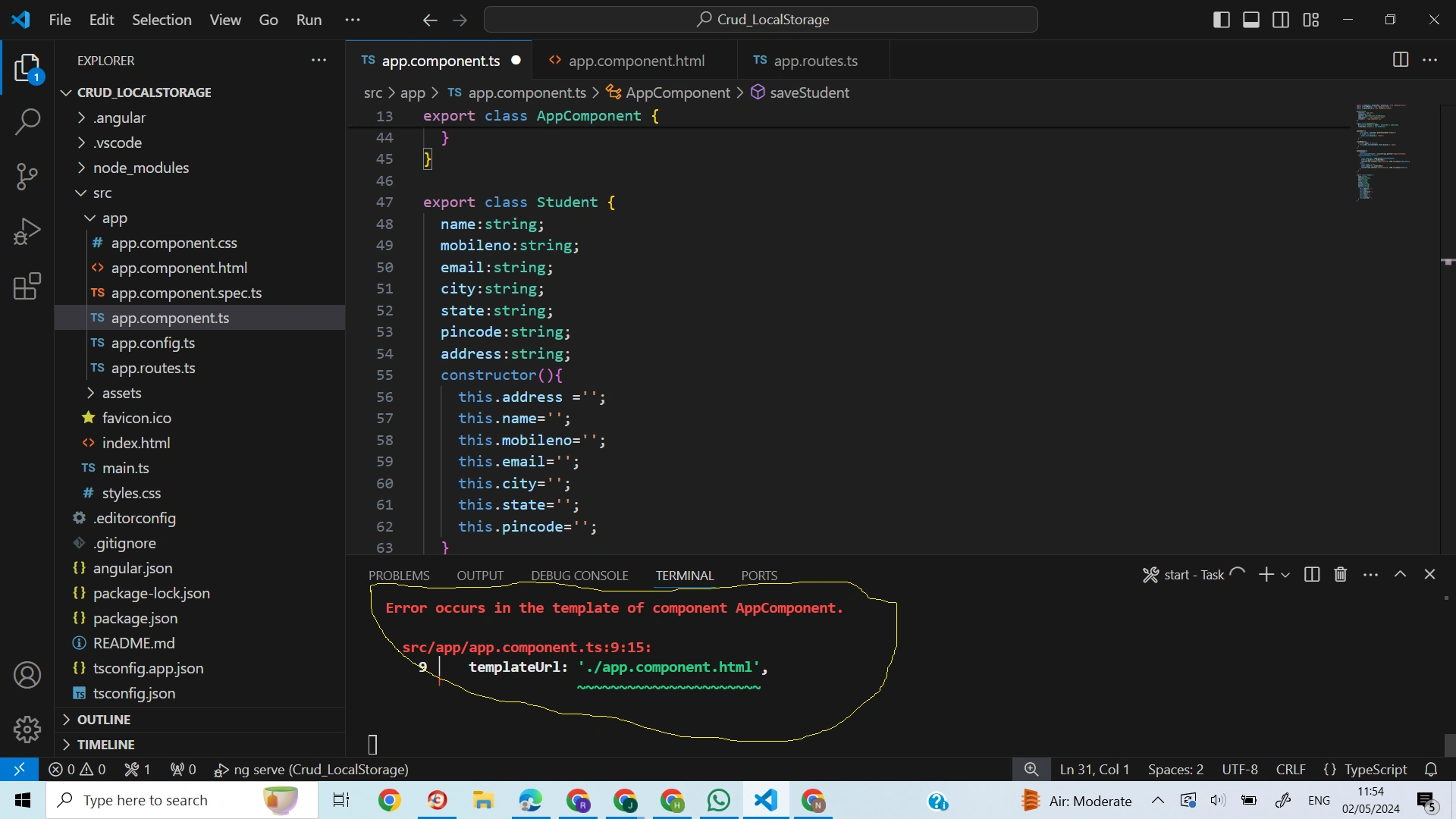
Jithu ThomasPosted May 2, 2024, 6:21 AM
Dear Ramco Ramco
Please elabrite the error what you are getting so we can solve the same easily.
Regards,