This is my project i just added a param in a method in dal and bal and aspx.cs and saved but it doesnt shows the errors at beginning
as below

when i try to run the solution i get error like like
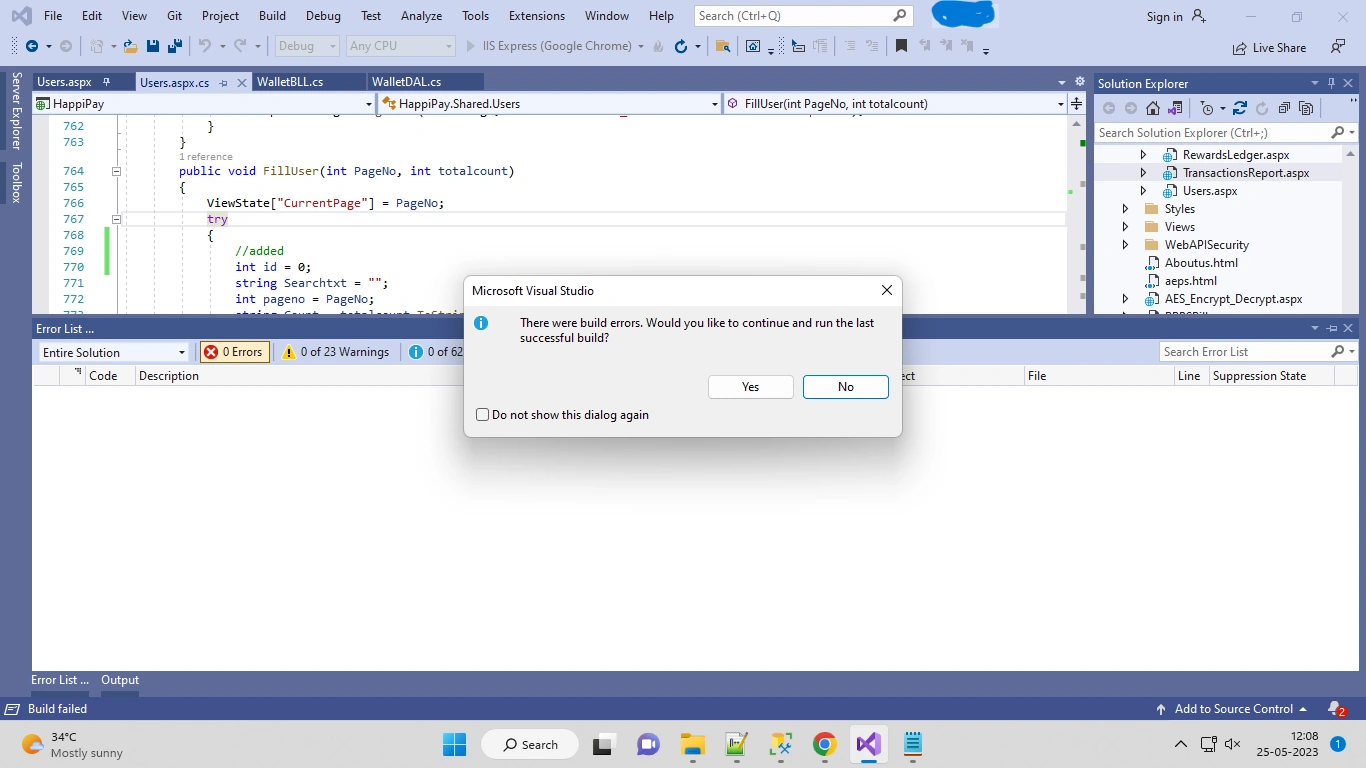
but it doesnt showing any errors except warnings how make the error visible in errors list pls help me Asap

Rajkiran SwainPosted May 25, 2023, 7:40 AM
If you are experiencing build errors in Visual Studio but they are not appearing in the Errors List window, there are a few steps you can take to troubleshoot the issue:
1. Make sure the "Errors" option is selected in the Errors List window:
- Open the Errors List window by going to View -> Error List (or press Ctrl + \, E).
- In the Errors List window, click on the dropdown arrow next to the "Show Issues" button (an exclamation mark icon).
- Ensure that the "Errors" option is checked. If it is not checked, select it to display the errors.
2. Verify that the build configuration is set to "Debug":
- In Visual Studio, go to the Solution Explorer window.
- Right-click on the project that is experiencing the build errors and select "Properties" from the context menu.
- In the project properties, navigate to the "Build" tab.
- Ensure that the "Configuration" dropdown is set to "Debug". If it is set to "Release" or another configuration, switch it to "Debug".
3. Check the Output window for build errors:
- Go to View -> Output (or press Ctrl + \, O) to open the Output window.
- In the dropdown at the top of the Output window, make sure "Build" is selected.
- Build your project again (e.g., by pressing Ctrl + Shift + B) and check the Output window for any error messages or build failures.
4. Check the Error List for specific projects:
- In the Solution Explorer window, expand the project that is experiencing the build errors.
- Expand the "References" node and any other relevant nodes.
- Look for any references with a yellow warning icon. Right-click on them and select "Resolve" to see if there are any specific error messages related to those references.
If none of these steps resolve the issue, it's possible that there are no actual build errors, but only warnings or informational messages. In that case, you may want to review the warnings and informational messages to address any potential issues or optimizations in your code.
Additionally, ensure that you have the latest updates and patches installed for Visual Studio, as sometimes issues related to error visibility can be resolved through updates.