How Export Graph With Gridview Data Into Export To Excel
Know the answer? Post it — somebody with the same question will find it here.
Sign in to answer this question
It is the same account you read, post and publish with — and you will come straight back to this page.
Sandeep KumarPosted Apr 1, 2024, 9:29 AM
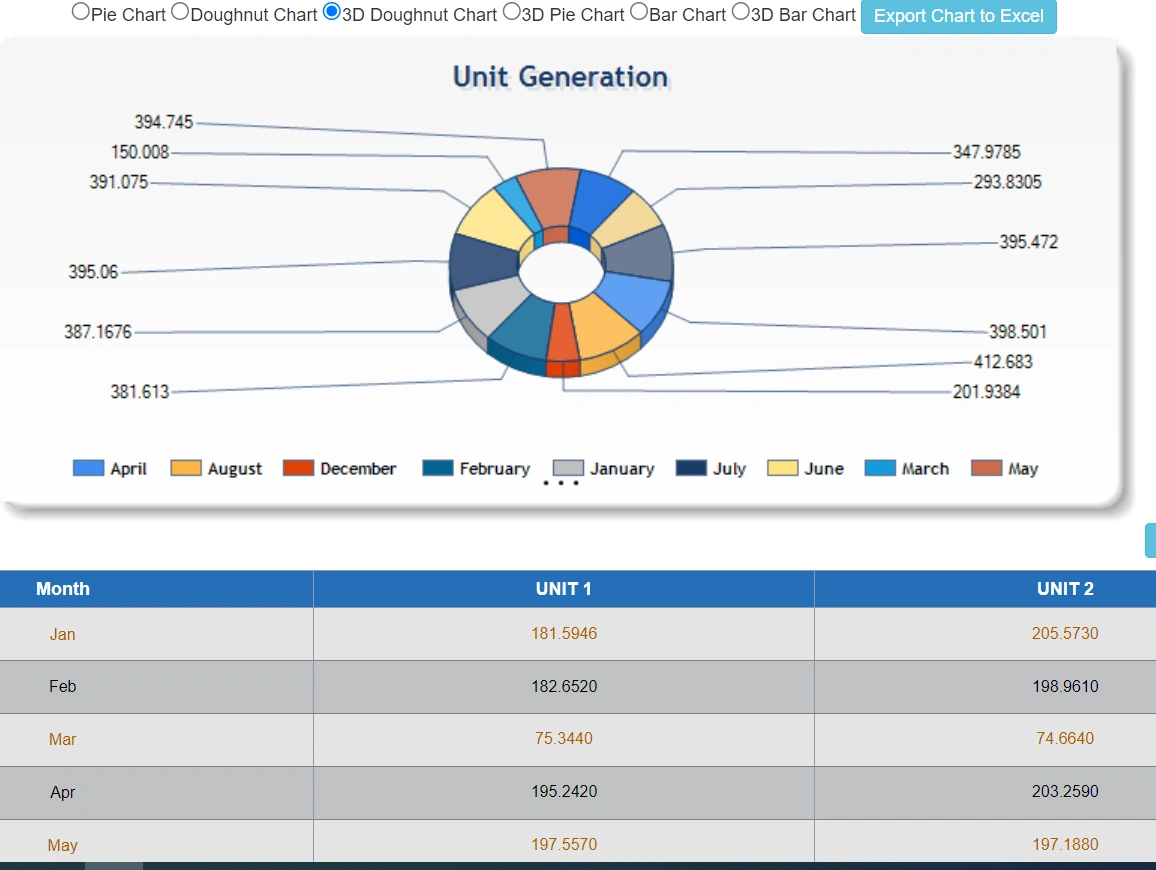
//this below code we can export graph with data but after few minutes image of graph disappear from Excel sheet when excel closed.
Msg Showing Linked Image can not be displayed.The file may have been moved,renamed,or deleted.verify that the link points to the correct file and location
Please Guide me where need to chnage or Where is wrong
DataTable dthdr = dt;
string FileName = FileNames;
HttpContext.Current.Response.Clear();
HttpContext.Current.Response.ClearContent();
HttpContext.Current.Response.ClearHeaders();
HttpContext.Current.Response.Buffer = true;
Response.ContentType = "application/vnd.ms-excel";
Response.AddHeader("content-disposition", "attachment;filename=GridViewExport.xls");
HttpContext.Current.Response.Charset = "";
//sets font
HttpContext.Current.Response.Write("");
"borderColor='#000000' cellSpacing='0' cellPadding='0' " +
HttpContext.Current.Response.Write("
");
//sets the table border, cell spacing, border color, font of the text, background, foreground, font height
HttpContext.Current.Response.Write("
"style='font-size:10.0pt; font-family:Calibri; background:white;width:100%'>");
HttpContext.Current.Response.Write("
//am getting my Datatable column headers
int columnscount = dthdr.Columns.Count;
for (int j = 0; j < columnscount; j++) // DATATABLE COLUMN NAME
{ //write in new column
HttpContext.Current.Response.Write("
HttpContext.Current.Response.Write("");
HttpContext.Current.Response.Write(dthdr.Columns[j].ColumnName.ToString().Contains("Column") ? "" : dthdr.Columns[j].ColumnName.ToString());
HttpContext.Current.Response.Write("");
HttpContext.Current.Response.Write("");
}
HttpContext.Current.Response.Write("
foreach (DataRow dts in dthdr.Rows)
{//write in new row
HttpContext.Current.Response.Write("
for (int i = 0; i < dthdr.Columns.Count; i++)// DATATABLE COLUMN VALUE
{
//string Data = dt[i].ToString();
HttpContext.Current.Response.Write("
HttpContext.Current.Response.Write(dts[i].ToString());
HttpContext.Current.Response.Write("
}
HttpContext.Current.Response.Write("
}
HttpContext.Current.Response.Write("");
HttpContext.Current.Response.Write("");
StringWriter sw = new StringWriter();", RegexOptions.IgnoreCase).Groups[1].Value; ", Request.Url.GetLeftPart(UriPartial.Authority), src);
HtmlTextWriter hw = new HtmlTextWriter(sw);
chart.RenderControl(hw);
string src = Regex.Match(sw.ToString(), "
string img = string.Format("
Table table = new Table();
TableRow row = new TableRow();
row.Cells.Add(new TableCell());
row.Cells[0].Width = 200;
row.Cells[0].HorizontalAlign = HorizontalAlign.Center;
row.Cells[0].Controls.Add(new Label { Text = "", ForeColor = Color.Red });
table.Rows.Add(row);
row = new TableRow();
row.Cells.Add(new TableCell());
row.Cells[0].Controls.Add(new Literal { Text = img });
table.Rows.Add(row);
sw = new StringWriter();
hw = new HtmlTextWriter(sw);
table.RenderControl(hw);
Response.Write(sw.ToString());
//
Response.Flush();
Response.End();
Jayraj ChhayaPosted Mar 31, 2024, 2:35 PM
Hi
To export a graph along with GridView data to Excel in ASP.NET, you can utilize libraries like EPPlus or ClosedXML to generate Excel files. First, create your graph using a charting library like Chart.js or Google Charts. Then, populate your GridView with the required data. Finally, combine the graph image and GridView data into a single Excel file.
Here's a simplified example using EPPlus: