Hi all.Good day.
I have a Microsoft Forms submit link that contains a variable value, such as "Power+Apps" in the following format:

I'm looking to extract this value (Power+Apps) from the URL and save it to a SharePoint list when someone submits the form.
I'm currently using Power Automate to automate this process, but I'm not sure how to retrieve the variable value and save it to the another SharePoint list. Can someone please provide me with some guidance or an example of how to accomplish this?
Here is the Sharepoint List contain the column Link, and the Json of the Link Column
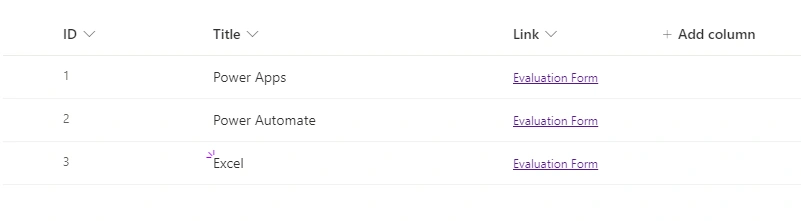 Thank you in advance for your help.
IT SolutionPosted Mar 3, 2023, 2:41 AM
Thank Tuhin Paul for reply, In you posted, Are you currently retrieving the value after the slash in your solution? I am wondering how I can retrieve the value Power+App in the URL. Can you give me some advice?
Below is the URL when I click to Link column in Sharepoint, and Json of column Link is
Tuhin PaulPosted Mar 2, 2023, 6:36 PM
So are you looking for extracting the value from the URL and save it to a SharePoint list using Power Automate! If so then please follow the steps below:
1. Create a new flow in Power Automate and choose the "When a new response is submitted" trigger for the Microsoft Forms connector.
2. Add an action to the flow to extract the value from the URL. For example, you can use the "Parse JSON" action to extract the value using the following expression:
This expression will extract the value after the last slash and before the question mark in the URL.
3. Add another action to the flow to save the extracted value to the SharePoint list. For example, you can use the "Create item" action to create a new item in the list and map the extracted value to the appropriate column.
In the "Link" column JSON of the SharePoint list, you can use the following syntax to set the value of the column:
This will set the value of the "linkValue" property to the output of the "Parse JSON" action.
4. Save and test the flow to ensure that it works as expected.