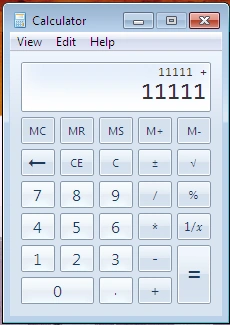
How to make label form with two lines?LLLucky Lam13yAsked Oct 4, 2013, 10:18 PM1.6kVisual Basic .NETI'm wondering how to make something like this:Any help would be appreciated!
Sunny Sharma13y agoPosted Oct 5, 2013, 12:40 AMHow about using two labels for that?ORIf you explicitly want to use a single label with text separated in two lines, there's a way:Do it like this: myLabel.Text = "Text for line 1\nText for line2";A new line "\n" literal will help you to achieve this.HTH :)0
Sanjeeb LenkaPosted Oct 5, 2013, 1:00 AM
i also suggest use two labels.
Sunny SharmaPosted Oct 5, 2013, 12:40 AM
OR
If you explicitly want to use a single label with text separated in two lines, there's a way:
Do it like this: myLabel.Text = "Text for line 1\nText for line2";
A new line "\n" literal will help you to achieve this.
HTH :)