I can't able to find web forms while creating new item.
Please suggest me how to resolve this issue.
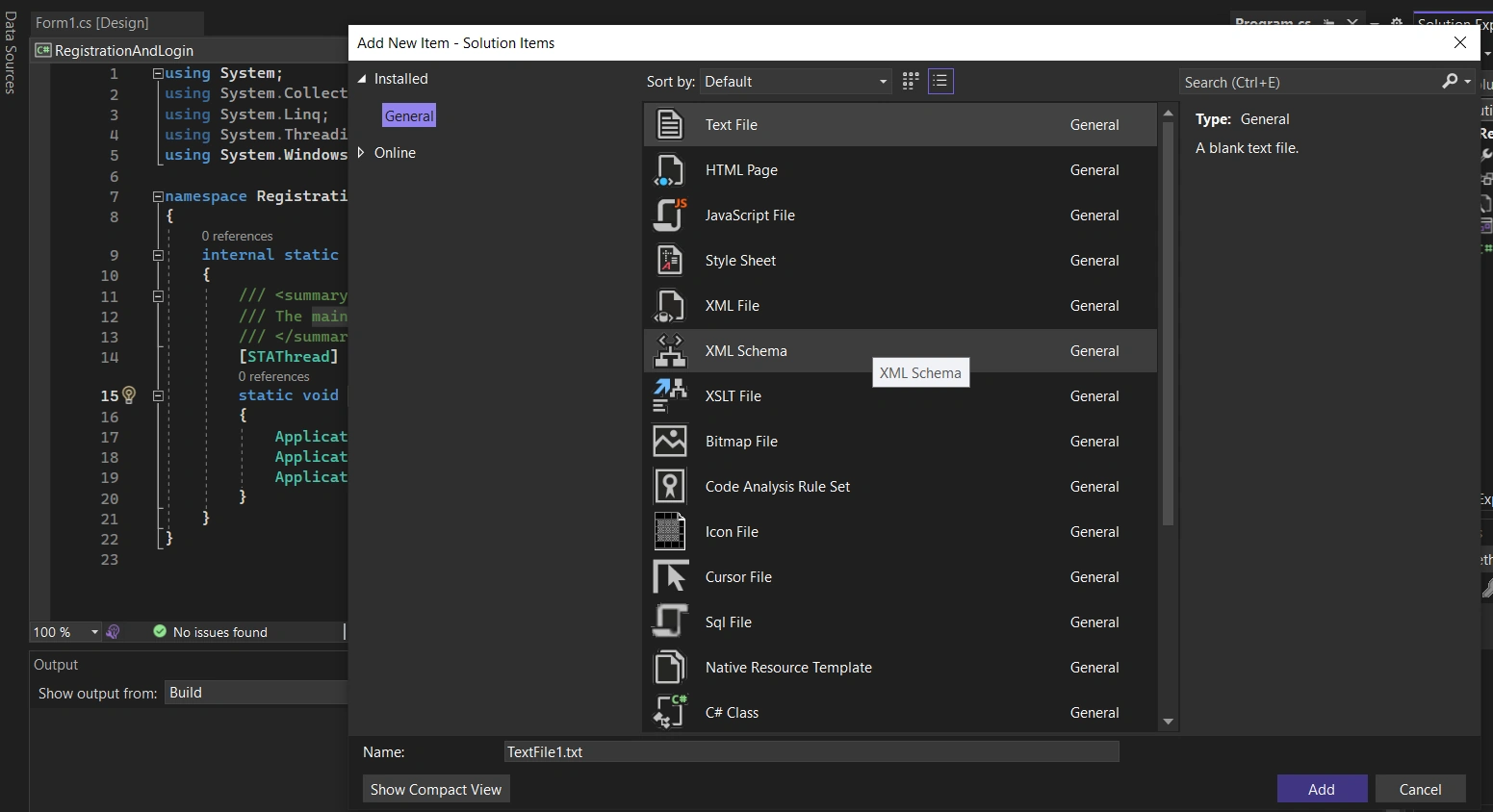
I can't able to find web forms while creating new item.
Please suggest me how to resolve this issue.
Know the answer? Post it — somebody with the same question will find it here.
Sign in to answer this question
It is the same account you read, post and publish with — and you will come straight back to this page.
Sam HobbsPosted Nov 2, 2023, 7:45 PM
In your screenshot you posted, I cannot see all of the source code but I see that the filename is Form1.cs and it has a "using System.Windows" and I assume that is "using System.Windows.Forms". That indicates it is s Windows Forms project. As Jignesh Kumar said, you need to create an ASP.Net project. You need to understand the difference between ASP.Net and ASP.Net Core and there are various types of them. The choice of which one to use can be complicated and sometimes it is a matter of personal preference. If you are learning then choose one to begin with and later learn another.
The following is what a Program.cs file for a Windows Forms project looks like. Your Form1.cs file looks like this, correct?
Khoday AkileshPosted Nov 2, 2023, 9:29 AM
Hi Hemanth,
Try to install the ASP.NET and Web Development from Visual Studio Installer as below.
Jignesh KumarPosted Nov 2, 2023, 3:50 AM
Hi Hemanth,
If you want to create web form then you need to create project with Web application. I can see your project is windows form application.
Open visual studio => Create new project => Web => Asp .net web forms