
Is it possible to create azure maps SAS token programmatically?
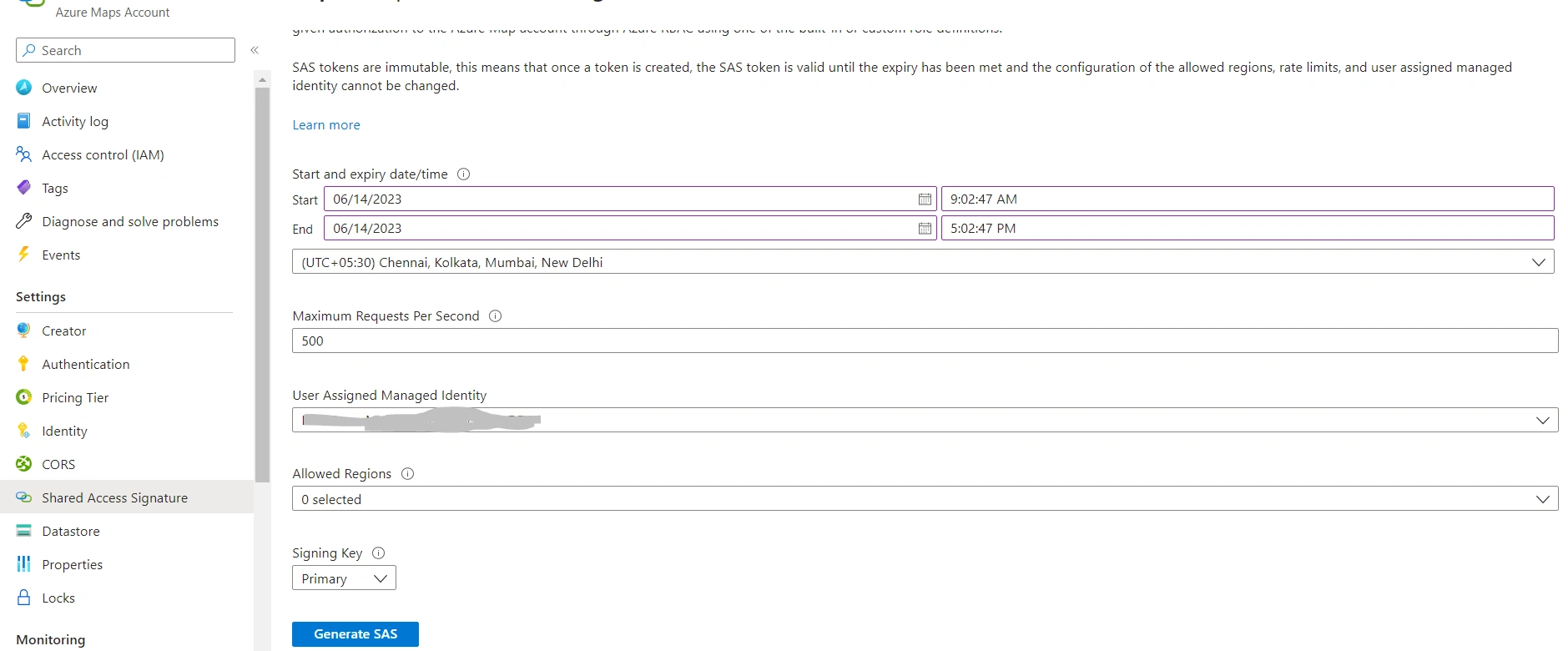
Is it possible to create azure maps SAS token programmatically?
Know the answer? Post it — somebody with the same question will find it here.
Sign in to answer this question
It is the same account you read, post and publish with — and you will come straight back to this page.
Saravanan GanesanPosted Aug 4, 2023, 8:28 PM
Yes, it is possible to create an Azure Maps Shared Access Signature (SAS) token programmatically. Azure Maps allows you to generate SAS tokens to provide controlled access to your map resources, including data, images, and other assets. SAS tokens are a secure way to grant time-limited access to specific resources without sharing your account keys.
To generate an Azure Maps SAS token programmatically, you can use the Azure Maps REST APIs or one of the Azure Maps SDKs, such as the JavaScript, .NET, or Python SDKs. Below are general steps to create an Azure Maps SAS token programmatically using the .NET SDK:
Install Azure Maps SDK:
Authenticate with Azure Maps:
Create a Shared Access Signature:
SharedKeyCredentialclass from the Azure.Identity namespace to create a SAS token for the specific resource you want to access.Set Token Expiry and Permissions:
Use the SAS Token:
Kindly find the code snippet below :
using Azure.Identity;
using Azure.Maps.MapControl;
using System;
class Program
{
static void Main()
{
// Replace with your Azure Maps subscription key or AAD credentials
string subscriptionKey = "YOUR_AZURE_MAPS_SUBSCRIPTION_KEY_OR_AAD_CREDENTIALS";
// Create a SharedKeyCredential using the subscription key or AAD credentials
var credential = new SharedKeyCredential(subscriptionKey);
// Define the SAS token's expiry time (e.g., 1 hour from now)
DateTimeOffset expiryTime = DateTimeOffset.UtcNow.AddHours(1);
// Specify the permissions for the SAS token { Permissions.Read, Permissions.Write };
var permissions = new List
// Generate the SAS token
string sasToken = credential.GetSASToken(expiryTime, permissions);
Console.WriteLine($"Generated SAS token: {sasToken}");
}
}
Remember to replace
YOUR_AZURE_MAPS_SUBSCRIPTION_KEY_OR_AAD_CREDENTIALSwith your actual Azure Maps subscription key or AAD credentials. The generated SAS token can then be used to access the specified Azure Maps resources within the defined permissions and time window.Saravanan PonnusamyPosted Jun 14, 2023, 10:37 AM
@rajkiran
it doesnt worked for me.
am i missing anything?
Saravanan PonnusamyPosted Jun 14, 2023, 9:07 AM
Thank You very much for your answer @rajkiran swain. i'll try with development.
Also, could you pls. share the weblink for the below answer for the reference.
Rajkiran SwainPosted Jun 14, 2023, 8:29 AM
Yes, it is possible to create Azure Maps SAS (Shared Access Signature) tokens programmatically. Azure Maps provides a REST API that allows you to generate SAS tokens dynamically.
Here is an example of how you can create an Azure Maps SAS token programmatically using C#:
Install the Azure Maps package: Install the
AzureMapsControl.Componentspackage from NuGet in your project. This package provides the necessary classes and methods for working with Azure Maps.Generate the SAS token: Use the
AzureMapsControl.Components.AzureMapsServices.CreateSasTokenmethod to generate the SAS token. This method takes the necessary parameters such as the resource URL, the primary key or secondary key for your Azure Maps account, and the desired expiration time for the token.The
sasTokenvariable will contain the generated SAS token that can be used to authenticate requests to Azure Maps services.Use the SAS token: Once you have the SAS token, you can include it in your requests to Azure Maps services by appending it as a query parameter. For example:
Replace
your-sas-tokenwith the generated SAS token.By generating SAS tokens programmatically, you have control over the expiration time and can dynamically generate tokens as needed for your application. Remember to keep the primary or secondary key for your Azure Maps account secure and avoid exposing it in your code or client-side applications.