
I have a crystal report which i developed for a project. But since few day it started behaving differently on my laptop its getting split into two pages also on second page its not showing the heading i am attaching an image along with this. Please help i need to install this at my client office. Thanks in advance In the image you can see the report is split from the middle. Due to security resason i am not showing the header part , its there . 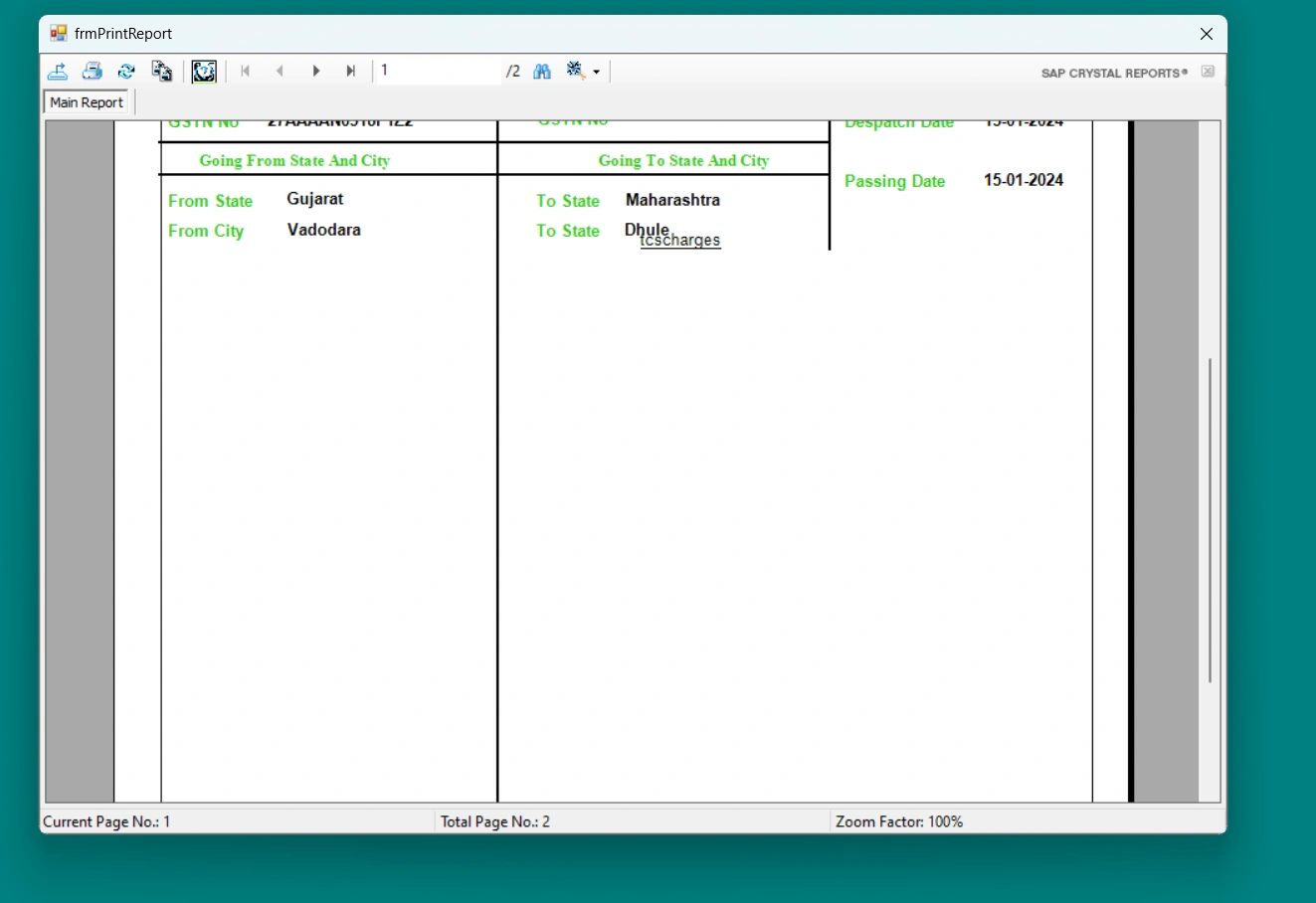
Loading
Jayraj ChhayaPosted Jan 25, 2024, 3:45 AM
To troubleshoot the Crystal Report splitting issue and ensure that the heading is displayed correctly on all pages, you can follow these steps:
Check the Page Setup: Verify the page setup settings in Crystal Reports. Ensure that the paper size, orientation, and margins are set correctly. Adjust them if necessary to accommodate the content and prevent splitting.
Adjust Section Heights: Check the section heights in the report. If a section's height is too large, it may cause the content to overflow onto the next page. Reduce the section height if needed to fit the content within a single page.
Check Grouping and Sorting: If the report is grouped or sorted, ensure that the grouping and sorting settings are correct. Incorrect grouping or sorting can cause unexpected page breaks and splitting. Adjust the grouping and sorting options as necessary.
Verify Field Sizes: Check the size of the fields in the report. If a field's size exceeds the available space on a page, it may cause the content to split. Reduce the field size or adjust the layout to accommodate the content within a single page.
Test on Different Machines: Test the report on different machines to determine if the issue is specific to your laptop or a general problem. If the report works fine on other machines, there may be a configuration or compatibility issue with your laptop.
Update Crystal Reports Version: Ensure that you are using the latest version of Crystal Reports. Updates and patches often address known issues and improve compatibility. Updating to the latest version may resolve the splitting issue.
Consider Exporting to PDF: If the issue persists, consider exporting the report to PDF format. PDFs are more reliable for maintaining the layout and formatting across different machines and printers. You can then distribute the PDF to your client's office.