Hi Team,
Need assistance on SharePoint REST API URL call to ARCHIVE SP site
MS SharePoint Online has a option to archive sp site from tenant admin page, for that same functionality we are trying to implement a Power automate to archive site. so we are looking for API URL to archive SP site.
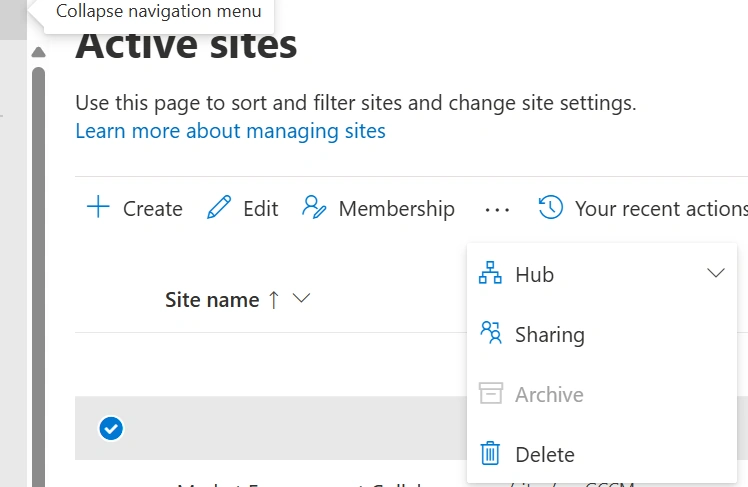
Please let me know if you need any more details. we are trying to implement same functionality using Power Automate, so need assistance with API URL
Tuhin PaulPosted Mar 29, 2025, 3:57 PM
Power Automate sends an HTTP request to an Azure Function.
Tuhin PaulPosted Mar 29, 2025, 3:47 PM
Part 2:
Option 2: Use Microsoft 365 CLI with Power Automate
The Microsoft 365 CLI provides commands to manage SharePoint sites. You can use it to lock a site and integrate it with Power Automate.
Steps :
Install Microsoft 365 CLI : Install the CLI on your local machine or server where the script will run.
Option 3: Use Microsoft Graph API (Indirectly)
While Microsoft Graph API does not have a direct endpoint to archive a site, you can use it to retrieve site details and then combine it with PowerShell or CLI scripts.
Retrieve Site ID : Use the Microsoft Graph API to get the site ID:
Pass Site ID to Script : Pass the retrieved site ID to your PowerShell or CLI script to perform the archiving operation.
Tuhin PaulPosted Mar 29, 2025, 3:43 PM
To archive a SharePoint site using the SharePoint REST API or Microsoft Graph API, you need to use the appropriate endpoint and permissions.
Solution Approach
Option 1: Use PowerShell with Power Automate
You can use PowerShell to archive a SharePoint site and trigger the script from Power Automate using an Azure Function or an HTTP-triggered automation.
Steps :
-LockState ReadOnlyparameter makes the site read-only, effectively archiving it.Integrate with Power Automate :