

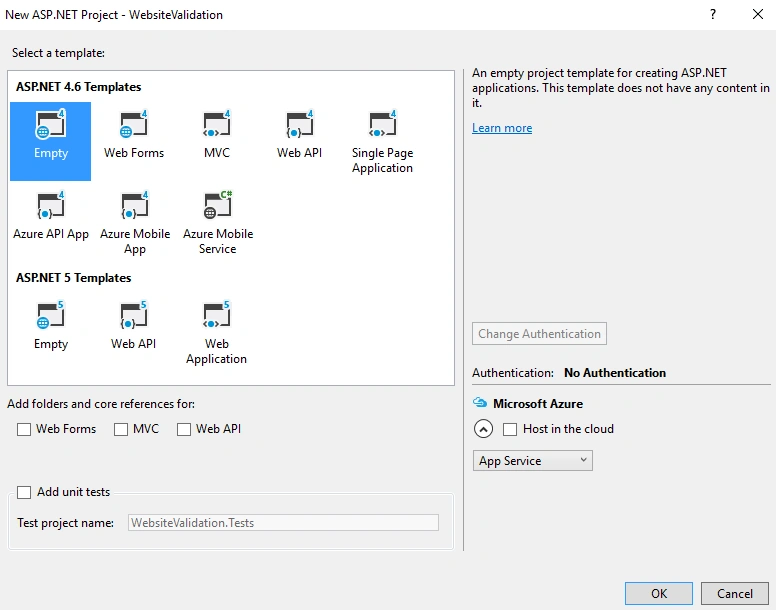
Let's create a Web application first to implement validation controls in ASP.NET, and then do the server-side validation.
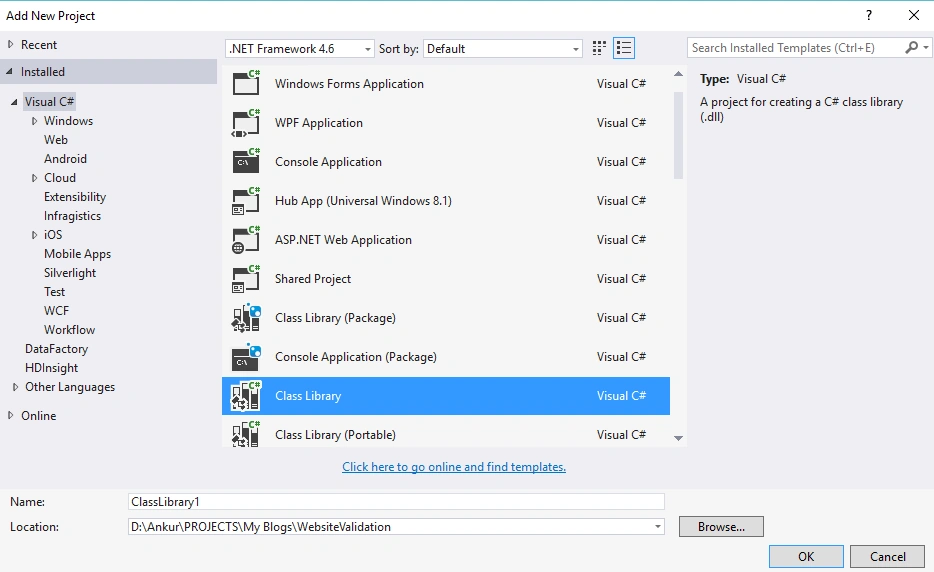
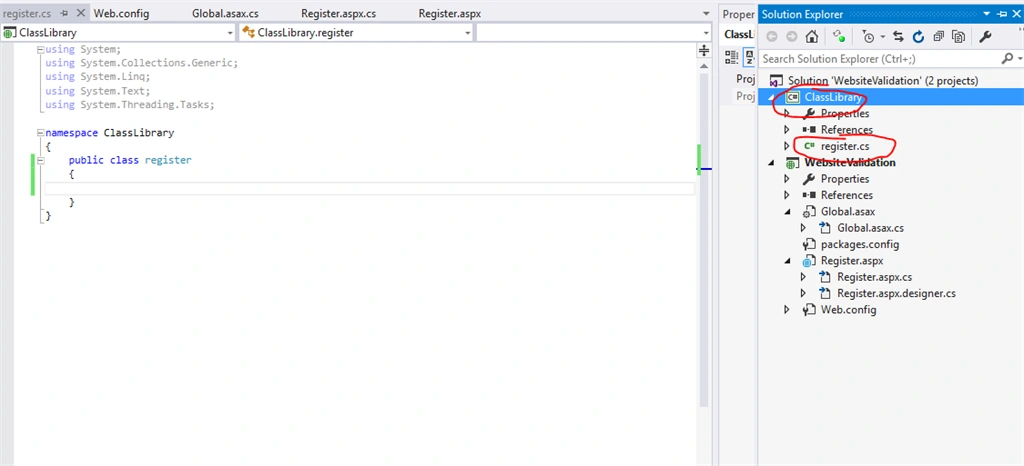
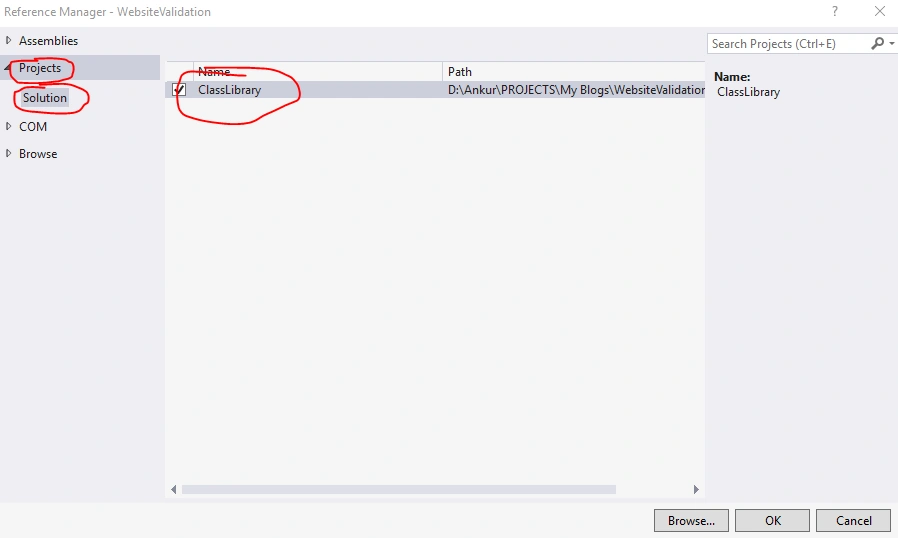
using System.ComponentModel.DataAnnotations,
using System.ComponentModel.DataAnnotations,
Add New web page in your application; here I have added "Register.aspx." Add the following html in your "Register.aspx" page.
- <div>
- <asp:TextBox ID="txtName" placeholder="Enter Full Name" runat="server"></asp:TextBox>
- <br />
- <asp:TextBox ID="txtEmail" placeholder="Enter Email" runat="server"></asp:TextBox>
- <br />
- <asp:TextBox ID="txtMobile" placeholder="Enter Mobile" runat="server"></asp:TextBox>
- <br />
- <asp:TextBox ID="txtPassword" placeholder="Enter Password" runat="server"></asp:TextBox>
- <br />
- <asp:TextBox ID="txtAge" placeholder="Enter Age" runat="server"></asp:TextBox>
- <br />
- <asp:Button ID="btnSubmit" runat="server" Text="Submit"
- OnClick="btnSubmit_Click" />
- </div>

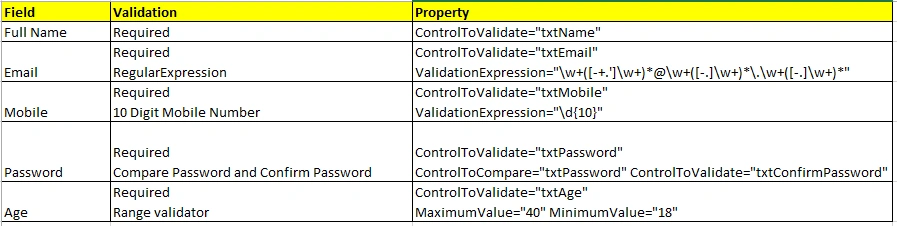
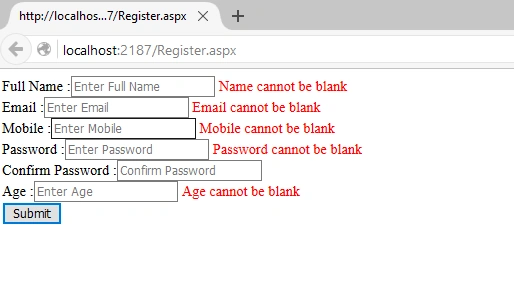
Apply validation for the following fields:
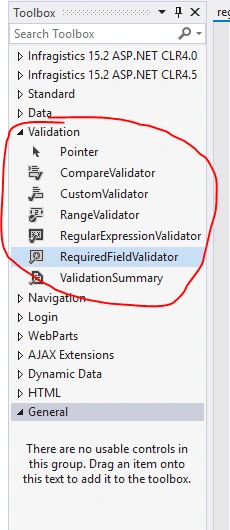
Drag and drop Validation controls from toolbar:

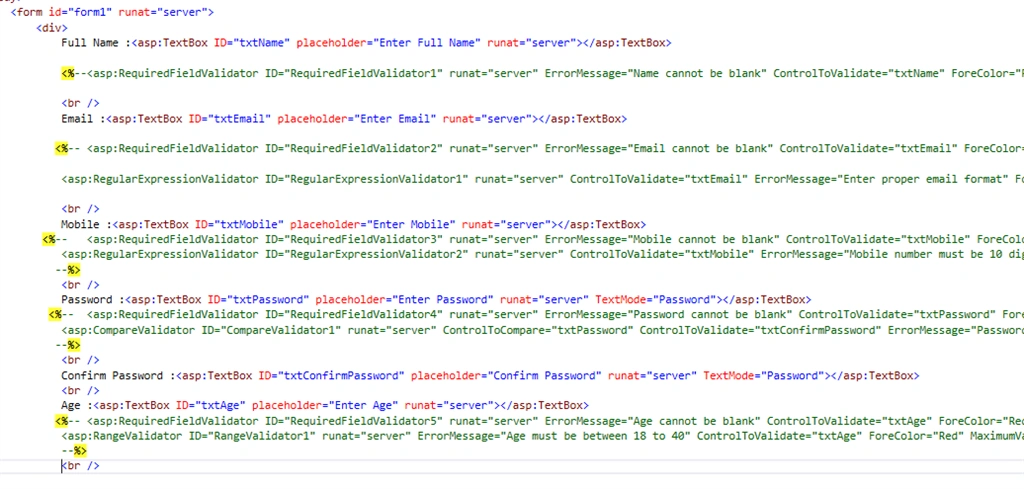
Copy paste the following code where I have map validation control with other controls, such as textboxes:
- <div>
- Full Name :<asp:TextBox ID="txtName" placeholder="Enter Full Name" runat="server"></asp:TextBox>
- <asp:RequiredFieldValidator ID="RequiredFieldValidator1" runat="server" ErrorMessage="Name cannot be blank" ControlToValidate="txtName" ForeColor="Red"></asp:RequiredFieldValidator>
- <br />
- Email :<asp:TextBox ID="txtEmail" placeholder="Enter Email" runat="server"></asp:TextBox>
- <asp:RequiredFieldValidator ID="RequiredFieldValidator2" runat="server" ErrorMessage="Email cannot be blank" ControlToValidate="txtEmail" ForeColor="Red"></asp:RequiredFieldValidator>
- <asp:RegularExpressionValidator ID="RegularExpressionValidator1" runat="server" ControlToValidate="txtEmail" ErrorMessage="Enter proper email format" ForeColor="Red" ValidationExpression="\w+([-+.']\w+)*@\w+([-.]\w+)*\.\w+([-.]\w+)*"></asp:RegularExpressionValidator>
- <br />
- Mobile :<asp:TextBox ID="txtMobile" placeholder="Enter Mobile" runat="server"></asp:TextBox>
- <asp:RequiredFieldValidator ID="RequiredFieldValidator3" runat="server" ErrorMessage="Mobile cannot be blank" ControlToValidate="txtMobile" ForeColor="Red"></asp:RequiredFieldValidator>
- <asp:RegularExpressionValidator ID="RegularExpressionValidator2" runat="server" ControlToValidate="txtMobile" ErrorMessage="Mobile number must be 10 digit" ForeColor="Red" ValidationExpression="\d{10}"></asp:RegularExpressionValidator>
- <br />
- Password :<asp:TextBox ID="txtPassword" placeholder="Enter Password" runat="server"></asp:TextBox>
- <asp:RequiredFieldValidator ID="RequiredFieldValidator4" runat="server" ErrorMessage="Password cannot be blank" ControlToValidate="txtPassword" ForeColor="Red"></asp:RequiredFieldValidator>
- <asp:CompareValidator ID="CompareValidator1" runat="server" ControlToCompare="txtPassword" ControlToValidate="txtConfirmPassword" ErrorMessage="Password and confiem password must be same" ForeColor="Red"></asp:CompareValidator>
- <br />
- Confirm Password :<asp:TextBox ID="txtConfirmPassword" placeholder="Confirm Password" runat="server"></asp:TextBox>
- <br />
- Age :<asp:TextBox ID="txtAge" placeholder="Enter Age" runat="server"></asp:TextBox>
- <asp:RequiredFieldValidator ID="RequiredFieldValidator5" runat="server" ErrorMessage="Age cannot be blank" ControlToValidate="txtAge" ForeColor="Red"></asp:RequiredFieldValidator>
- <asp:RangeValidator ID="RangeValidator1" runat="server" ErrorMessage="Age must be between 18 to 40" ControlToValidate="txtAge" ForeColor="Red" MaximumValue="40" MinimumValue="18"></asp:RangeValidator>
- <br />
- <asp:Button ID="btnSubmit" runat="server" Text="Submit"
- OnClick="btnSubmit_Click" />
- </div>
Ankur MistryPosted Jan 9, 2016, 1:48 AM
thank you all
Manoj KallaPosted Jan 9, 2016, 1:43 AM
Good one
Shridhar SharmaPosted Jan 8, 2016, 1:38 AM
nice share
Mayank SharmaPosted Jan 8, 2016, 1:29 AM
Amazing One.
Debasis SahaPosted Jan 8, 2016, 12:09 AM
Good One..
Ankur MistryPosted Jan 7, 2016, 11:50 PM
Thank you
Santhakumar MunuswamyPosted Jan 7, 2016, 11:32 PM
Thanks for nice article
Karthikeyan KPosted Jan 7, 2016, 11:27 AM
Good one..
Ankur MistryPosted Jan 7, 2016, 9:18 AM
Thank you Raja T
Raja TPosted Jan 7, 2016, 9:14 AM
Good, Thanks for sharing
Humayun Kabir MamunPosted Jan 7, 2016, 6:32 AM
Nice...
Rushabh ParekhPosted Jan 7, 2016, 4:53 AM
Reallly helpful
Rushabh ParekhPosted Jan 7, 2016, 4:53 AM
Awesome it is