

Web API is a technology which follows HTTP REST Protocols. In short, we can also say that Web API is a programming interface to define Request and Response message system. It helps us to implement REST Principles. By doing the same it helps us to make our WEB Architecture simple. WEB API implements REST Architecture. Boththe client and server talk in terms of POST, PUT, DELETE, GET that simplifies our architecture. REST stands for Representation State Transfer.
Content Negotiation is a process where theserver identifies what type format the client supports and depending on that client format, the server sends the same format to him.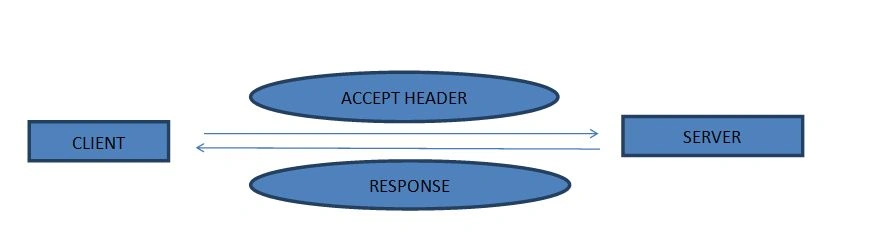
WEB API Mechanism
As we know in HTTP, content negotiation is the mechanism that is being used in WEB API when facing several equivalent contents for a given URL, to provide the best suited on for the final user. The determination of the best suited content is made through one of the following three mechanisms:
- Specific HTTP Header by the client (server driven negotiation)
- The 300 Multiple choices or 406 Not Acceptable HTTP response codes by the server (agent driven negotiation)
- A cache (transparent negotiation)
Server Driven Negotiation
In Server Driven Negotiation the browser sends several HTTP headers along with the URI, which are his preferred choice. The server than internally decides the best content to serve the client. In order to improve the algorithm choice user may include Accept: Header that specifies server that I understand these Headers.
Accept: Header
The Accept: Header lists the MIME Types (Multi-Purpose Internet Mail Extensions).
Multi-Purpose Internet Mail Extensions
MIME type form a standard way of classifying file types on the Internet eg. text/html, audio/x-aiff, application/xml, text/xml, text/javascript etc. Internet programs such as Web Servers and browsers all have a list of MIME types, so that they can transfer files of the same type in the same way, no matter what operating system they are working in.
A MIME Type has two parts: a type and a subtype. They are separated by a slash(/) for ex. The MIME type of Microsoft words files is application and the subtype is msword, msexcel together the complete MIME is application/msexcel etc.
Coming back to Accept Headers, the Accept headers list the MIME type of media that the browser is willing to process. It is comma separated list of MIME types, each combined with a quality factor, as parameter gives the preference between different MIME sets.
Default Values:
Note that all browsers add the */* MIME Type to cover all cases. This is typically used for requests initiated via the address bar of a browser, or via an HTML <a> element.

Demonstrating */* MIME Type to cover all cases
AGENT DRIVEN CONTENT NEGOTIATION
Server driven negotiation has some drawbacks.
- To menu header for specifying to the Server.
- Sending of the header must be done on every request.
HTTP allowed from the start another negotiation type, agent-driven negotiation.
A second problem is that one more request is needed in order to fetch the real resource, slowing the availability of the resource to the user. With agent driven the choice of the response is made once the server gets a response from the client.
TRANSPARENT CONTENT NEGOTIATION
Transparent content negotiation is a integration or combination of both server driven negotiation and agent driven negotiation. A transparent content negotiation is initiated by the agent by adding a Negotiate: header. This header tells the server that the client is supporting this type of negotiation. In its response, the server gives back the result of its server-driven content negotiation, i.e. the most-likely page according the Accept-*: headers sent by the agent in its request, and several HTTP headers indicating what alternative pages does exists. If the browser finds the alternatives more useful than the default page, it performs the second part a client-driven content negotiation and fetch the better page. That way, each time the server-driven content negotiation succeed only one HTTP request is needed, which is optimal. A second request is needed only when the Accept-*: header does not convey enough information to let the server do an optimal choice.
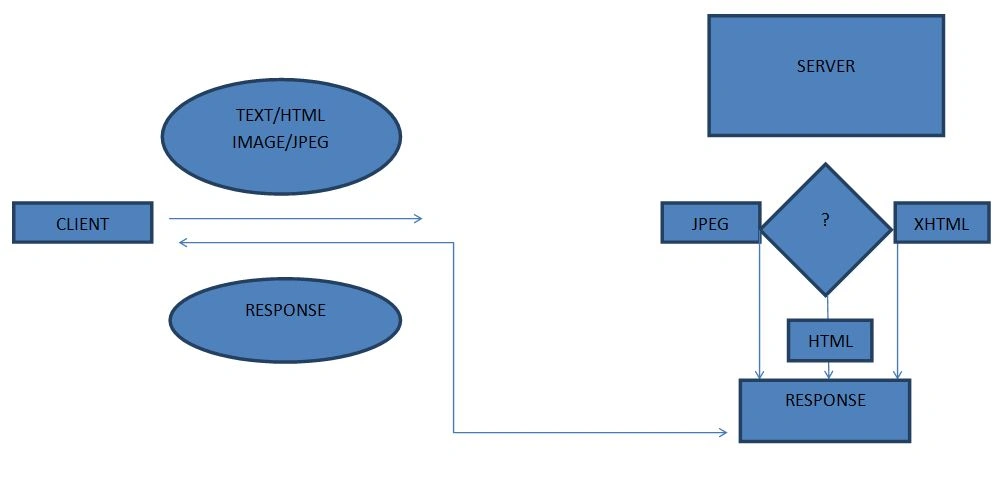
Flow of Request(text/html) and Response
- Client sends the format type as a main type and sub type text/html, application/xhtml+xml, image/jpeg.
- Main type is Text and Sub type is Html same for others.
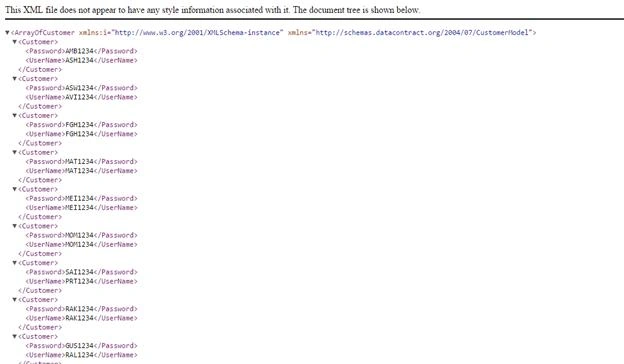
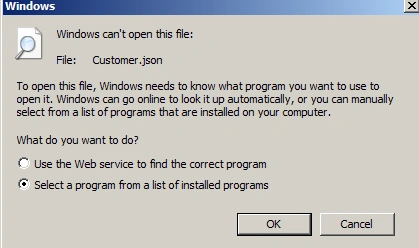
Main type is Application and Sub Type is xhtml, xml, etc. - As WEB Api supports Content Negotiation so we don’t have to return Action Result, Return JSON, etc. It automatically sends the supported format to the client.
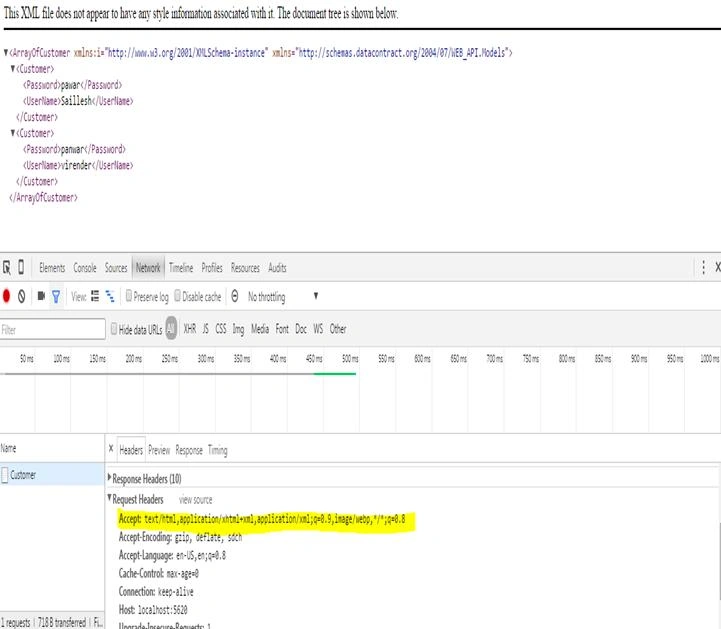
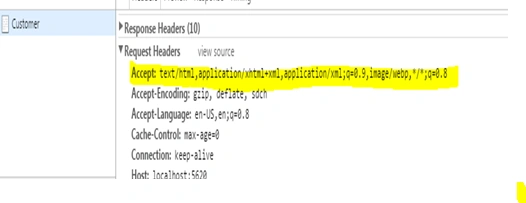
Request Header
In the header we can see that chrome browser sends a message to the server that he understand text/html or application/xhtml+xml. So server sends back XML that he understands.
Let us start implementing the WEB API using ASP.NET MVC
Step 1. Start New Project

Step 1.1: Select MVC Project
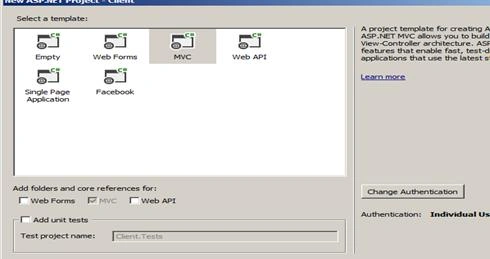
STEP 1.2: Select WEB API
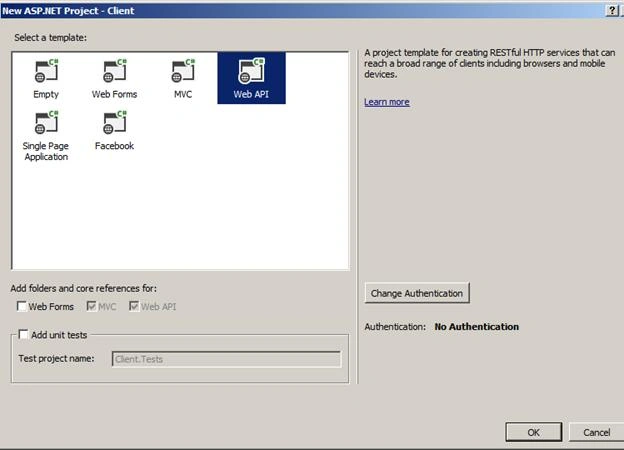
- Delete all unnecessary files which are preloaded by Microsoft because we are going to make the project from scratch and preloaded files will make the project heavy.
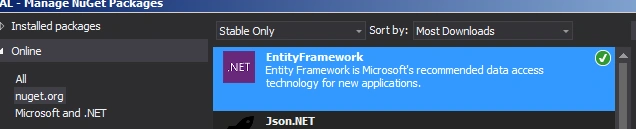
- First of all we need to add Entity Framework Dll, for this we need to Go to Nuget Manager and download the Entity Framework. Here are the steps.
- We will be adding Dal (DATA ACCESS LAYER) class from where the data will be retrieved using entity Framework.
STEP 2: Go to Project and click on Manage Nuget Packages.
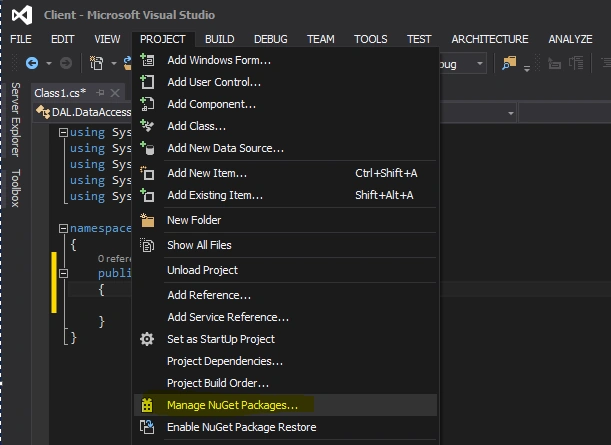
STEP 2.1: Click on Nuget.org and write Entity Framework in search section.
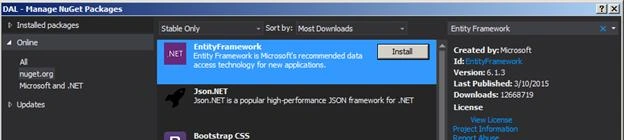
As the search criteria is complete we will see the page as shown above, we need to install the same. Click on I Accept and here we are ready to install Entity Framework as shown below.
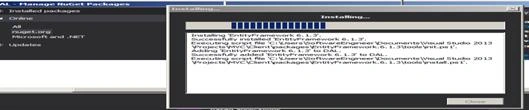
Step 2.2: We have successfully installed Entity Framework and we ready to go and implement DAL Layer in our project.

Step 2.3: Now we will add a connection string to our program, for this we need to click on Server Explorer, then Add connection,
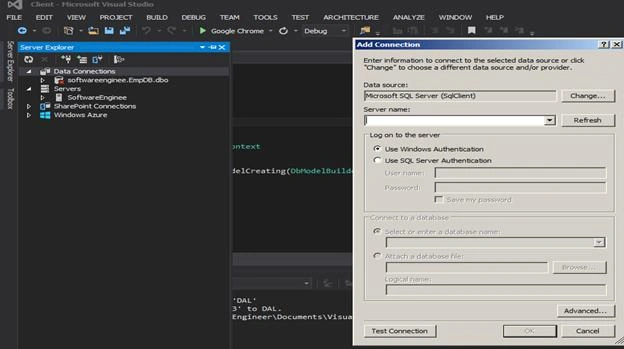
And select the desired DB you want your application to access and click ok.
STEP 2.4: Right click on your connection and click Properties,
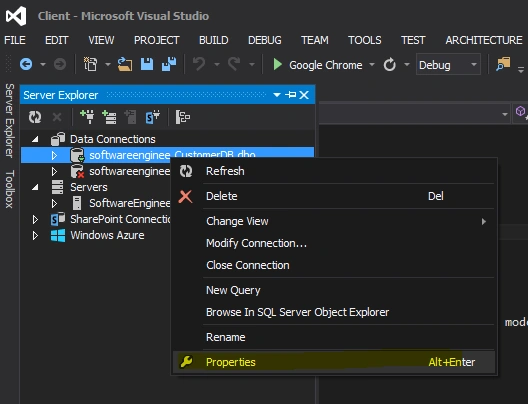
STEP 2.5: Copy the connection string,

And go to web.config and change the connection string in Web.config file.
STEP 2.6

Please make sure that you name the string same as DAL class name, as in EF it’s necessary to have same name as your class.
STEP 2.7
Now we are going to add a new project which will be our Model(class) that contain all properties as the db table column.
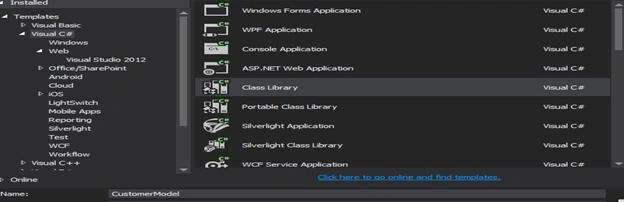
Add reference of System.componentModel.DataAnnotations and define a key over your property as EF need a key else you will face the following error:

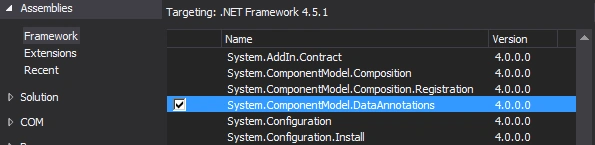
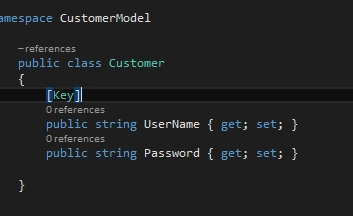
Coming back to our DAL class we will now add the DBset object which going to hold the information related to DB.
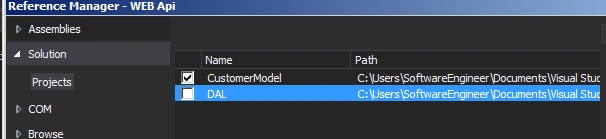
For this add reference of Customer Model in DAL,
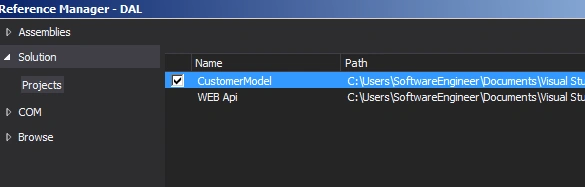
Now in DAL class we need to use Customer Model namespace so that we can map DBset object to correspond to table in the database.
Now in Data Access Layer we create a DBset. Properties of Class Customer will give us Customer Objects.
- public DbSet < Customer > Customers
- {
- get;
- set;
- }
Now the question comes how Entity framework maps the Customer class with Details Tables so for this we need to give mapping.
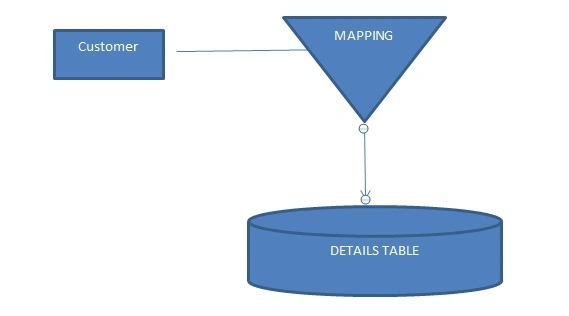
ORM Tool Mapping
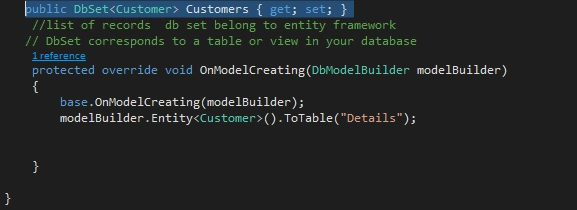
Customer Class is going to be mapped with table details. So now we have mapped our classes, let us start with our Web API.
STEP 3: Creating a web Api controller
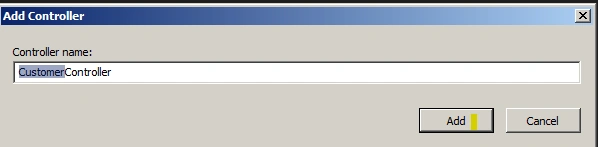
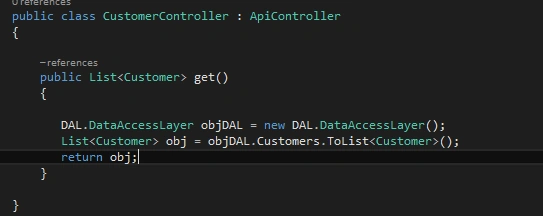
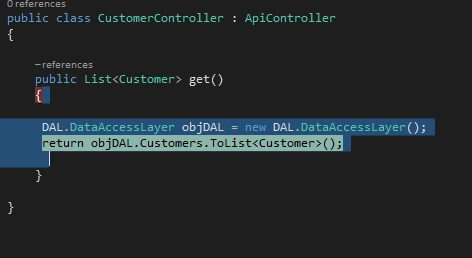
Now we will create a Customer Controller which will contain all REST HTTP method of class Customer,
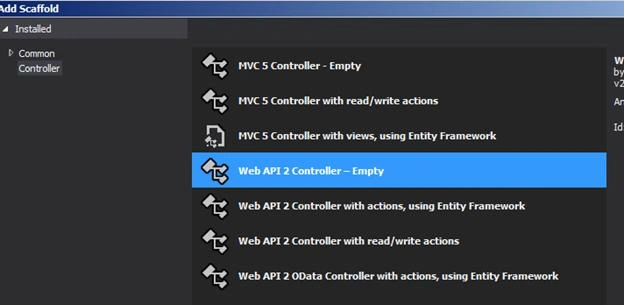
In place of selecting MVC 5 controller we need to select Web API Controller, press Add and now we are ready to work with WEB API.
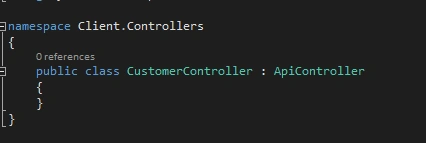
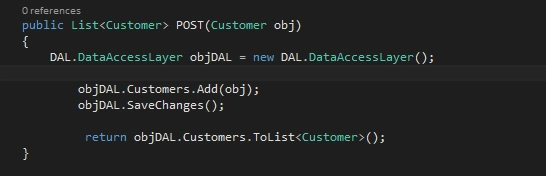
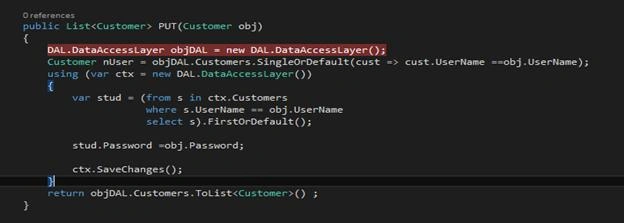
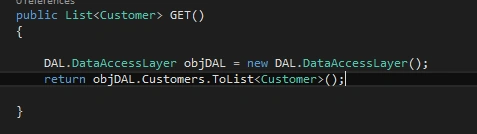
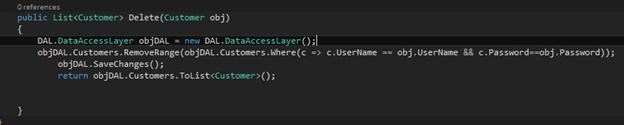
Now we will see that in WebApi, the Contoller inherits ApiContoller class, while in MVC it inherits from Contoller class. Now this ApiContoller class helps follow the HTTP REST principle. Now we are going to implement REST principles. We would implement http methods referred as Verbs indicating the desired action to be performed.
| GET | FETCH A RESOURCE |
| PUT | UPDATE A RESOURCE |
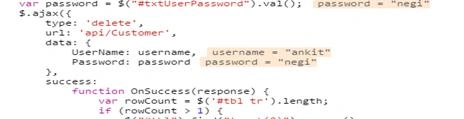
| DELETE | DELETE A RESOURCE |
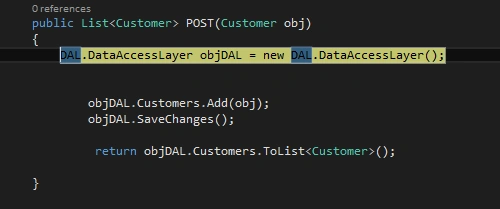
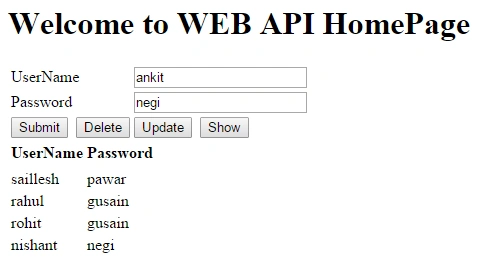
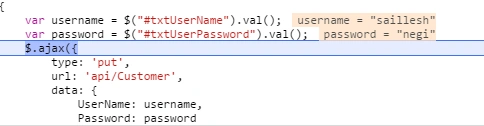
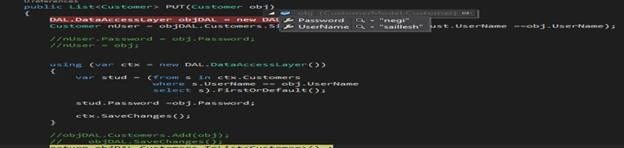
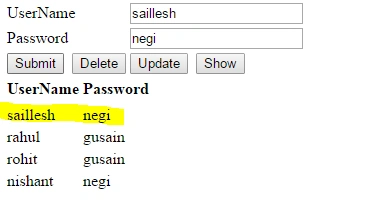
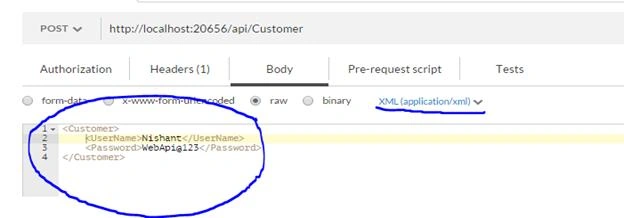
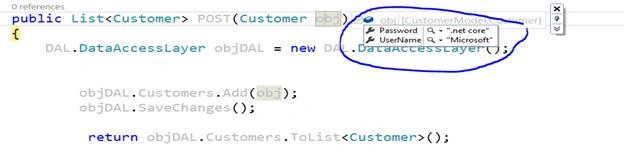
| POST | APPEND OR ADD A RESOURCE |




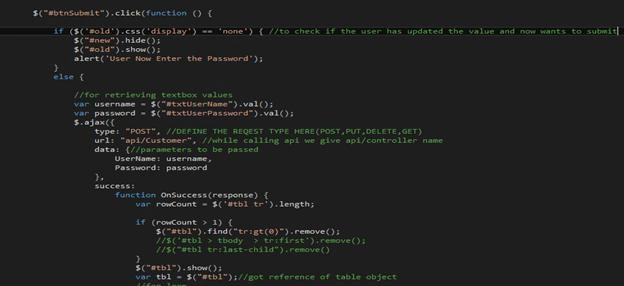
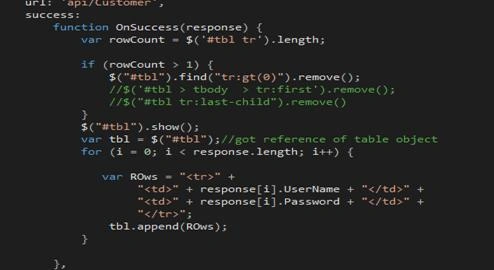
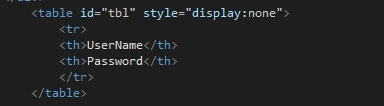
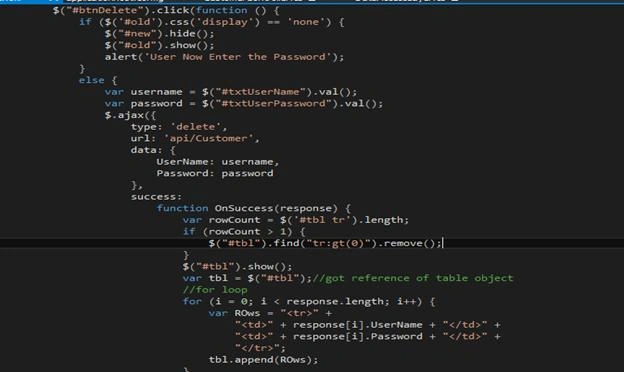




Jithil JohnPosted Feb 12, 2016, 3:17 AM
Great
Humayun Kabir MamunPosted Feb 6, 2016, 11:00 PM
Nice...
Santhakumar MunuswamyPosted Feb 5, 2016, 3:41 PM
Thanks for nice article. Keep it up
Debasis SahaPosted Feb 5, 2016, 9:33 AM
Thanks for share...
Anand MorePosted Feb 5, 2016, 9:07 AM
thanks for sharing !
Ajeet MishraPosted Feb 5, 2016, 2:09 AM
good work
Raja TPosted Feb 4, 2016, 10:48 PM
Nice,Thanks for sharing
Mohammed IbrahimPosted Feb 4, 2016, 1:45 PM
nice
Saillesh PawarPosted Feb 4, 2016, 1:13 PM
Thanks
Sthitaprajnya Debasis NayakPosted Feb 4, 2016, 12:41 PM
Good One !!!
Debasis SahaPosted Feb 4, 2016, 9:54 AM
Nice Share..
Sibeesh VenuPosted Feb 4, 2016, 8:28 AM
Nice Share