

This tutorial shows you how to create and use a RadioButton control available in Windows Presentation Foundation (WPF) and XAML. A RadioButton is usually used in a group with multiple options where one must be selected.
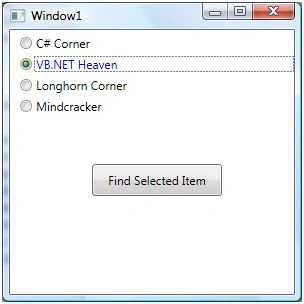
The RadioButton element represents a RadioButton control in XAML.
- <RadioButton></RadioButton>
The Width and Height properties represent the width and the height of a RadioButton. The Name property represents the name of the control, which is a unique identifier of a control. The Margin property tells the location of a RadioButton on the parent control. The HorizontalAlignment and VerticalAlignment properties specify the horizontal and vertical alignments.
The Background and Foreground properties represent the background and foreground colors ofa RadioButton.
The following code snippet sets the name, height, and width of a RadioButton control. The code also sets the horizontal alignment to the left and the vertical alignment to the top.
- <RadioButton Margin="10,10,0,13" Name="RadioButton1" HorizontalAlignment="Left"VerticalAlignment="Top" Width="150" Height="15" Background="Yellow " Foreground="Blue">
- C# Corner
- </RadioButton>
The RadioButton looks like the following.
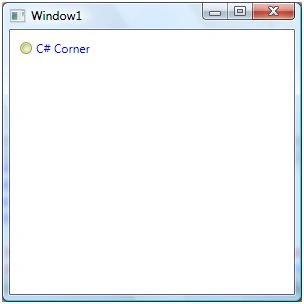
RadioButton Grouping
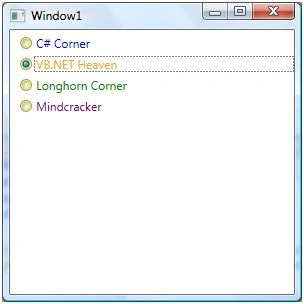
The GroupName property of a RadioButton assigns a RadioButton to a group. Only one RadioButton can be in the selected states at once and by selecting a new RadioButton unselects the previous selected RadioButton.
The following code assigns four RadioButton controls to a group called MCSites.
- <RadioButton Margin="10,5,0,0" GroupName="MCSites" Background="Yellow" Foreground="Blue"> C# Corner </RadioButton>
- <RadioButton Margin="10,5,0,0" GroupName="MCSites" Background="Yellow" Foreground="Orange"> VB.NET Heaven </RadioButton>
- <RadioButton Margin="10,5,0,0" GroupName="MCSites" Background="Yellow" Foreground="Green"> Longhorn Corner </RadioButton>
- <RadioButton Margin="10,5,0,0" GroupName="MCSites" Background="Yellow" Foreground="Purple"> Mindcracker </RadioButton>
Join the conversation! Your thoughts help the community grow.