

Introduction
Directives are one of the most important component of AngularJS application. They are extended HTML attributes. In other words, directives are something that introduces new syntax. They are markers on the DOM element which provides some special behavior to DOM elements and tell AngularJS's HTML compiler to attach.
Their are many built-in directives such as ng-model, ng-repeat, ng-show, ng-bind etc. All these directives provide special behavior to DOM elements. For example, ng-show directive conditionally shows an element, ng-click directive adds click events to the element; ng-app directive initializes an AngularJS application, etc.
Custom directives
Custom directives are used to extend the functionality of HTML. They are defined by using "app.directive()" function in AngularJS. Custom directives replace the element for which they are active. Using "compile" method, AngularJS application finds the matching element and replace with directive definition. This is one time activity HTML compile and load.
Types of Directives
Type of directive determines how they are used. We can implement directives by the following ways:
- Attribute directives: Directive is active when matching attribute is found.
- <input type="text" numeric />
- Element directives: Directive is active when matching element is found.
- <numeric-Textbox id = "txtAge" />
- Component directives: Directive is active when matching component is found.
- <!-- directive: numeric-Textbox exp -->
- CSS class directives: Directive is active when matching CSS style is found.
- <input type="text" class=" numeric "/>
Directives are registered same way as controller and directive returns a simple object that has many properties to configure the directives. "AngularJS application name.directive" function is used to register a new directive in our module. The first argument to this function is the name of directive and second argument to this function is function that returns a directive definition object. If the directive has any external dependencies such as services, $scope object, etc can be injected in this function.
Hello World Example
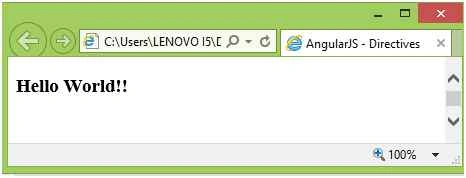
The example directive shows static text. The following code shows Hello World directive.
- app.directive('helloWorld', function () {
- return {
- template: '<h3>Hello World!!</h3>'
- };
- });
As element:
- <hello-world/>
- <div hello-world></div>
- <div data-hello-world></div>
SubashPosted Aug 17, 2016, 3:54 AM
Good share
Kumaresh RajalingamPosted Feb 13, 2016, 12:34 AM
Good one
Santhakumar MunuswamyPosted Feb 9, 2016, 11:50 AM
Thanks for nice article
Pankaj Kumar ChoudharyPosted Feb 8, 2016, 11:10 AM
Nice Explain Anoop.........
Shashangka ShekharPosted Feb 8, 2016, 9:23 AM
Nice share