

Introduction
Many times we would like to control the way WCF service objects are instantiated on WCF server. You would like to control how long the WCF instances should be residing on the server.
WCF framework has provided 3 ways by which we can control the WCF instance creation. In this article, we will first try to understand those 3 ways of WCF service instance control with simple code samples of how to achieve them. Finally we will compare when to use under what situations.
This is a small Ebook for all my .NET friends which covers topics like WCF, WPF, WWF, Ajax, Core .NET, SQL etc you can download the same from here or else you can catch me on my daily free training @ from here
WCF service object instancing basics
In a normal WCF request and response communication following sequence of actions takes place:-
- WCF client makes a request to WCF service object.
- WCF service object is instantiated.
- WCF service instance serves the request and sends the response to the WCF client.
Following is the pictorial representation of how WCF request and response work.
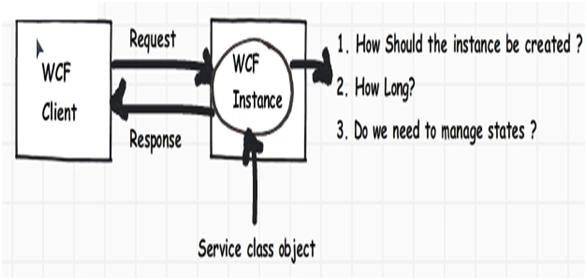
Following are different ways by which you would like to create WCF instances:-
- You would like to create new WCF service instance on every WCF client method call.
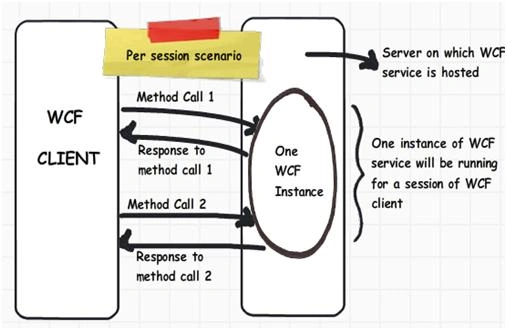
- Only one WCF service instance should be created for every WCF client session.
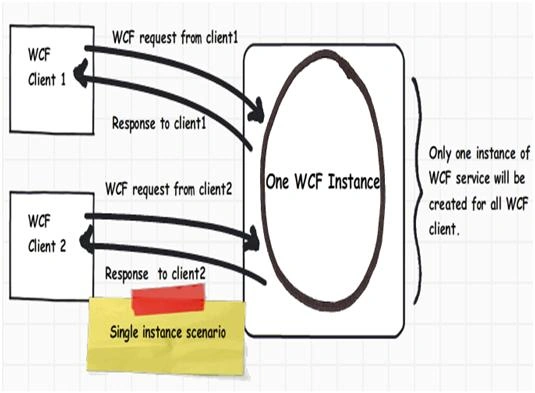
- Only one global WCF service instance should be created for all WCF clients.
To meet the above scenarios WCF has provided 3 ways by which you can control WCF service instances:-
- Per Call
- Per session
- Single instance
Per Call instance mode
When we configure WCF service as per call, new service instances are created for every method call you make via WCF proxy client. Below image shows the same in a pictorial format:-
- WCF client makes first method call (method call 1).
- New WCF service instance is created on the server for this method call.
- WCF service serves the request and sends response and the WCF instance is destroyed and given to garbage collector for clean up.
- Now let's say WCF client makes a second method call, again a new instance is created, request is served and the WCF instance is destroyed.
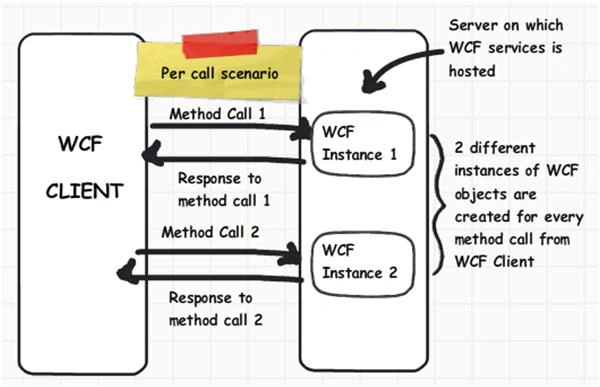
How to implement WCF per call instancing?
In order to specify instancing mode we need to provide 'InstanceContextMode' value in the 'ServiceBehavior' attribute as shown below. This attribute we need to specify on the 'Service' class. In the below code snippet we have specified 'intCounter' as a class level variable as shown below and the class counter is incremented by one when method 'Increment' is called.
- [ServiceBehavior(InstanceContextMode = InstanceContextMode.Percall)]
- public class Service : IService
- {
- private int intCounter;
- public int Increment()
- {
- intCounter++
- return intCounter;
- }
- }
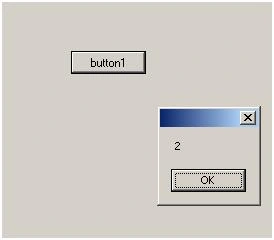
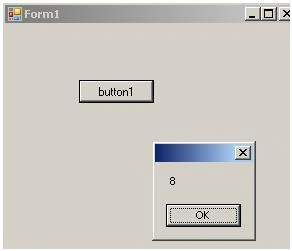
At the client we have consumed the WCF client and we have called 'Increment' method twice.
- ServiceReference1.ServiceClient obj = new ServiceReference1.ServiceClient();
- MessageBox.Show(obj.Increment().ToString());
- MessageBox.Show(obj.Increment().ToString());
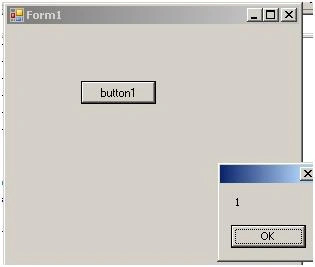 .
Gowtham RajamanickamPosted Apr 7, 2015, 12:27 AM
nice
Cibun SwainPosted Nov 9, 2014, 12:59 PM
Thank u sir this article made my funda clear on instance management in wcf precisely.....