

I am writing this article as one of my friend asked me to write on this topic. So I can say it’s an on demand article.
Here I am going to show how we can access one Web User Control (.ascx) control value in another Web user Control.
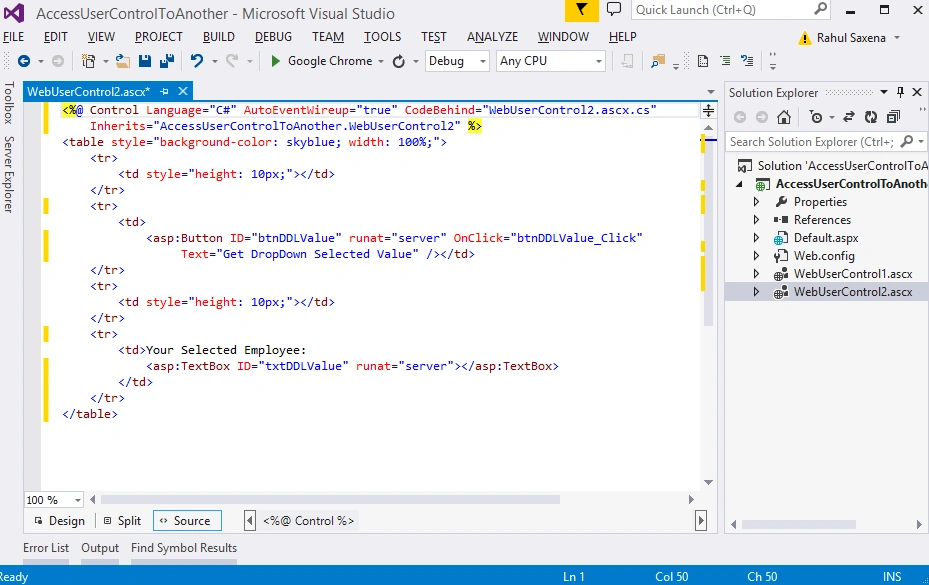
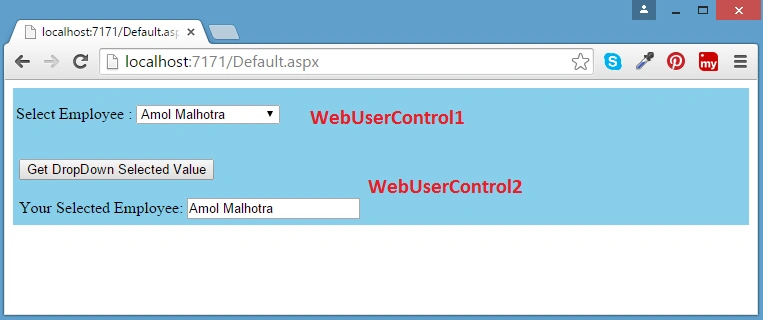
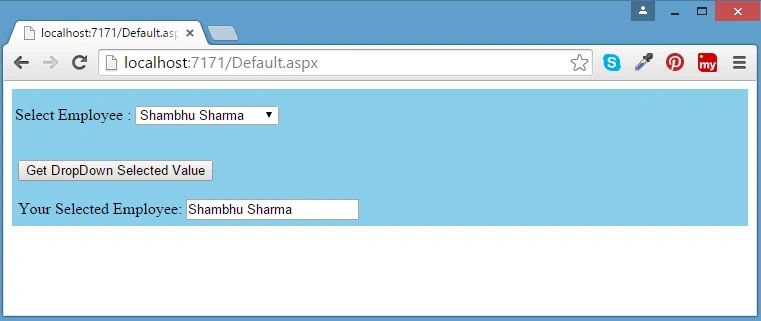
My scenario is I have a drop down list on one of the Web user Control and on button click I am going to show this Drop Down selected value in another Web User control.
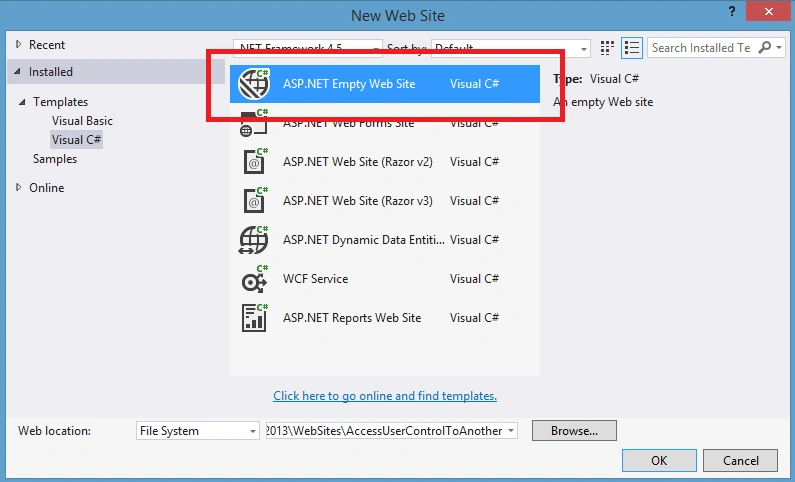
Open Visual Studio, File, New, then ASP.NET Empty Web Site
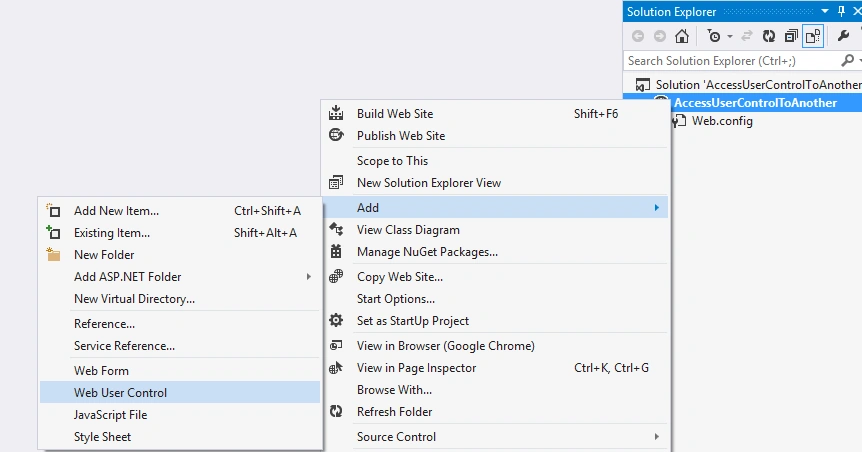
Now I will add 2 Web user Control. So right click on Project’s Solution Explorer, Add, then select Web User Control.
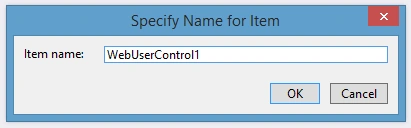
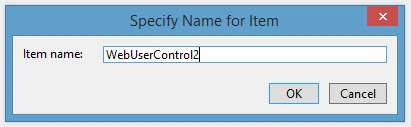
Add another web user control
Now open WebUserControl1.ascx and here's the code snippet:
- <%@ Control Language="C#" AutoEventWireup="true" CodeBehind="WebUserControl1.ascx.cs" Inherits="AccessUserControlToAnother.WebUserControl1" %>
- <asp:DropDownList ID="ddlEmployees" runat="server">
- <asp:ListItem>Amol Malhotra</asp:ListItem>
- <asp:ListItem>Shambhu Sharma</asp:ListItem>
- <asp:ListItem>Hemant Chopra</asp:ListItem>
- <asp:ListItem>Vishwa M Goswami</asp:ListItem>
- <asp:ListItem>Mohit Kalra</asp:ListItem>
- <asp:ListItem>Abhishek Nigam</asp:ListItem>
- <asp:ListItem>Yogesh Gupta</asp:ListItem>
- <asp:ListItem>Mayank Dhulekar</asp:ListItem>
- <asp:ListItem>Saurabh Mehrotra</asp:ListItem>
- <asp:ListItem>Rakesh Dixit</asp:ListItem>
- </asp:DropDownList>
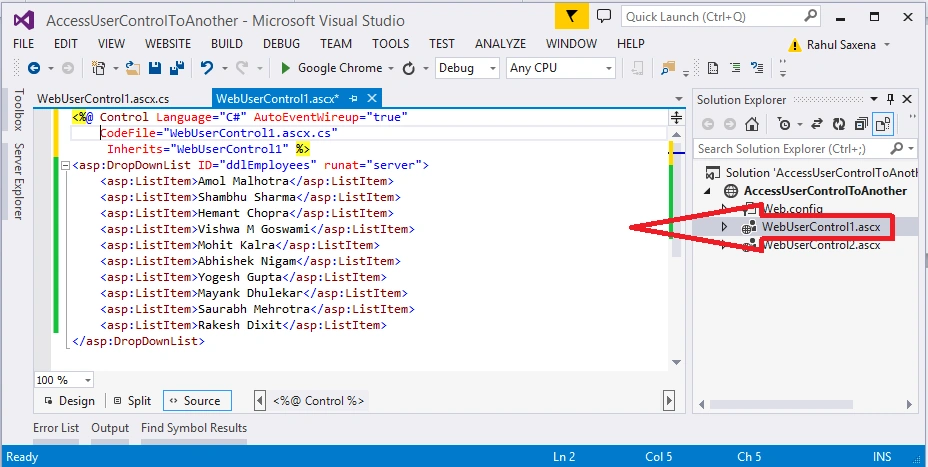
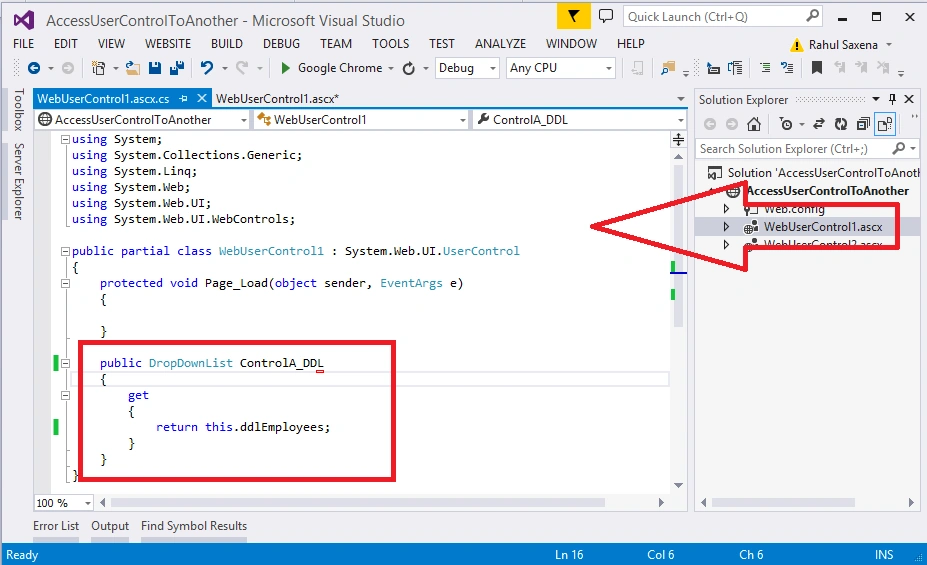
Now open WebUserControl1.ascx.cs and write the following code:
- using System;
- using System.Collections.Generic;
- using System.Linq;
- using System.Web;
- using System.Web.UI;
- using System.Web.UI.WebControls;
- namespace AccessUserControlToAnother
- {
- public partial class WebUserControl1 : System.Web.UI.UserControl
- {
- protected void Page_Load(object sender, EventArgs e)
- {
- }
- public DropDownList ControlA_DDL
- {
- get
- {
- return this.ddlEmployees;
- }
- }
- }
- }
Ankit LadPosted Dec 3, 2017, 7:03 AM
GIVE ERROR IN DDLDROPDOWN
Murat MuratPosted Nov 27, 2016, 2:21 PM
Hi, this method is nice but it only works with manual dropdownlist data entry like <asp:ListItem Value="1">test1</asp:ListItem>. So if user control page's dropdownlist is connected with sql, the value of aspx page is always 1 (first value).
sunil mohantyPosted Aug 29, 2016, 3:15 AM
Hi, I am getting error while trying to find the UserControl1 inside UserControl2.WebUserControl1 ctrlA = (WebUserControl1)Page.FindControl("cA"); So Please guide.
sunil mohantyPosted Aug 29, 2016, 3:12 AM
Hi I am getting error With Below Code
Vignesh ManiPosted Nov 1, 2015, 1:03 PM
Nice one
Rahul Kumar SaxenaPosted Sep 25, 2015, 11:37 PM
Thanks Sujeet Suman
Rahul Kumar SaxenaPosted Sep 25, 2015, 11:37 PM
Thanks Santhakumar Munuswamy
Rahul Kumar SaxenaPosted Sep 25, 2015, 11:36 PM
Thanks Shridhar Sharma Yes This article missed my default.aspx code where I am having both UserControl with ID cA & cB..
Rahul Kumar SaxenaPosted Sep 25, 2015, 11:22 PM
Thanks Nilesh Jadav
Rahul Kumar SaxenaPosted Sep 25, 2015, 11:22 PM
Thanks Rajeesh Menoth
Rahul Kumar SaxenaPosted Sep 25, 2015, 11:21 PM
Thanks Ankit Bansal
Sujeet SumanPosted Sep 25, 2015, 3:09 PM
Nice Article................
Santhakumar MunuswamyPosted Sep 25, 2015, 2:09 PM
Good Article
Shridhar SharmaPosted Sep 25, 2015, 11:25 AM
nice post sir.I didn't notice control with ID "cA" ?
Nilesh JadavPosted Sep 25, 2015, 9:40 AM
Nice ! Thanks for the share
Rajeesh MenothPosted Sep 25, 2015, 7:43 AM
Nice One..Thanks for sharing
Ankit BansalPosted Sep 25, 2015, 7:42 AM
nice, thanks for sharing Rahul
Rahul Kumar SaxenaPosted Sep 25, 2015, 7:37 AM
Thanks Harshad Pansuriya
Harshad PansuriyaPosted Sep 25, 2015, 7:24 AM
Nice Share