In R-OnLine File Management System user can View, Upload, Comment, Manage Files and much more...
The following is the DFD of my project:
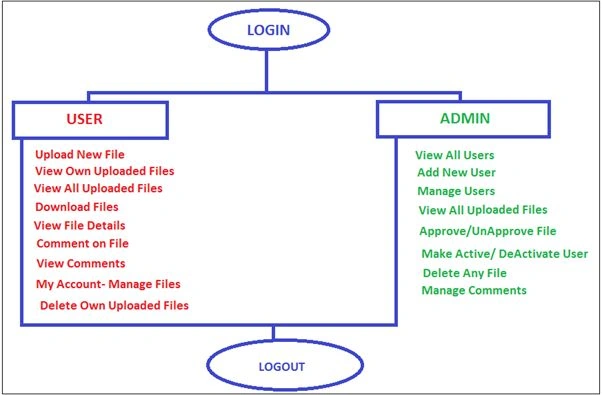
Image 1.
Here in this project, I am using SQL Server as the database. The following is my table details:
- tbl_User
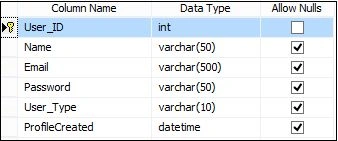
Image 2.
- ManageFile
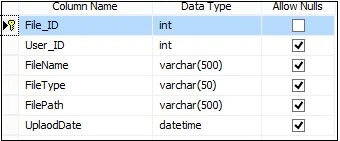
Image 3.
- FileComment
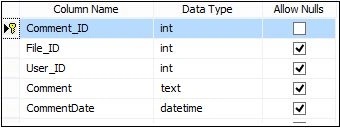
Image 4.
I will now explain my project page by page.
Launch the application: Login.aspx
Here I have 2 types of users in my project.
- User
- Admin
Here, I login as the admin user. You can see the User_Type column in the tbl_user data table to identify the user.
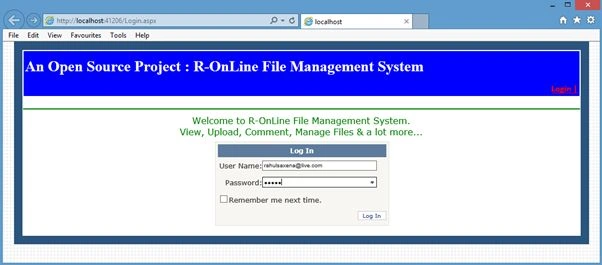
Image 5.
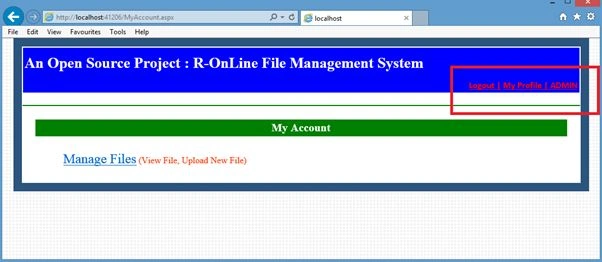
Image 6.
Click on the Admin link. Here the admin can manage the users and files.
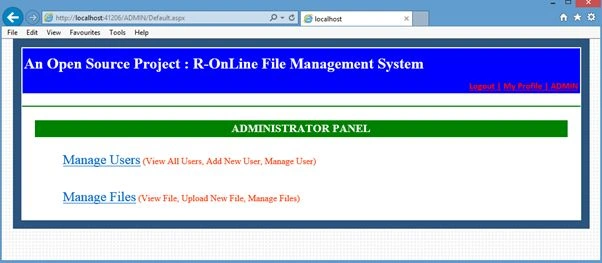
Image 7.
Click on the Manage Users link. Here the admin can view the entire users list, add a new user and delete an existing user.
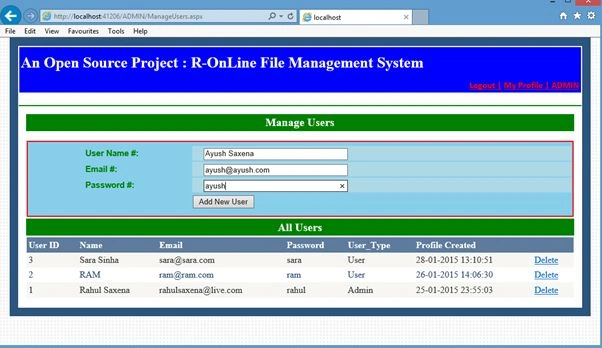
Image 8.
Now in the ADMIN-> Manage Files Page:
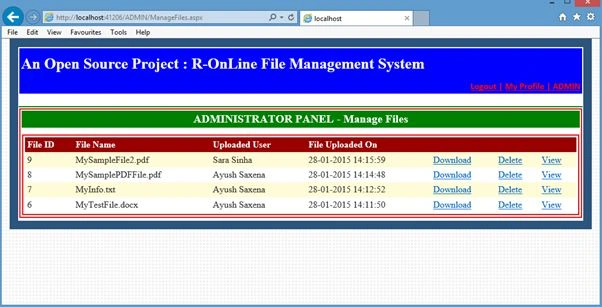
Image 9.
Login as a simple user:
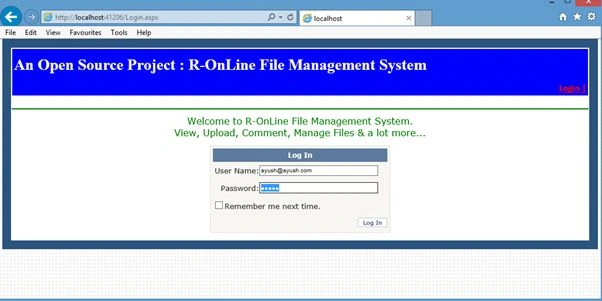
Image 10.
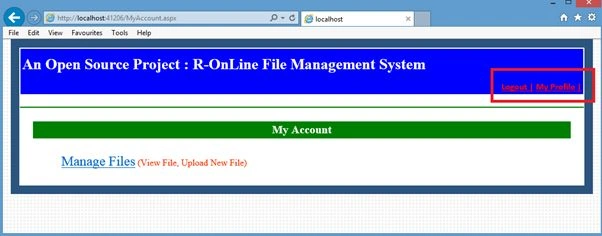
Image 11.
Now, click on Manage Files. (You can Upload, View your Files, View All Files, Get File Details, Download and Delete your own uploaded files from here.)
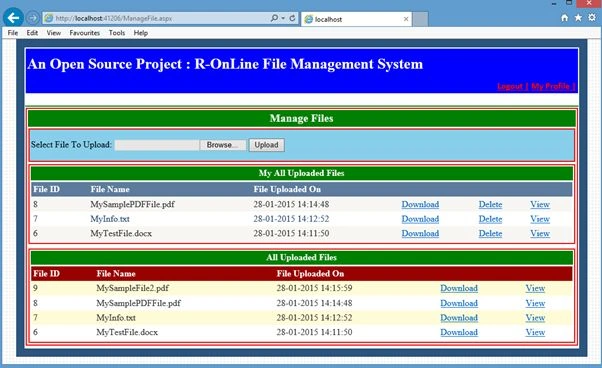
Image 12.
Now click on View.
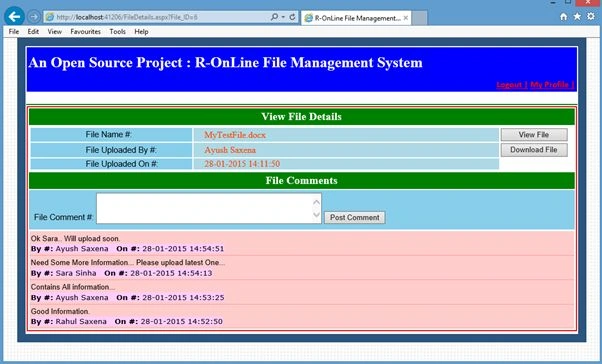
Image 13.
From this screen the user can view file details, post file comments, open a file, download a file and do much more.
The following is my database diagram structure:
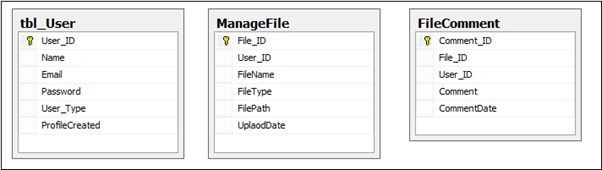
Image 14.
On the base of data in the tbl_user table, I am identifying whether the login user is ADMIN or a simple user. See the following data.

Image 15.
I have copied the DB in the App_Data folder.
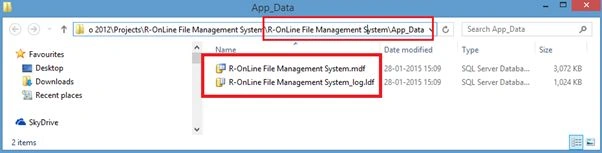
Image 16.


sajeer mtPosted Apr 15, 2019, 3:17 AM
Thanks,please share SQL Script,i am not able to attache database due to SQL version conflict.
Tiku SahooPosted Jul 2, 2018, 5:11 AM
Hi how can i validate the user role if there are more than 2 user. I have 3 users Admin State HR and HO HR how can i validate please help me i am new to this.kindly provide me the code
kavi arasanPosted Aug 16, 2015, 11:26 AM
help me to run this project
kavi arasanPosted Aug 16, 2015, 11:26 AM
i am facing some problem while running this project server not found
Rahul Kumar SaxenaPosted May 13, 2015, 11:29 PM
Thanks Gowtham Rajamanickam
Gowtham RajamanickamPosted May 13, 2015, 8:30 AM
Good
Rahul Kumar SaxenaPosted Feb 26, 2015, 5:07 AM
Thank Vithal Wadje...
Rahul Kumar SaxenaPosted Feb 26, 2015, 5:07 AM
Thank u Khargesh Rajput...
Vithal WadjePosted Feb 3, 2015, 9:46 AM
nice one
Khargesh RajputPosted Feb 2, 2015, 6:45 AM
sir what is the mean by 'R-' as I have seen on many projects to download