

Cordova is an open source framework for quickly building cross-platform mobile apps using HTML5, JavaScript, CSS etc.
Cordova is an application container technology that allows you to create natively-installed applications for mobile devices using HTML, CSS and JavaScript. The core engine for Cordova is also 100% open source, under the Apache Cordova project.
The UI layer of a Cordova application is a web browser view that takes up 100% of the device width and 100% of the device height.
Cordova provides an application programming interface (API) that enables you to access native operating system functionality using JavaScript. You build your application logic using JavaScript and the PhoneGap API handles communication with the native operating system.
Cordova currently supports all major mobile platforms:
- iOS
- Android
- Windows Phone 8
In this article we will see the step by step setup visual studio 2015 setup process for developing Apache/Cordova cross platform mobile application development and then, will develop a barcode scanner app using phonegap barcode scanner plugin.
At the time of installing Visual Studio 2015 you need to select Cross Platform Mobile Development from the features section and then select HTML5 / JavaScript (Apache Cordova) Update 2 /3 from the sub section. Then click install button to complete the installation process.
To see full installation process, please follow this article:
Here, I am using Visual Studio Enterprise 2015 version. You can use any other version too like, Visual Studio Professional 2015.
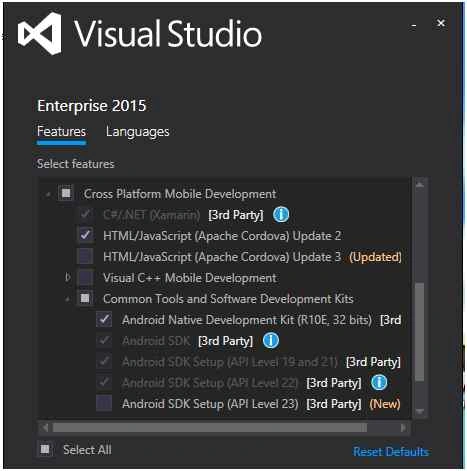
Figure 1
After completing the installation process, please open visual studio 2015.
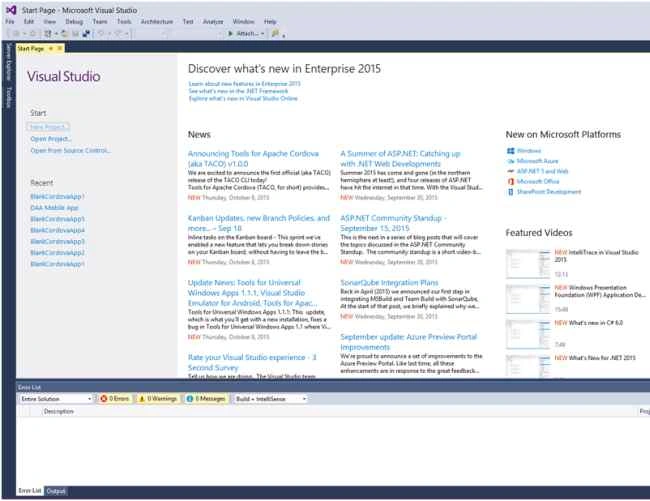
Figure 2
Now click on the File menu and then click on the New menu and select Project from there. Then you will see the project template menu like below figure. Then select JavaScript and click on the Apache Cordova Apps section. Then select Blank App (Apache Cordova from the app template section. Now write a name of the project and then click OK button.
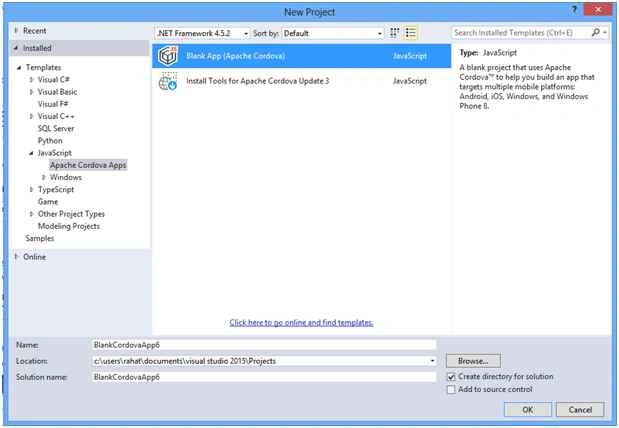
Figure 3
Now a new Cordova project will be created and then you will see newly created Cordova files in the solution explorer. Here in the merges folder, you will see different platform related JavaScript libraries. In the dependencies section you will see Cordova client side package manager related files like npm and bower files. If you install any Phonegap plugin, then a new plugin folder will appear and plugin codes will be on that folder. On the res folder you will see resource files like icons for different platforms, android ant property files and platform based screen images. On the www folder we will see our HTML5, CSS and JavaScript files. We will mostly write our codes here. On the config.xml file you can change configuration of your project, add or remove plugins and set names and versions for different platforms.
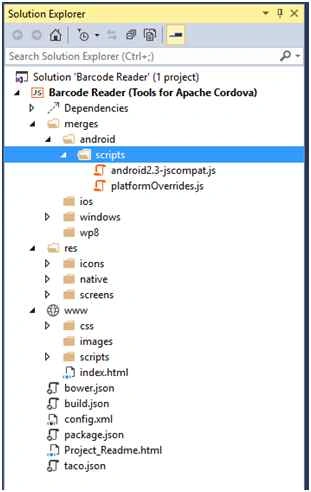
Figure 4
Now click on the index.html page. Then you will see below codes for index.html.
- <!DOCTYPE html>
- <html>
- <head>
- <meta charset="utf-8" />
- <!--
- Customize the content security policy in the meta tag below as needed. Add 'unsafe-inline' to default-src to enable inline JavaScript.
- For details, see http://go.microsoft.com/fwlink/?LinkID=617521
- -->
- <meta http-equiv="Content-Security-Policy" content="default-src 'self' data: gap: https://ssl.gstatic.com 'unsafe-eval'; style-src 'self' 'unsafe-inline'; media-src *">
- <title>BarcodeReader</title>
- <!-- BarcodeReader references -->
- <link href="css/index.css" rel="stylesheet" />
- </head>
- <body>
- <p>Hello, your application is ready!</p>
- <!-- Cordova reference, this is added to your app when it's built. -->
- <script src="cordova.js"></script>
- <script src="scripts/platformOverrides.js"></script>
- <script src="scripts/index.js"></script>
- </body>
- </html>
In the above code, src=”cordova.js” is referencing updated installed Cordova library and src=”scripts/platformOverrides.js” file is referencing the library platform independence of this application.
As we are already created a Cordova cross platform app. Now we will create a barcode scanner app. Click on the confix.xml file. You will see below screen.
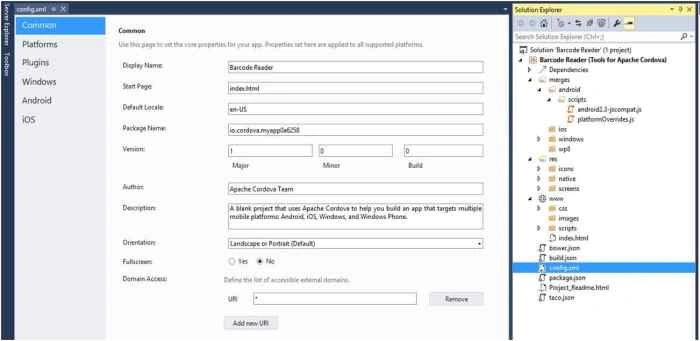
Figure 5
Now, if you click on the Platforms section, then you will see current installed cordova version of this project. Now click on the Plugins section and then you will see a list of core plugins like below screen. You can add any plugin by clicking on the “Add” button.
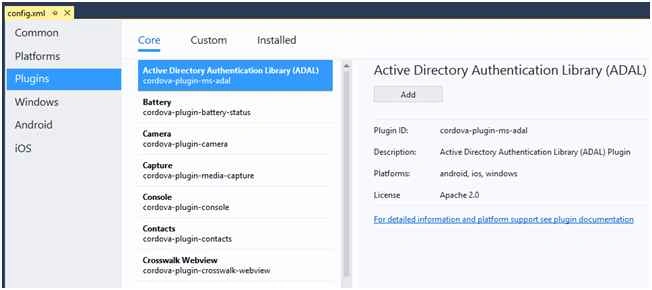
Figure 6
There is a cross platform Barcode Scanner library for Cordova and Phonegap platform in Git.
Please follow this link to see the Git repository of that Barcode Scanner plugin.
Link: cross-platform BarcodeScanner for Cordova / PhoneGap.
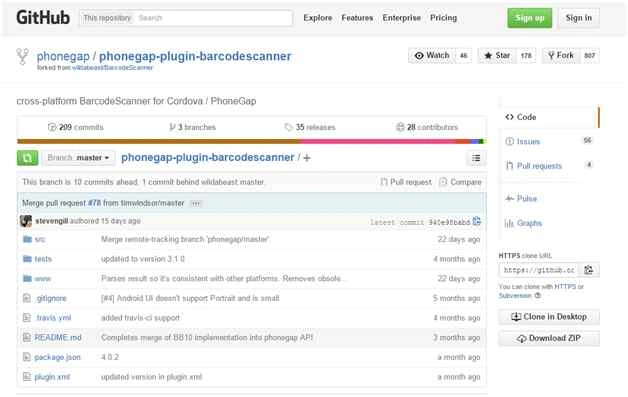
Figure 7
Now we will add that plugin in our application. Select Custom section from the Plugins like below. Select Git radio button and paste the Git repository link. Then click on the arrow button on the left.

Figure 8
Then you will see the Barcode Scanner plugin on the right side of the config.xml page. Click “Add” button to add this plugin in your Cordova app.
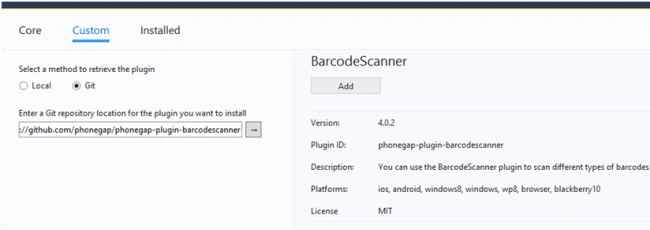
Figure 9
After few seconds you will see this message “This plugin was successfully installed”. If you want to remove the plugin then you just need to click on the remove button. But, don’t remove it now. We will use this plugin to develop our Barcode Scanner app.
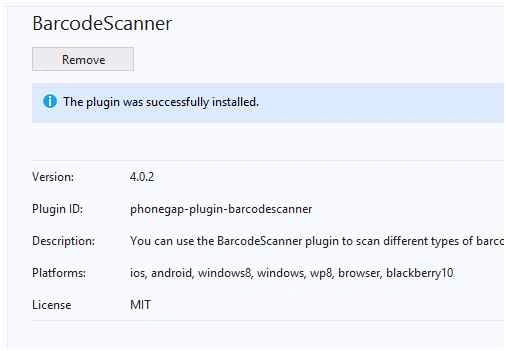
Figure 10
Now click on the Installed tab on the Plugins section and you will see that BarcodeScanner plugin is already installed in your project.
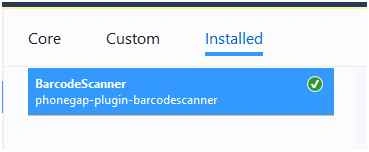
Figure 11
As we will use our mobile phone camera to capture the barcode and scan it add two more plugins from the Core plugins tab. Install Camera plugin and Capture plugin from the Core plugins section.
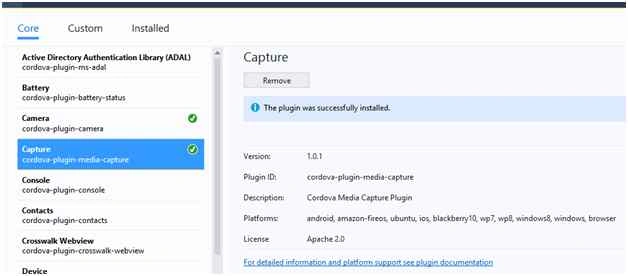
Figure 12
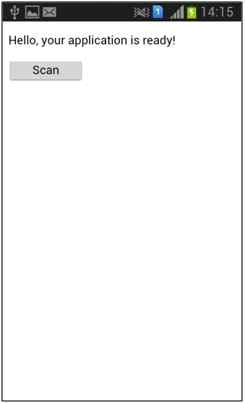
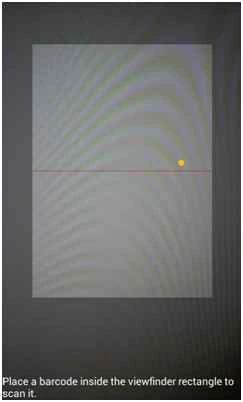
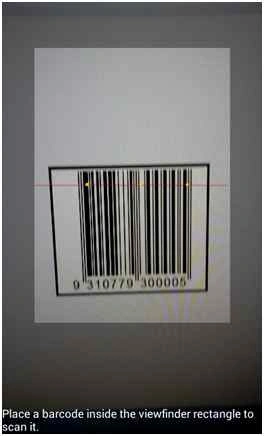
Now add a button in the body section of the HTML page like below code.
- <button id="scan" onclick="scan()" style="width:100px; height: 30px;">Scan</button>


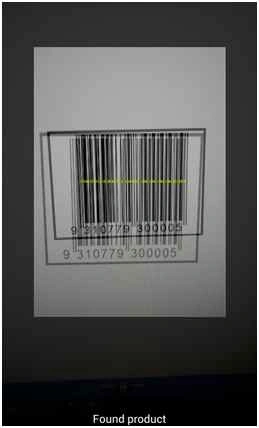
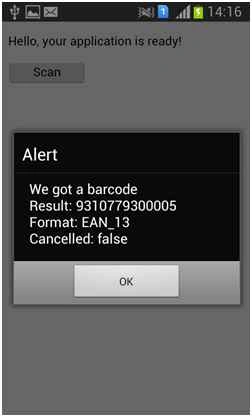
João RossetoPosted May 27, 2019, 9:45 PM
Muito obrigado, o seu artigo me ajudou muito, pois ainda n?o tinha feito nada com o Visual Studio. Que DEUS te aben?oe.
Muhammad FayasPosted Jan 12, 2019, 4:21 AM
It did works in my jquery cordova android app. but what I needed is to read barcode with an external usb handheld barcode scanner. How to detect it through jquery? Could you help me out?
Mehul PrajapatiPosted Feb 3, 2018, 1:22 AM
Hi, Rahat. I have issue in cordova app development using visual studio 2015 and framework7. so i need your help.http://www.c-sharpcorner.com/forums/unicode-text-issue-with-html-sub-pages-in-cordova
sivakumar murugesanPosted Nov 27, 2017, 12:08 PM
I followed this code scan button event is working fine. But scanner not working pls help ..
Daniel PaivaPosted Jun 15, 2017, 3:49 AM
Rahat!! Could you help us out giving a hint of what might have gone wrong to all of us?
James TaylorPosted Mar 3, 2017, 1:08 PM
I have it working up to figure 15, my screen has the background in stripes. And when I click the scan button it doesn't do anything?
Former memberPosted Nov 11, 2015, 2:39 AM
good one
vitor antunesPosted Oct 19, 2015, 11:18 AM
the source code is not available
Santhakumar MunuswamyPosted Oct 18, 2015, 4:51 AM
Good one
RakeshPosted Oct 16, 2015, 1:03 AM
Good work sir
Gopi ChandPosted Oct 13, 2015, 11:22 AM
Commendable work
Sabyasachi MishraPosted Oct 13, 2015, 1:37 AM
Nice Share.
Jaipal ReddyPosted Oct 12, 2015, 12:29 PM
nice one.
Mohammed IbrahimPosted Oct 12, 2015, 12:17 PM
nice
Sujeet SumanPosted Oct 10, 2015, 1:29 PM
Nice Article.................
Sourabh SomaniPosted Oct 9, 2015, 9:38 PM
Nice article. :)
Sibeesh VenuPosted Oct 9, 2015, 1:12 AM
Nice Share
Rajeesh MenothPosted Oct 9, 2015, 12:58 AM
Good One Sir
Humayun Kabir MamunPosted Oct 9, 2015, 12:38 AM
Nice...
Nilesh JadavPosted Oct 9, 2015, 12:06 AM
Great work sir