

Note: All screenshots are applied to SQL Server 2012 Enterprise Evaluation Edition.
SQL Server Storage Basics: Database Filegroups
In this part we will discuss some basic things about SQL Server File Groups. If you missed previous articles you can check them out from below link:
- Basics of Database Administration in SQL Server: Part 1
- Basics of Database Administration in SQL Server: Part 2
- Basics of Database Administration in SQL Server: Part 3
- Basics of Database Administration in SQL Server: Part 4
- Basics of Database Administration in SQL Server: Part 5
1. What is Filegroup
In SQL Server filegroup is a logical structure which contains objects like data file, tables and indexes. In other words we can say that a filegroup is a logical unit in which all database files are grouped together and simplifies database administration resulting into improved performance by controlling the placement of objects into specific filegroups on specific drive.
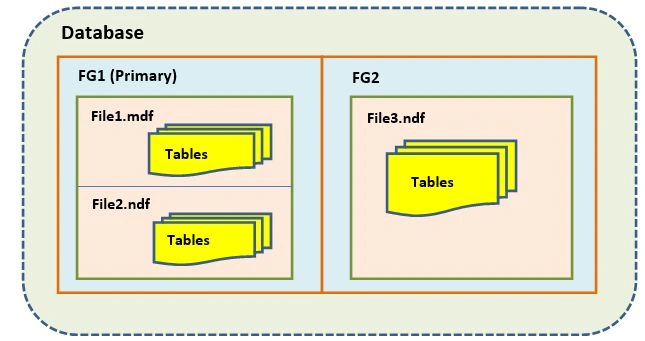
Figure 1: Pictorial representation of filegroups
2. Why Filegroups
Filegroups make administration easier for a DBA. Using multiple filegroups we can gain following benefits;
- We can separate user data with internal system data using multiple filegroups.
- We can overcome with maintenance overhead by putting archive (or even read-only) data onto their own filegroups and dedicated set of disks.
- We can gain performance improvement by putting larger tables/indexes on their own filegroup and/or dedicated set of disks.
- We can bring some parts of the database online quickly ( piecemeal restore ).
3. Types of Filegroups
There are two types of filegroups:
- 3.1. Primary Filegroup
3.2. User defined/Secondary Filegroup
3.1. Primary Filegroup
The filegroup which contains the primary data file and any other files that are not associated to another filegroup is termed as Primary filegroup.
3.2. User-defined Filegroup
The Filegroups which we create from FILEGROUP keyword using CREATE DATABASE or ALTER DATABASE is termed as user-defined filegroups. This file is created by user or later modifies database by a user.
4. Filegroup Examples
I am using below query to create filegroup with new database:
- CREATE DATABASE[FG]
- ON PRIMARY
- (NAME = N 'FG_data',
- FILENAME = N 'C:\Program Files\Microsoft SQL Server\MSSQL11.MSSQLSERVER\MSSQL\DATA\FG_data.mdf',
- SIZE = 4096 KB, FILEGROWTH = 1024 KB)
- LOG ON
- (NAME = N 'FG_log',
- FILENAME = N 'C:\Program Files\Microsoft SQL Server\MSSQL11.MSSQLSERVER\MSSQL\DATA\FG_log.ldf',
- SIZE = 1024 KB, FILEGROWTH = 10 % )
- GO
- ALTER DATABASE[FG] ADD FILEGROUP[FG2]
- GO
- ALTER DATABASE[FG] ADD FILEGROUP[FG3]
- GO
Using above query we created database name ‘FG’ and primary filegroup which is the default filegroup and FG2 and FG3 two user-defined filegroups.
5. How to view filegroups
By executing below query we can view filegroups in a database:
- use FG
- go
- select * from sys.filegroups
- go
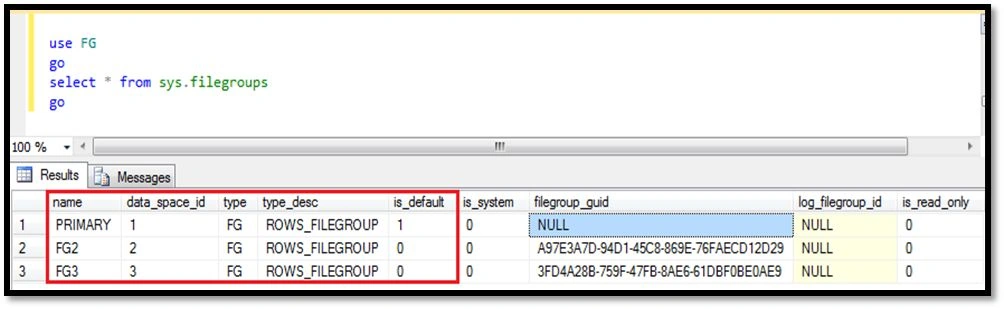
Figure 2: Viewing filegroups
6. Creating a file and assigning it to filegroup
To add file in a filegroup we execute ALTER DATABASE query.

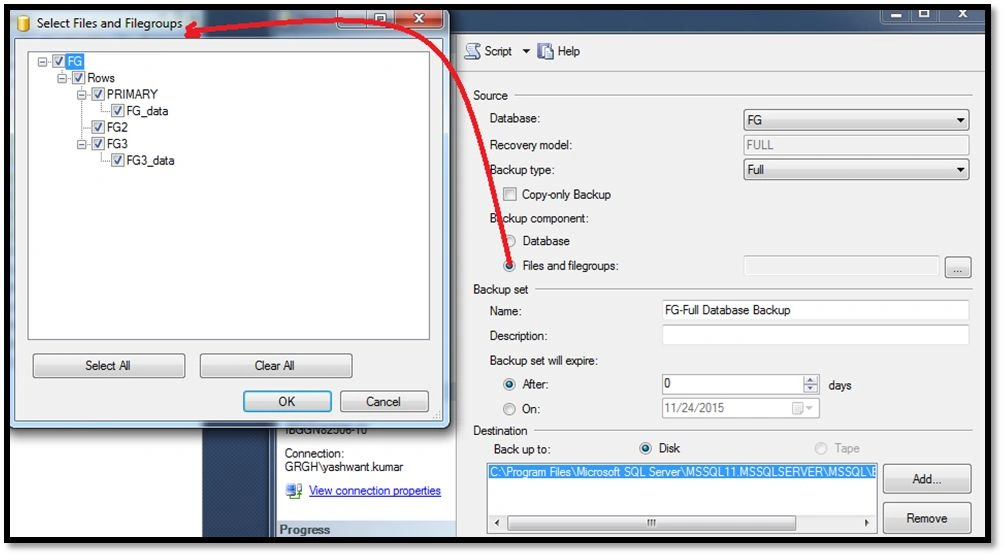
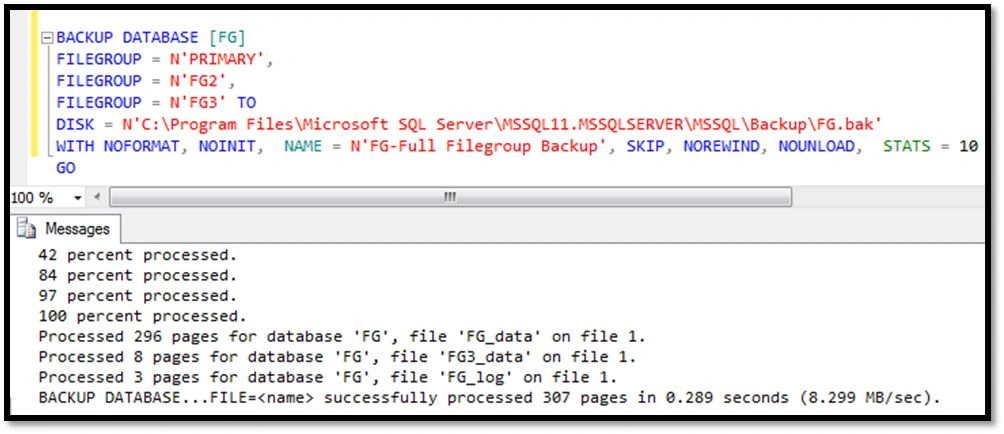
Ankit BansalPosted Jan 18, 2016, 12:35 AM
Really helpful..
Kiranteja JallepalliPosted Dec 22, 2015, 11:12 PM
great job Yashwant,keep posting articles
Mahesh ChandPosted Dec 22, 2015, 11:11 PM
Very nice Yashwant. I like you have put in number of parts and linked them. I think you should edit previous parts to link to the next parts so readers who are on previous parts can continue reading to the next part. Cheers!
Santhakumar MunuswamyPosted Dec 22, 2015, 8:28 AM
Good work