

Introduction
Here are the steps to change the date and time format in Windows 10:
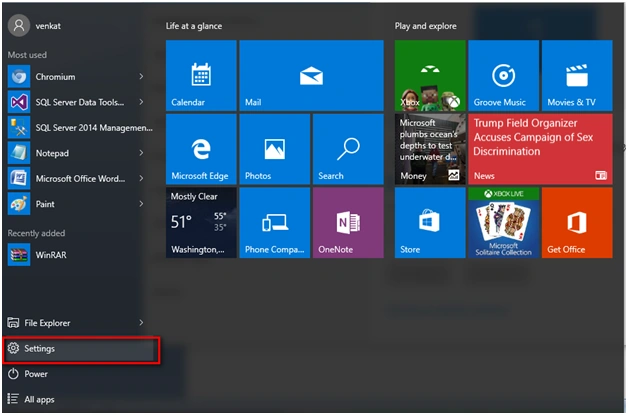
Step 1
Go to Settings Tab.
 Step 2
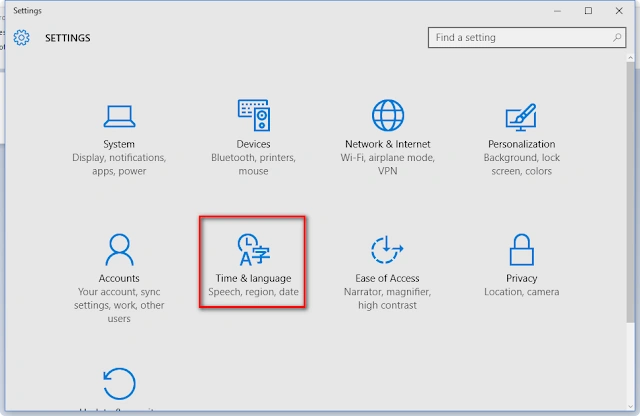
Click on "Time & language" options.
 Step 3
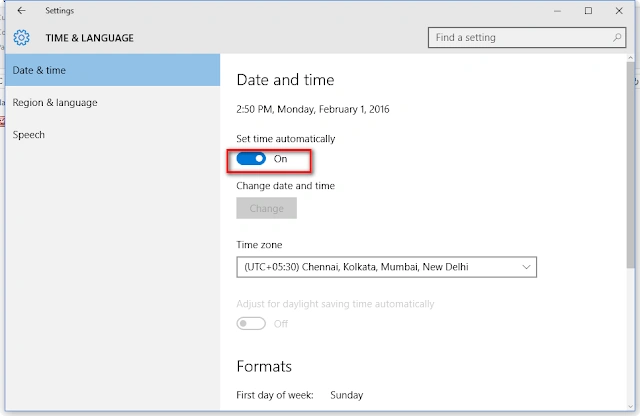
Click on "Date & time".
 Step 4
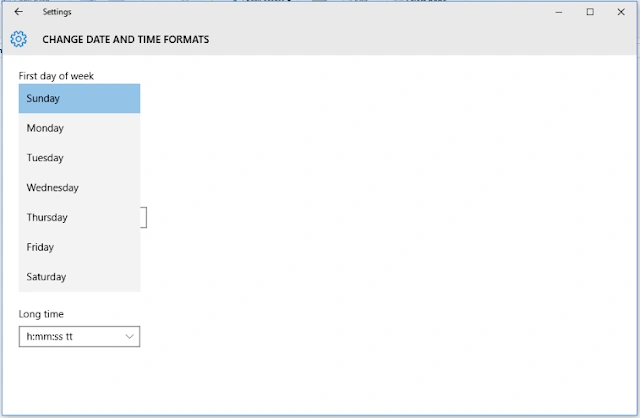
Click on the "Change Formats" option in the above window. You will get the following window "Change Date and Time Formats."
 Step 5
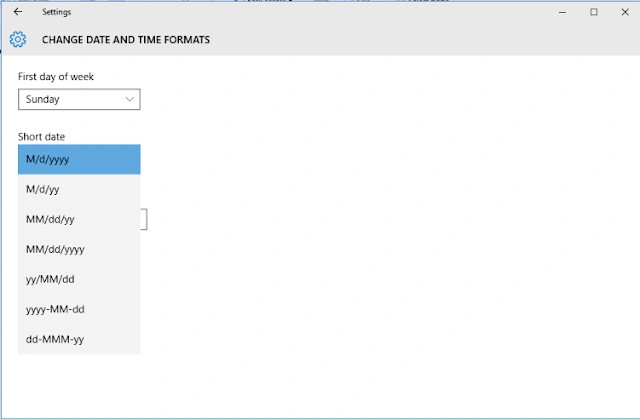
Option to change the "First day of the week" and to change the short data type as in the following screenshot:
 Step 6
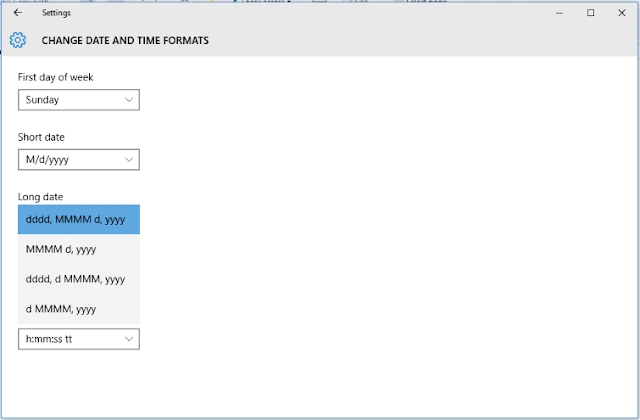
Change the Long date.
 Step 7
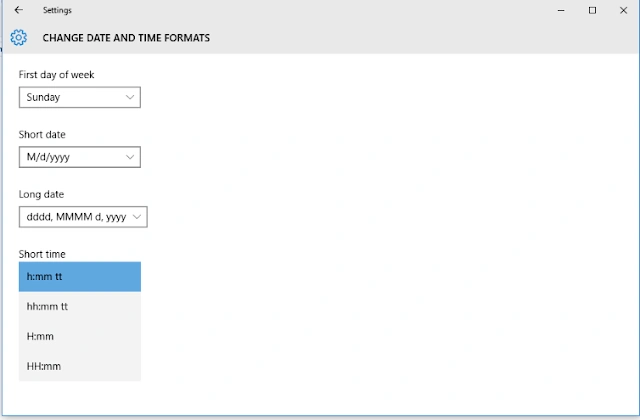
Change the Short Time format as below:
 Step 8
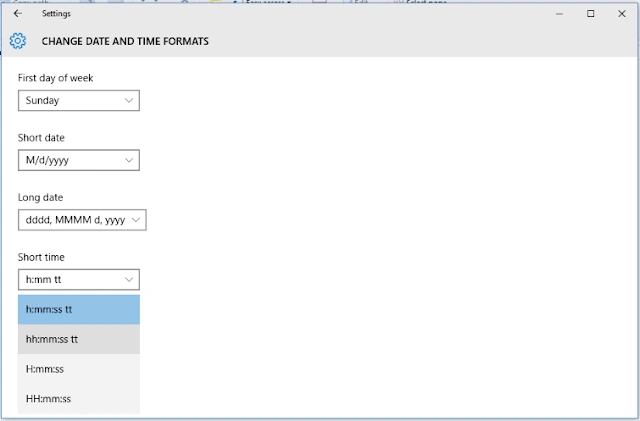
Change the "Long date" as in the following:
Read more articles on Windows 10
Summary
In this article, we learned about Change Date And Time Formats In Windows 10.
Sibeesh VenuPosted Feb 18, 2016, 12:09 AM
Nice Share
Gowtham KPosted Feb 17, 2016, 12:27 PM
Thanks for sharing
Kumaresh RajalingamPosted Feb 17, 2016, 6:30 AM
Nice
Shubham KumarPosted Feb 17, 2016, 5:51 AM
nice share