Hi Munesh Sharma,Is it possible to send streaming data from WEB API to Angular ?like in open AI there is option to show data as stream it will give data in bit by bit this we can able to do in console application but can't able to do using WEB API and Angular. Here my requirement is to send Open AI Streaming response to Angular.
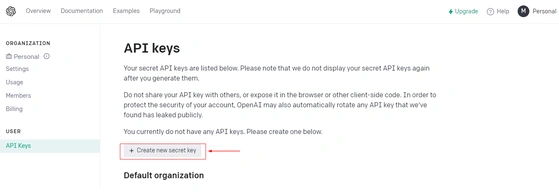
Login to your OpenAI account and click on profile (personal, right-hand side) and click on view API
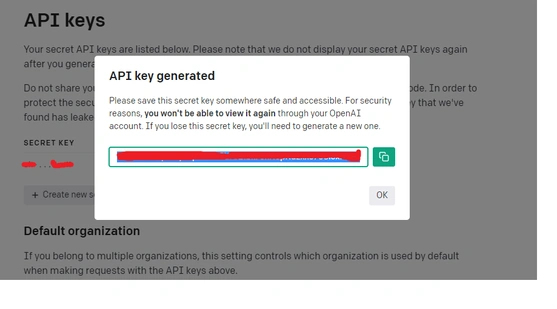
Once you click on View API Keys, you will "Create a new secret key, once you click on it an API key will generate in the Popup window, and you can copy it for using it in the application.
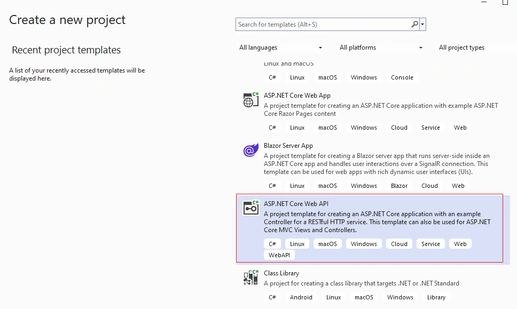
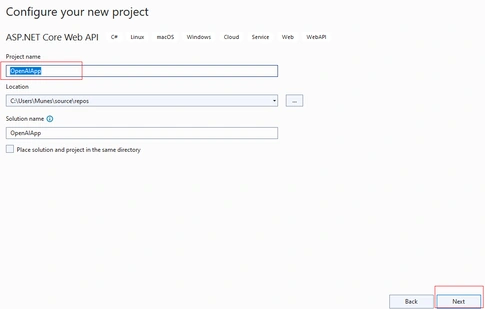
Now open Visual Studio 2022 and create an ASP.Net Core web API project like below
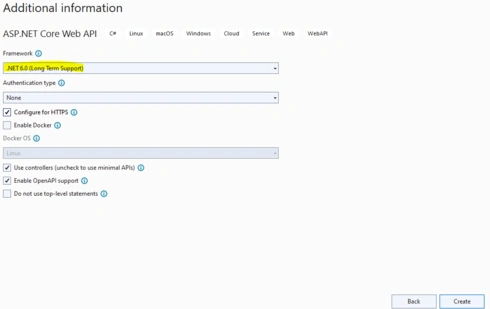
Give additional information as per your requirement.
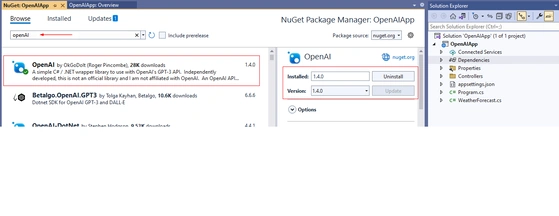
Once the project is created, now go to the NuGet package manager and add the OpenAI package like below
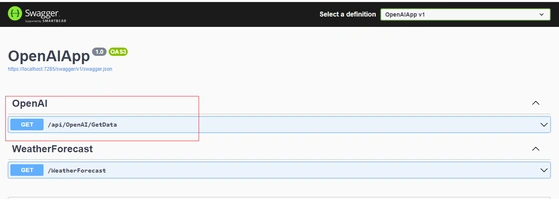
Now right-click on the Controller folder and add a new controller Called OpenAI and write the below code in it
using Microsoft.AspNetCore.Http;
using Microsoft.AspNetCore.Mvc;
using OpenAI_API.Completions;
using OpenAI_API;
namespace OpenAIApp.Controllers {
    [Route("api/[controller]/[action]")]
    [ApiController]
    public class OpenAI: ControllerBase {
        [HttpGet]
        public async Task < IActionResult > GetData(string input) {
            string apiKey = "Your API Key";
            string response = "";
            OpenAIAPI openai = new OpenAIAPI(apiKey);
            CompletionRequest completion = new CompletionRequest();
            completion.Prompt = input;
            completion.Model = "text-davinci-003";
            completion.MaxTokens = 4000;
            var output = await openai.Completions.CreateCompletionAsync(completion);
            if (output != null) {
                foreach(var item in output.Completions) {
                    response = item.Text;
                }
                return Ok(response);
            } else {
                return BadRequest("Not found");
            }
        }
    }
}
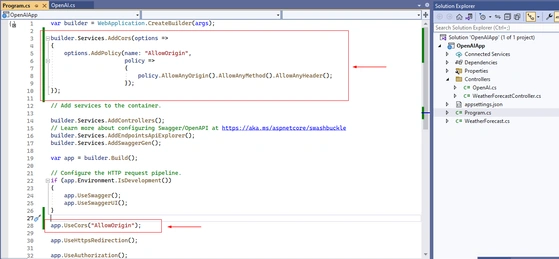
Now click on the program.cs class and add the cors origin like below,
Now create a service file with the below command, here service name is "OpenAI"
Ng g s openAI
And write the below code in the openAI.service.ts file
import { HttpClient } from '@angular/common/http';
import { Injectable } from '@angular/core';
import{ Observable} from 'rxjs';

@Injectable({
    providedIn: 'root'
})
export class OpenAIService {
    constructor(private http: HttpClient) {}
    getData(input: string): Observable < any > {
        return this.http.get('https://localhost:7285/api/OpenAI/GetData?input=' + input, {
            responseType: 'text'
        });
    }
}
In the above the Url path is "'https://localhost:7285", you need to replace the port, which you are looking at locally, once you run your .Net Core application.
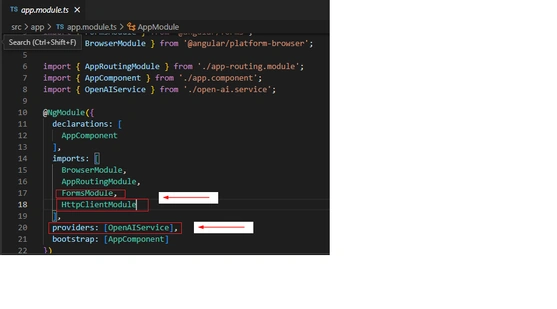
Now add this service reference in the app.model.ts file in the provider array and apart from it we need to add the FormsModule and HttpClientModule like below
Now when you will run your angular 15 application, you will see UI like below
Here, now you can write your query and click on the getResult button, you will see the output below
The output will be like below
This is the way we can integrate the OpenAI with our angular application.
Below is the video, on how we can integrate OpenAI with our angular application practically,






Raghu GPosted Jul 13, 2023, 7:05 AM
Hi Munesh Sharma,Is it possible to send streaming data from WEB API to Angular ?like in open AI there is option to show data as stream it will give data in bit by bit this we can able to do in console application but can't able to do using WEB API and Angular. Here my requirement is to send Open AI Streaming response to Angular.
yishai atiaPosted Feb 8, 2023, 1:59 PM
Thank you! its awesome !