

Introduction
In the following example I am going to explain how we can retrieve data using client side programming using jQuery in SharePoint.
I am trying to add Content Editor WebPart using jQuery and binding some text and styles.
Files Structure
Create the following folder structure to manage source files and store respective files in folder.
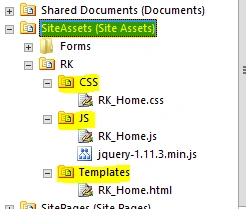
Figure 1: Create Folder
Create New WebPart Page in Site pages
Create WebPart page in Site Pages library and add the Content Editor WebPart as in the following screenshot, update the WebPart Content link to template file path.
../../SiteAssets/RK/CSS/RK_Home.html
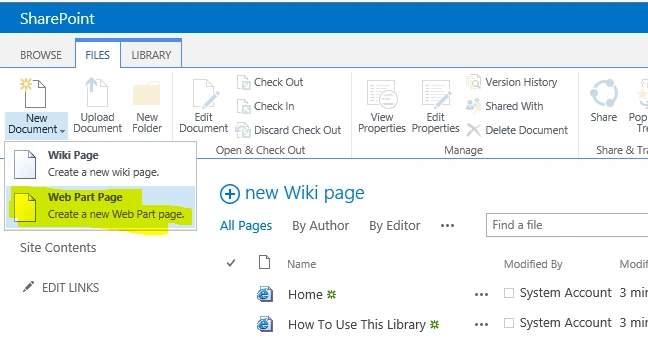
Figure 2: Web Part
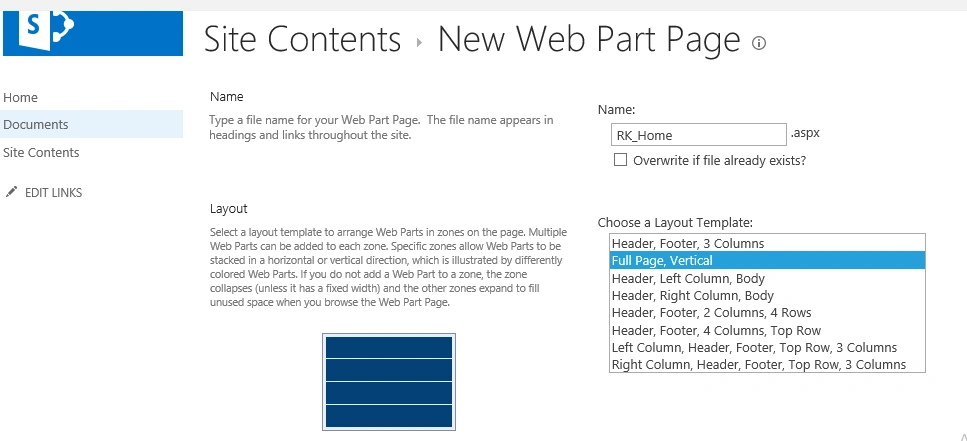
Figure 3: Site Content
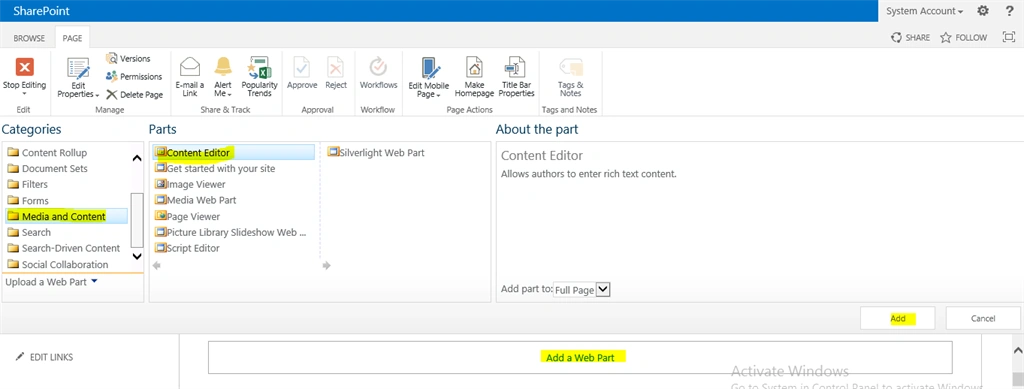
Figure 4: Site Content2
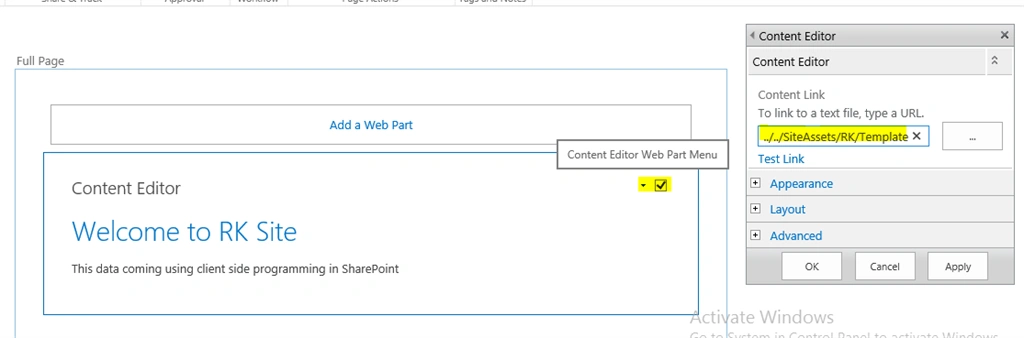
Figure 5: Welcome
Source Code
RK_Home.html
- <p>
- <h1>Welcome to RK Site</h1>
- </p>
- <p class="sampleText"></p>
- <script type="text/javascript" src="../../SiteAssets/RK/JS/jquery-1.11.3.min.js"></script>
- <script type="text/javascript" src="../../SiteAssets/RK/JS/RK_Home.js"></script>
- <link rel="stylesheet" type="text/css" href="../../SiteAssets/RK/CSS/RK_Home.css" >
- RK_Home.js
- $(document).ready(function ()
- {
- $(".sampleText").text("This data coming using client side programming in SharePoint");
- });
- RK_Home.css
- .sampleText
- {
- font-weight:bold;
- color:red;
- }
Browse the new home page, you can see the final output.
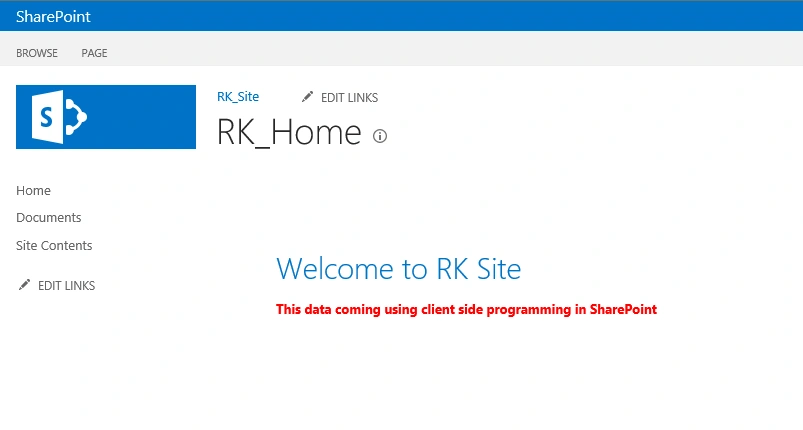
Figure 6: RK Home
Ramakrishna BasagallaPosted Oct 1, 2015, 1:27 AM
Thanks to all :-)
Santhakumar MunuswamyPosted Sep 12, 2015, 3:02 AM
Thanks for nice article:)
Pankaj Kumar ChoudharyPosted Sep 11, 2015, 1:30 PM
Good Explanation thanks for Share...........
RakeshPosted Sep 11, 2015, 10:36 AM
Nice share sir
Harshad PansuriyaPosted Sep 11, 2015, 9:00 AM
Thanks for Sharing
Karthikeyan KPosted Sep 11, 2015, 7:44 AM
Good one sir...Thanks for sharing
Ankit BansalPosted Sep 11, 2015, 5:29 AM
nice share...
Rajeesh MenothPosted Sep 11, 2015, 3:42 AM
Thanks for sharing..
Kaviya BalasubramanianPosted Sep 11, 2015, 2:55 AM
Useful one
Vinodh NarayananPosted Sep 11, 2015, 2:39 AM
good one