

Introduction
Internet Explorer Accelerators gives you a text selection-based search experience's, which allows a user to invoke an on-line search from their favoirte search engine or web site by just right clicking the mouse and select from the list. No need to open a separate window or a browser for searching. These are available for browser Internet Explorer only. Different browser's have their own different Accelerator's. But here we going to create an C-Sharpcorner Accelerator for Internet Explorer only. After installing this Accelerator, then our members can easily find contents on C-Sharpcorner.com. Lot's of free Accelerators available for Internet Explorer like, Bing, MSDN, Google etc.
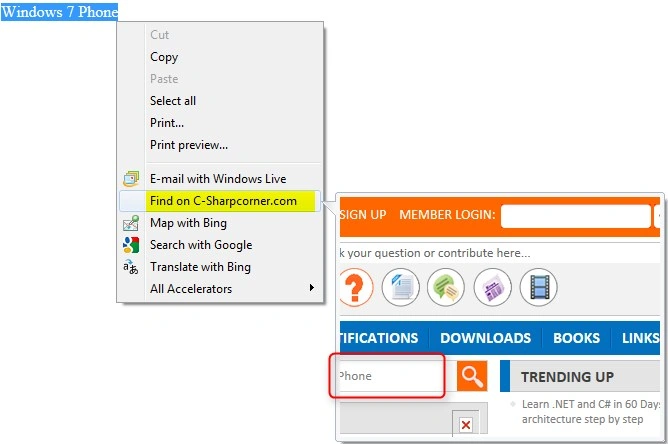
Here is a sample of Accelerator's that already installed for Internet Explorer...
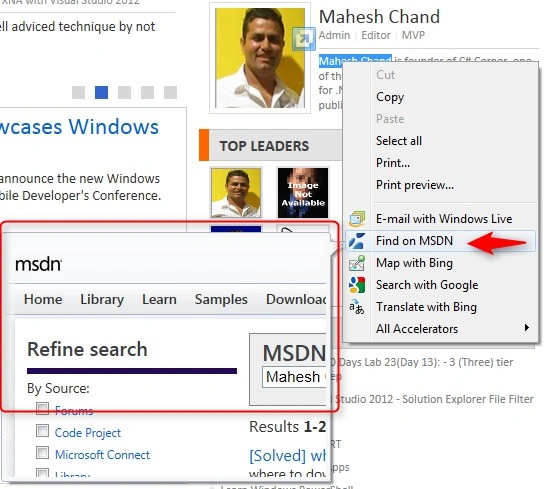
Waw that's cool and simple :). OK let's create one for our website also.
Getting Started
Open your Visual Studio 2010, then create a new project by selecting File -> New -> Project -> Project Template window opened.
Wait, you required IE Accelerator template for creating the project. Click on Online Templates and search for accelerator under ASP.Net and and double click on your favorited language.
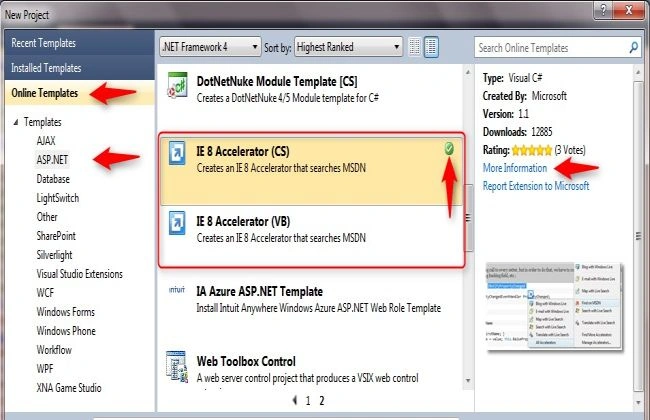
You can see a green ticked icon showing in above screen, that indicates this accelerator already installed for your Visual Studio.
If you want to know more about the accelerator template then click on More Information link. Now select the project template that got installed and create a New Project.
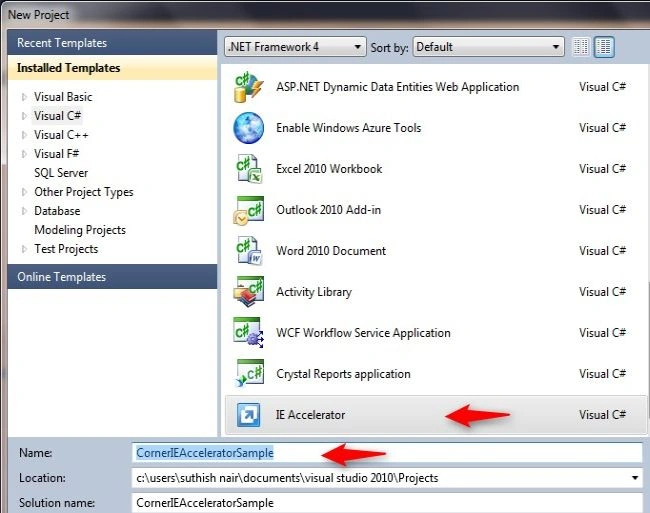
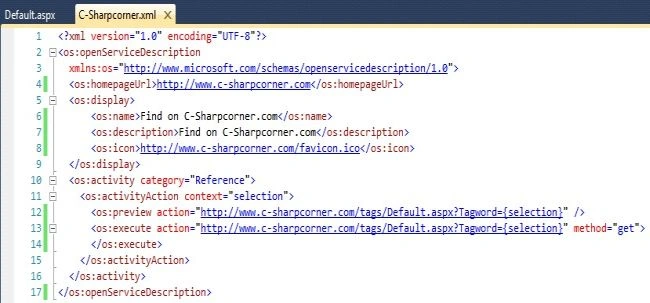
Sr KarthigaPosted Jul 7, 2016, 7:04 AM
Good one
Vipendra VermaPosted Jul 16, 2012, 6:17 AM
Thank you for providing information about use of Internet Explorer Accelerator in web site.